40
Downloading Images to a Computer (ZoomBrowser EX)
2.
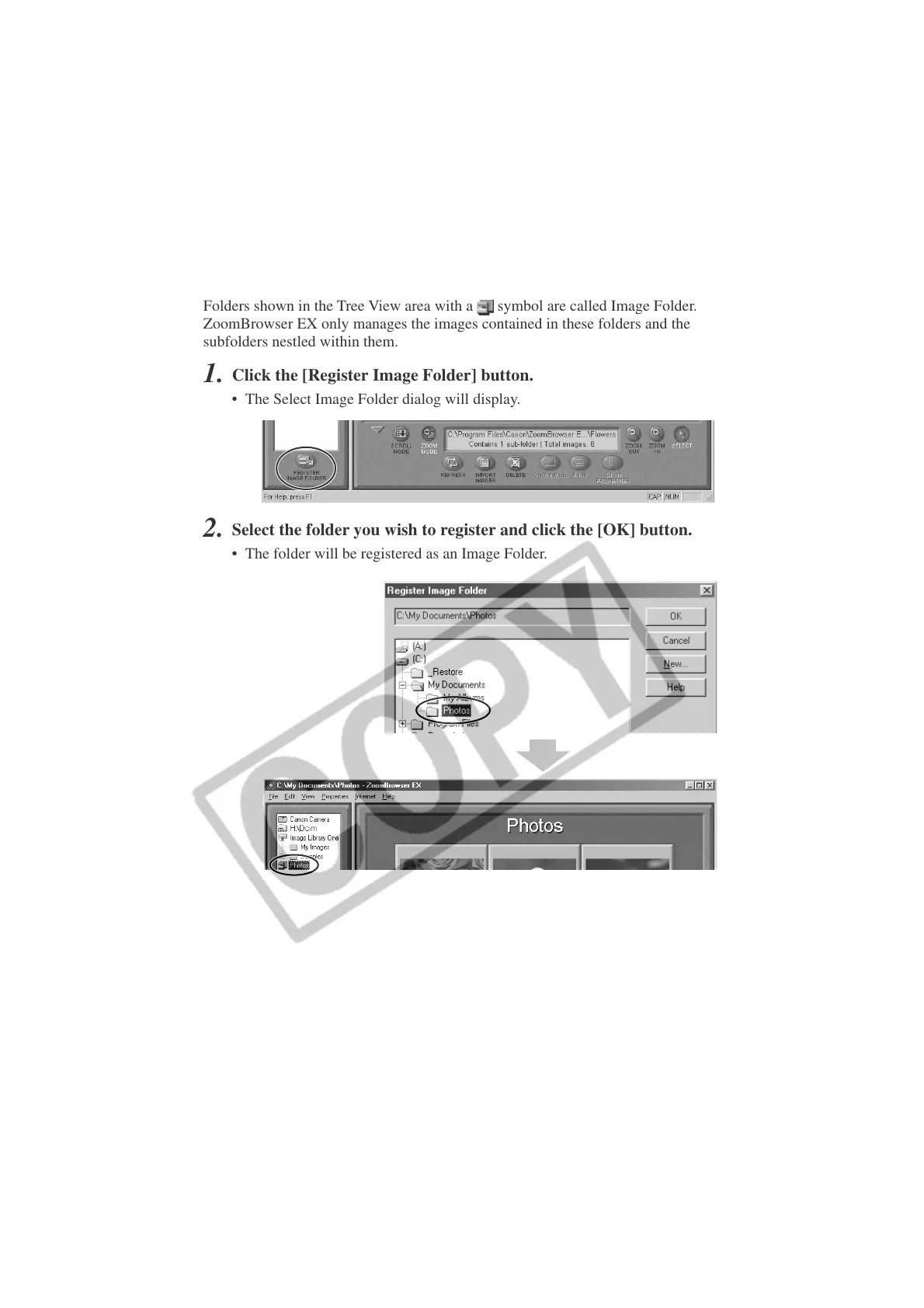
Select the folder you wish to register and click the [OK] button.
• The folder will be registered as an Image Folder.
■ Registering a Folder as a Image Folder
Folders shown in the Tree View area with a
symbol are called Image Folder.
ZoomBrowser EX only manages the images contained in these folders and the
subfolders nestled within them.
1.
Click the [Register Image Folder] button.
• The Select Image Folder dialog will display.












 To Next Page