Using
the
Self
Timer
I
46
To
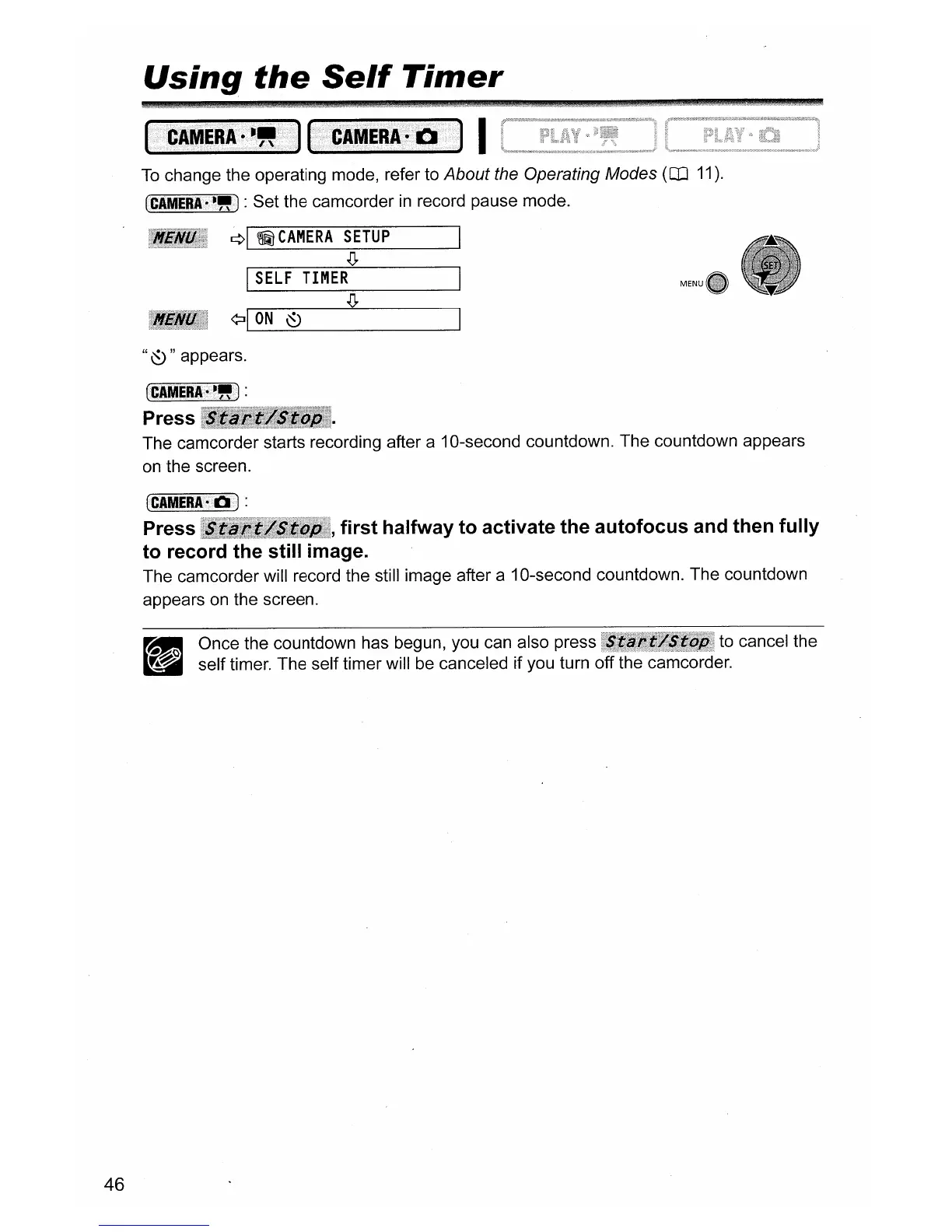
change the operating mode, refer to About the Operating Modes
(CD
11).
(CAMERA·~IJ!)
: Set the camcorder
in
record pause mode.
¢I
~
CAMERA
SETUP
.Q.
I
SELF
TIMER
¢:II
ON
~
"
~
" appears.
~GAIVIERI~~IJ!)
:
Press
~!111111;'III;lllllllil
The camcorder starts recording after a 10-second countdown. The countdown appears
on
the screen.
(CAMERA7E1J
:
Press , first halfway to activate the autofocus and then fully
to record the still image.
The camcorder will record the still image after a 10-second countdown. The countdown
appears
on
the screen.
_ Once the countdown has begun, you can also press
•......
. to cancel the
d self timer. The self timer will be canceled if you turn off the camcorder.



 To Next Page