EasyManua.ls Logo

Canon EOS 650D - Mirror Lockup to Reduce Camera Shake

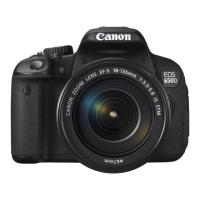
Canon EOS 650D
376 pages
Print Icon
To Next Page IconTo Next Page
To Previous Page IconTo Previous Page
Loading...
140
The camera’s mechanical shake caused by the reflex mirror action can
blur images taken with a super telephoto lens or close-up (macro) lens.
In such cases, mirror lockup is effective.
Mirror lockup is enabled by setting [5: Mirror lockup] to [1: Enable]
in the [54: Custom Functions (C.Fn)] (p.296).
1 Focus the subject, then press the shutter button
completely.
The mirror will swing up.
2 Press the shutter button completely again.
The picture is taken and the mirror goes back down.
After taking the picture, set [5: Mirror lockup] to [0: Disable].
Using the self-timer <Q>, <l> with mirror lockup
When you press the shutter button completely, the mirror locks up,
then the picture is taken 10 sec. or 2 sec. later.
Remote control shooting
Since you do not touch the camera when the picture is taken, remote
control shooting together with mirror lockup can further prevent
camera shake (p.303). With Remote Controller RC-6 (sold
separately) set to a 2-sec. delay, press the transmit button and the
mirror will lockup before the picture is taken 2 sec. later.
Mirror Lockup to Reduce Camera Shake
N
Shooting Tips
www.devicemanuals.eu
Press the shutter button completely again.
www.devicemanuals.eu
Press the shutter button completely again.
The picture is taken and the mirror goes back down.
www.devicemanuals.eu
The picture is taken and the mirror goes back down.
5: Mirror lockup
www.devicemanuals.eu
5: Mirror lockup
] to [
www.devicemanuals.eu
] to [
l
www.devicemanuals.eu
l
> with mirror lockup
www.devicemanuals.eu
> with mirror lockup
When you press the shutter button completely, the mirror locks up,
www.devicemanuals.eu
When you press the shutter button completely, the mirror locks up,

then the picture is taken 10 sec. or 2 sec. later.
www.devicemanuals.eu
then the picture is taken 10 sec. or 2 sec. later.
www.devicemanuals.eu
Remote control shooting
www.devicemanuals.eu
Remote control shooting
Since you do not touch the camera when the picture is taken, remote
www.devicemanuals.eu
Since you do not touch the camera when the picture is taken, remote
control shooting together with mi
www.devicemanuals.eu
control shooting together with mi
camera shake (p.303). With Remote Controller RC-6 (sold
www.devicemanuals.eu
camera shake (p.303). With Remote Controller RC-6 (sold
www.devicemanuals.eu
separately) set to a 2-sec. delay, press the transmit button and the
www.devicemanuals.eu
separately) set to a 2-sec. delay, press the transmit button and the

Table of Contents