EasyManua.ls Logo

Canon EOS 650D - Selecting the Interface Language

Canon EOS 650D
376 pages
Print Icon
To Next Page IconTo Next Page
To Previous Page IconTo Previous Page
Loading...
38
1
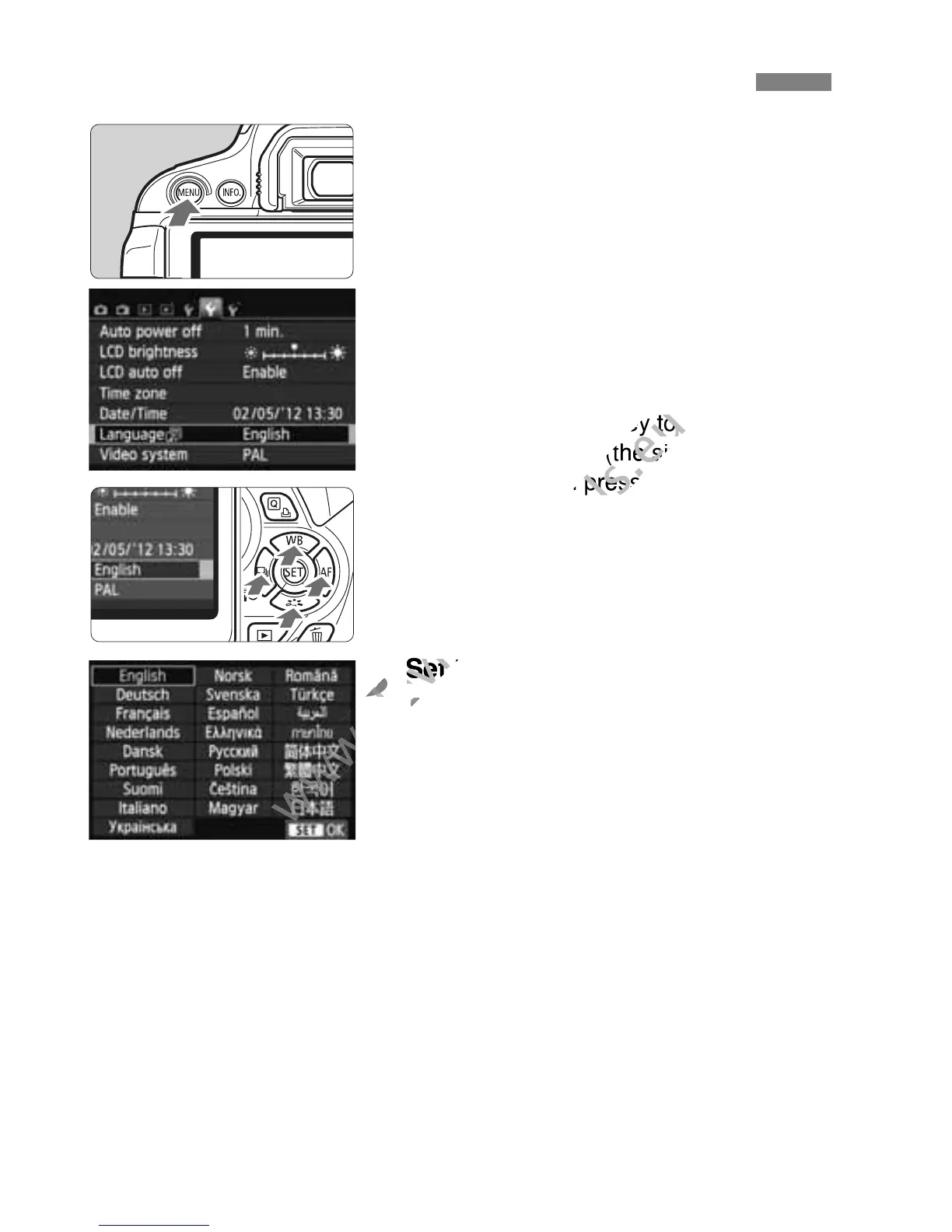
Display the menu screen.
Press the <M> button to display
the menu screen.
2
Under the [52] tab, select
[LanguageK].
Press the <U> key to select the
[52] tab.
Press the <V> key to select
[Language
K] (the sixth item from
the top), then press <0>.
3
Set the desired language.
Press the <S> key to select the
language, then press <0>.
The interface language will change.
3 Selecting the Interface Language
www.devicemanuals.eu
> key to select
www.devicemanuals.eu
> key to select
] (the sixth item from
www.devicemanuals.eu
] (the sixth item from
the top), then press <
www.devicemanuals.eu
the top), then press <
3
www.devicemanuals.eu
3
Set the desired language.
www.devicemanuals.eu
Set the desired language.
www.devicemanuals.eu

Table of Contents