EasyManua.ls Logo

Canon EOS 650D - Downloading Images to a Personal Computer

Canon EOS 650D
376 pages
Print Icon
To Next Page IconTo Next Page
To Previous Page IconTo Previous Page
Loading...
348
You can use the provided software to download the images in the
camera to your personal computer. There are two ways to do this.
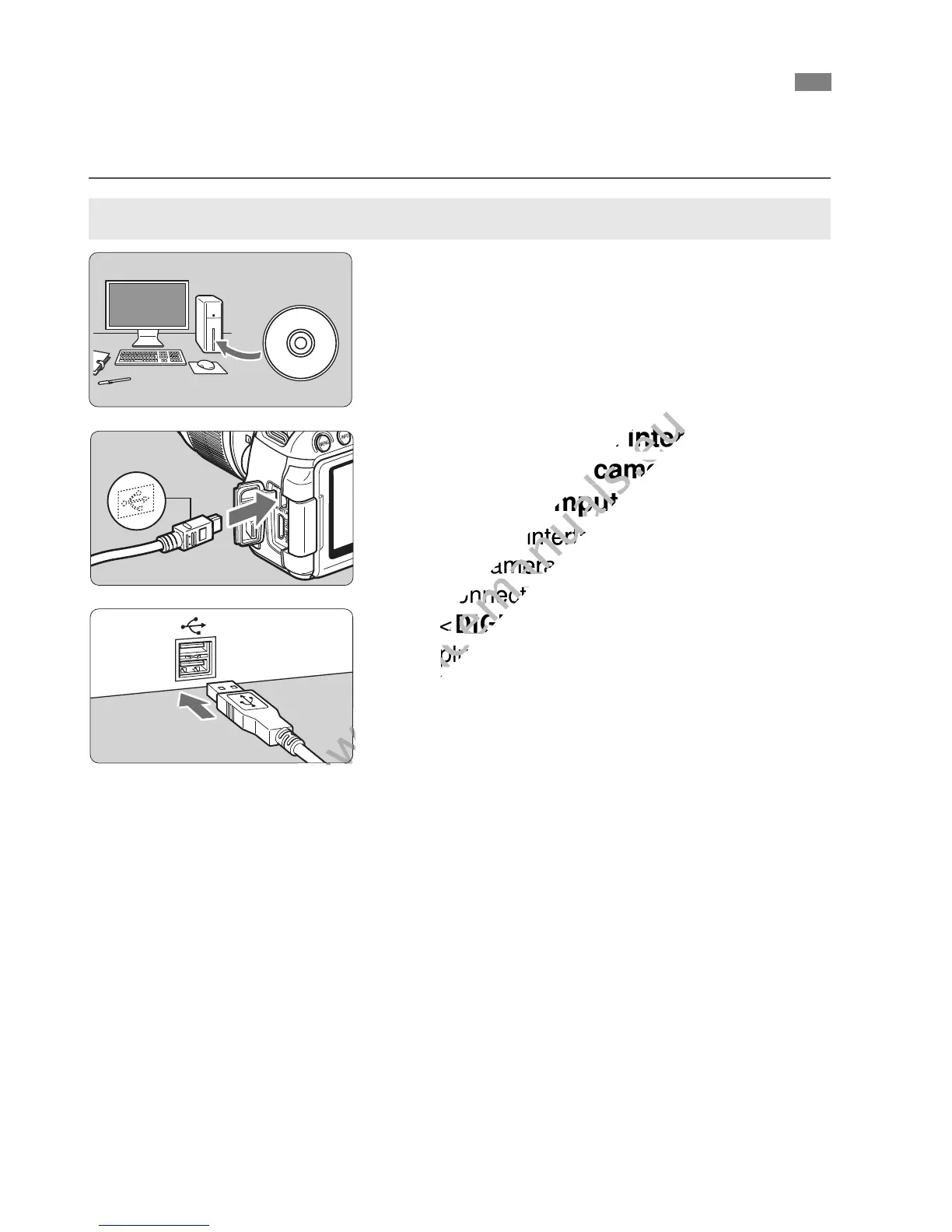
1
Install the software (p.351).
2
Use the provided interface cable
to connect the camera to your
personal computer.
Use the interface cable provided with
the camera.
Connect the cable to the camera’s
<C> terminal with the cable
plug’s <D> icon facing the front of
the camera.
Connect the cord’s plug to the
personal computer’s USB terminal.
3
Use EOS Utility to download the
images/movies.
For details, refer to the PDF Software
Instruction Manual on the CD-ROM
(p.353).
Downloading Images to a Personal Computer
Download by Connecting the Camera to the Personal Computer

www.devicemanuals.eu
Use the provided interface cable
www.devicemanuals.eu
Use the provided interface cable
to connect the camera to your
www.devicemanuals.eu
to connect the camera to your
personal computer.
www.devicemanuals.eu
personal computer.
Use the interface cable provided with
www.devicemanuals.eu
Use the interface cable provided with
the camera.
www.devicemanuals.eu
the camera.
Connect the cable to the cameras
www.devicemanuals.eu
Connect the cable to the cameras
<
www.devicemanuals.eu
<
C
www.devicemanuals.eu
C
plug’s <
www.devicemanuals.eu
plug’s <
the camera.
www.devicemanuals.eu
the camera.
www.devicemanuals.eu

Table of Contents

Related product manuals