EasyManua.ls Logo

Canon EOS 650D - Autoexposure Shooting; Shooting Movies

Canon EOS 650D
376 pages
Print Icon
To Next Page IconTo Next Page
To Previous Page IconTo Previous Page
Loading...
170
Connecting the camera to a TV set is recommended to play back the
movies shot (p.258, 261).
When the shooting mode is not set to <a>, autoexposure control will
take effect to suit the scene’s current brightness.
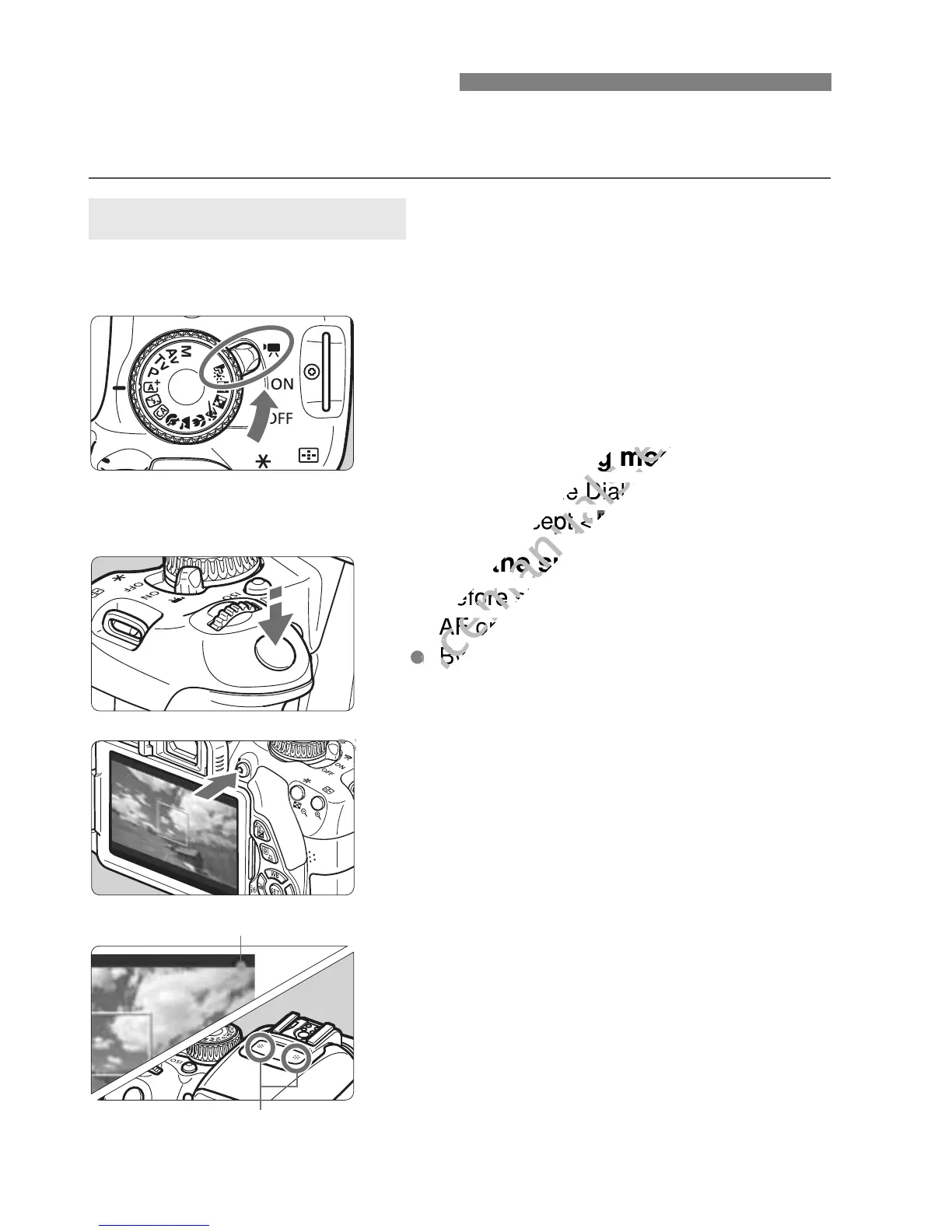
1
Set the power switch to <k>.
The reflex mirror will make a sound,
then the image will appear on the
LCD monitor.
2
Set the shooting mode.
Set the Mode Dial to any shooting
mode except <a>.
3
Focus the subject.
Before shooting a movie, focus with
AF or manual focus (p.153-161, 164).
By default, [Movie Servo AF:
Enable] is set so that the camera will
always focus. To stop Movie Servo
AF, see page 191.
4
Shoot the movie.
Press the <A> button to start
shooting a movie. To stop movie
shooting, press <A> again.
While the movie is being shot, the
“o” mark will be displayed on the
upper right of the screen.
k Shooting Movies
Autoexposure Shooting
Recording movie
Microphone
www.devicemanuals.eu
Set the Mode Dial to any shooting
www.devicemanuals.eu
Set the Mode Dial to any shooting
mode except <
www.devicemanuals.eu
mode except <
a
www.devicemanuals.eu
a
Focus the subject.
www.devicemanuals.eu
Focus the subject.
Before shooting a movie, focus with
www.devicemanuals.eu
Before shooting a movie, focus with
AF or manual focus (p.153-161, 164).
www.devicemanuals.eu
AF or manual focus (p.153-161, 164).
www.devicemanuals.eu
By default, [
www.devicemanuals.eu
By default, [
www.devicemanuals.eu

Table of Contents