EasyManua.ls Logo

Canon EOS 650D - Shooting Video Snapshots

Canon EOS 650D
376 pages
Print Icon
To Next Page IconTo Next Page
To Previous Page IconTo Previous Page
Loading...
183
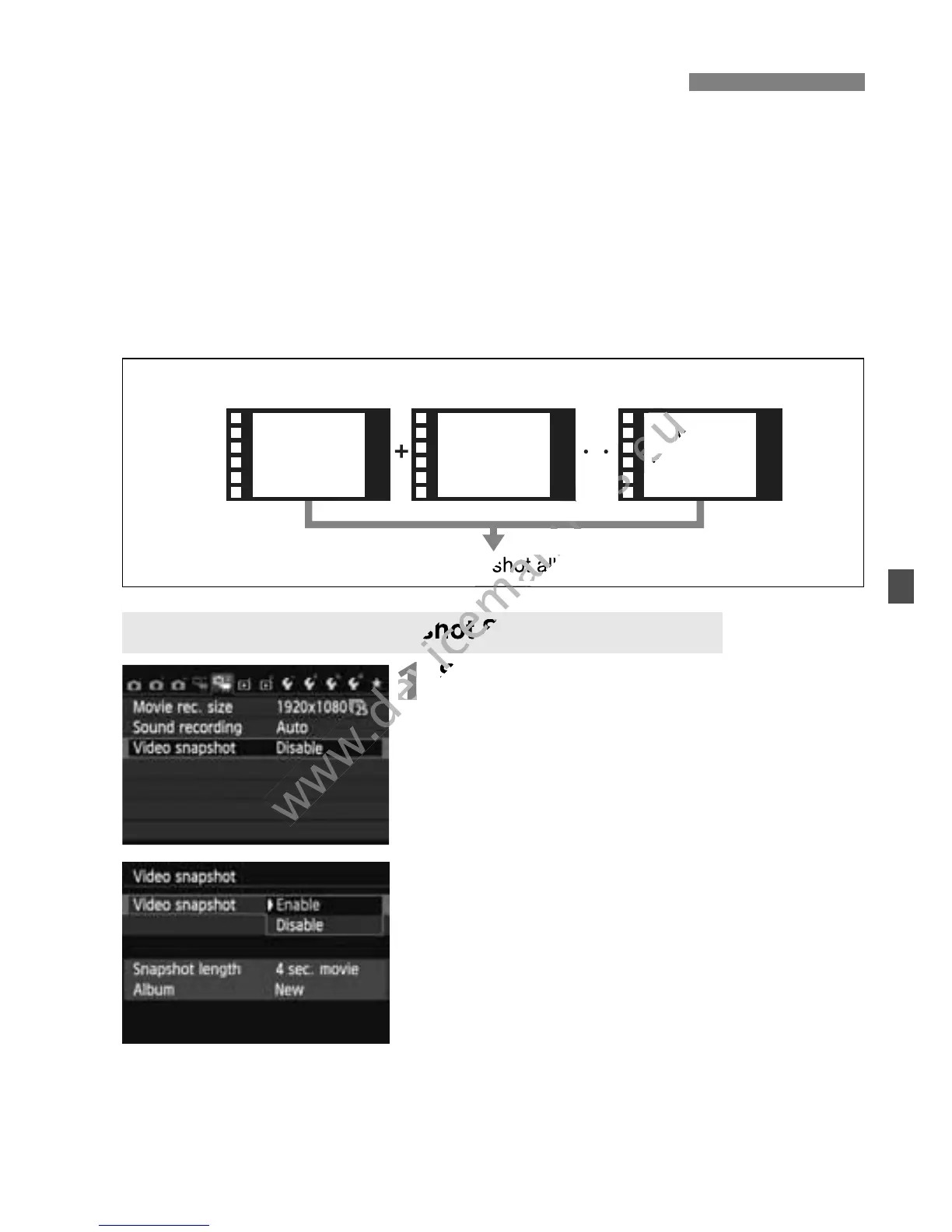
You can easily create a short movie with the video snapshot function.
A video snapshot is a short movie clip lasting approx. 2 sec., 4 sec., or 8
sec. A collection of video snapshots is called a video snapshot album
and can be saved to the card as a single movie file. By changing the
scene or angle in each video snapshot, you can create dynamic short
movies.
A video snapshot album can also be played together with background
music (p.188, 251).
1
Select [Video snapshot].
Under the [Z2] tab, select [Video
snapshot], then press <0>.
2
Select [Enable].
Select [Enable], then press <0>.
3 Shooting Video Snapshots
Setting the Video Snapshot Shooting Duration
Video Snapshot Album Concept
Video snapshot album
Video
snapshot 1
Video
snapshot 2
Video
snapshot x
www.devicemanuals.eu
1
www.devicemanuals.eu
1
Select [Video snapshot].
www.devicemanuals.eu
Select [Video snapshot].
www.devicemanuals.eu
Setting the Video Snapshot Shooting Duration
www.devicemanuals.eu
Setting the Video Snapshot Shooting Duration
www.devicemanuals.eu
Video snapshot album
www.devicemanuals.eu
Video snapshot album
www.devicemanuals.eu
Video snapshot album
Video
www.devicemanuals.eu
Video
snapshot x
www.devicemanuals.eu
snapshot x
www.devicemanuals.eu

Table of Contents