EasyManua.ls Logo

Canon EOS 650D - Setting Ratings

Canon EOS 650D
376 pages
Print Icon
To Next Page IconTo Next Page
To Previous Page IconTo Previous Page
Loading...
244
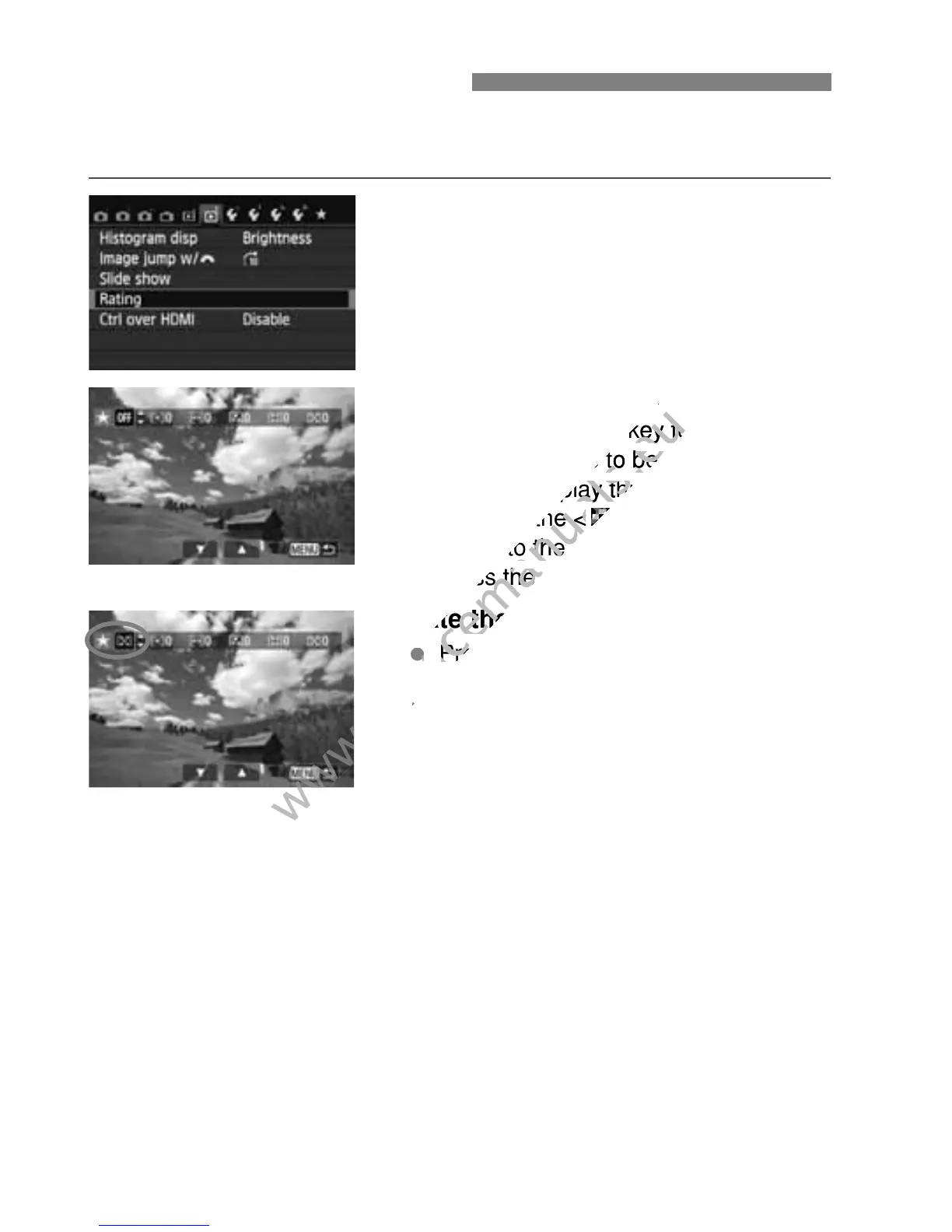
You can rate images and movies with one of five rating marks: l/m/
n/o/p. This function is called rating.
1
Select [Rating].
Under the [x2] tab, select [Rating],
then press <0>.
2
Select an image or movie.
Press the <U> key to select an
image or movie to be rated.
You can display three images by
pressing the <Hy> button. To
return to the single-image display,
press the <u> button.
3
Rate the image or movie.
Press the <V> key to select a
rating.
The total number of images and
movies rated will be counted for each
rating.
To rate another image or movie,
repeat steps 2 and 3.
Press the <M> button to return to
the menu.
3 Setting Ratings
www.devicemanuals.eu
Select an image or movie.
www.devicemanuals.eu
Select an image or movie.
> key to select an
www.devicemanuals.eu
> key to select an
image or movie to be rated.
www.devicemanuals.eu
image or movie to be rated.
You can display three images by
www.devicemanuals.eu
You can display three images by
pressing the <
www.devicemanuals.eu
pressing the <
Hy
www.devicemanuals.eu
Hy
return to the single-image display,
www.devicemanuals.eu
return to the single-image display,

press the <
www.devicemanuals.eu
press the <
Rate the image or movie.
www.devicemanuals.eu
Rate the image or movie.
www.devicemanuals.eu
Press the <
www.devicemanuals.eu
Press the <
rating.
www.devicemanuals.eu
rating.
www.devicemanuals.eu

Table of Contents

Related product manuals