EasyManua.ls Logo

Canon EOS 650D - Image Playback

Canon EOS 650D
376 pages
Print Icon
To Next Page IconTo Next Page
To Previous Page IconTo Previous Page
Loading...
82
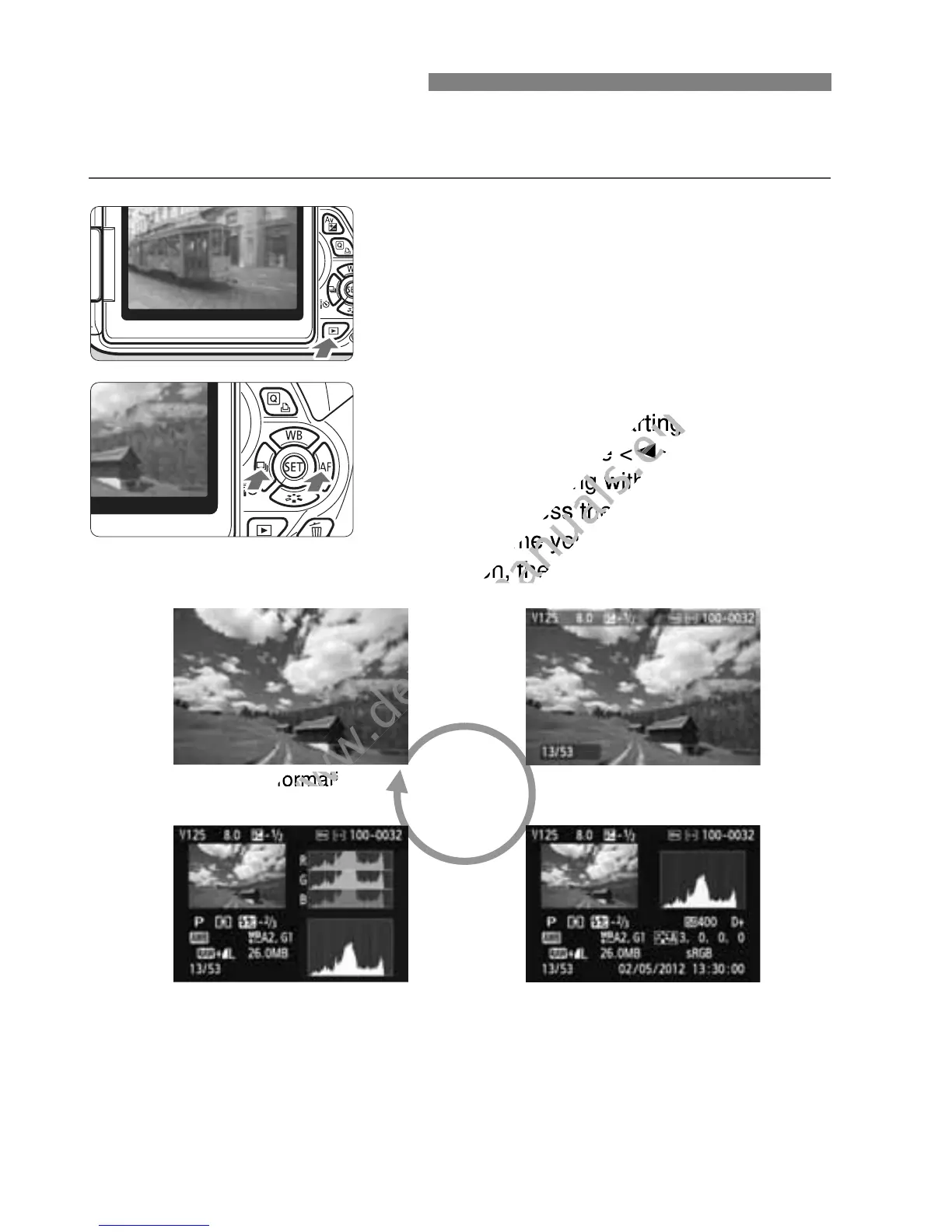
The easiest way to play back images is explained below. For more
details on the playback procedure, see page 237.
1
Play back the image.
Press the <x> button.
The last captured image or last image
viewed will appear.
2
Select an image.
To view images starting with the last
image, press the <Y> key. To view
images starting with the first (oldest)
image, press the <Z> key.
Each time you press the <B>
button, the display format will change.
3
Exit the image playback.
Press the <x> button to exit the
image playback and return to the
shooting settings display.
x Image Playback
No information
Histogram
With basic information
Shooting information display
www.devicemanuals.eu
To view images starting with the last
www.devicemanuals.eu
To view images starting with the last
image, press the <
www.devicemanuals.eu
image, press the <
Y
www.devicemanuals.eu
Y
> key. To view
www.devicemanuals.eu
> key. To view
images starting with the first (oldest)
www.devicemanuals.eu
images starting with the first (oldest)
image, press the <
www.devicemanuals.eu
image, press the <
Each time you press the <
www.devicemanuals.eu
Each time you press the <
button, the display format will change.
www.devicemanuals.eu
button, the display format will change.

www.devicemanuals.eu
No information
www.devicemanuals.eu
No information
www.devicemanuals.eu

Table of Contents

Related product manuals