40
Attaching and Detaching a Lens
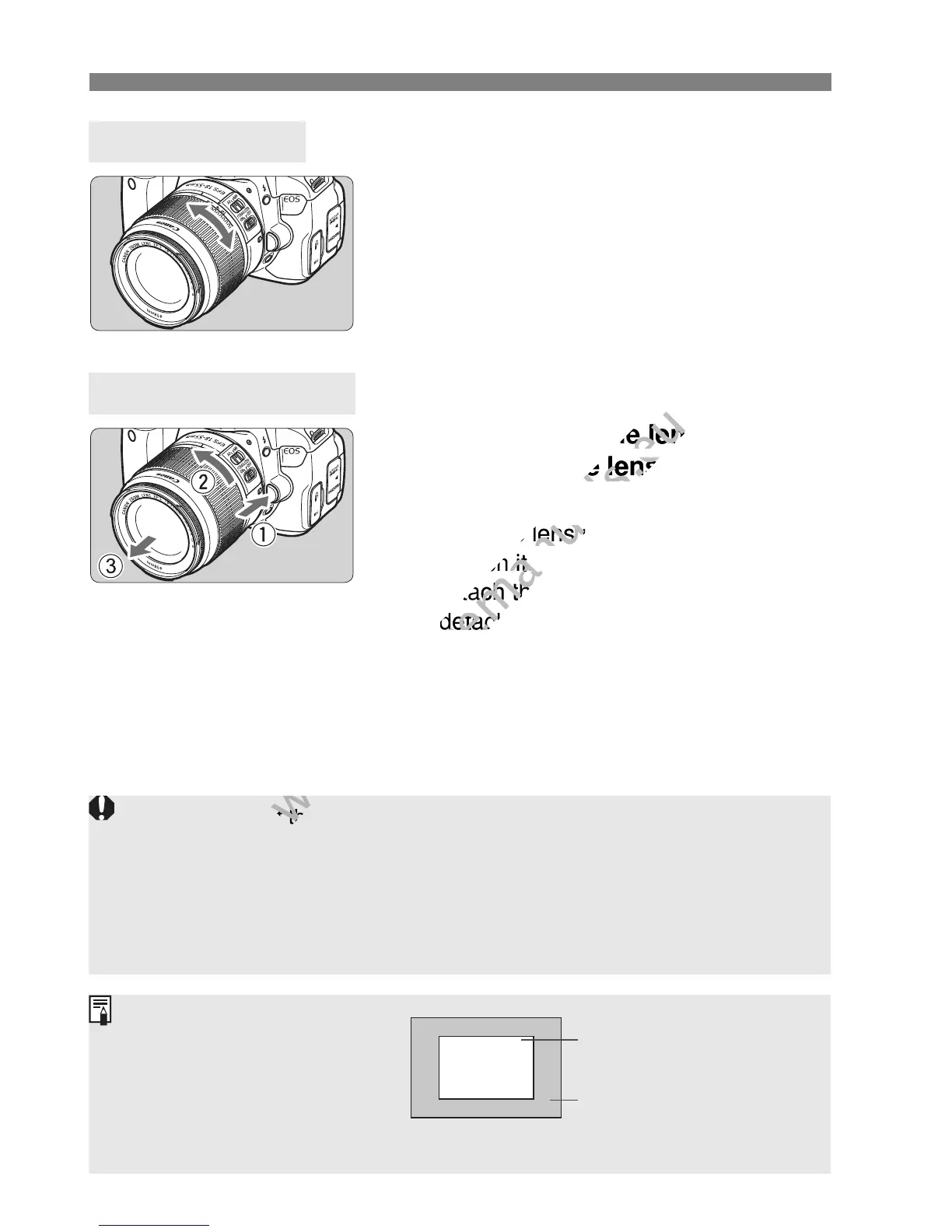
To zoom, turn the zoom ring on the lens
with your fingers.
If you want to zoom, do it before
focusing. Turning the zoom ring after
achieving focus may throw off the
focus slightly.
While pressing the lens release
button, turn the lens as shown by
the arrow.
Turn the lens until it stops, then
detach it.
Attach the rear lens cap to the
detached lens.
About Zooming
Detaching the Lens
Do not look at the sun directly through any lens. Doing so may cause
loss of vision.
If the front part (focusing ring) of the lens rotates during autofocusing, do
not touch the rotating part.
If you purchased an EF-S 18-135mm f/3.5-5.6 IS STM lens kit, see
“Handling Precautions” on page 340.
Image Conversion Factor
Since the image sensor size is
smaller than the 35mm film
format, it will look like the lens
focal length is increased by
approx. 1.6x.
Image sensor size (Approx.)
(22.3 x 14.9 mm / 0.88 x 0.59 in.)
35mm image size
(36 x 24 mm / 1.42 x 0.94 in.)



 To Next Page