EasyManua.ls Logo

Canon EOS 650D - Shooting with the Touch Shutter

Canon EOS 650D
376 pages
Print Icon
To Next Page IconTo Next Page
To Previous Page IconTo Previous Page
Loading...
162
Just by tapping the LCD monitor screen, you can focus and take the
picture automatically. This works in all shooting modes.
1
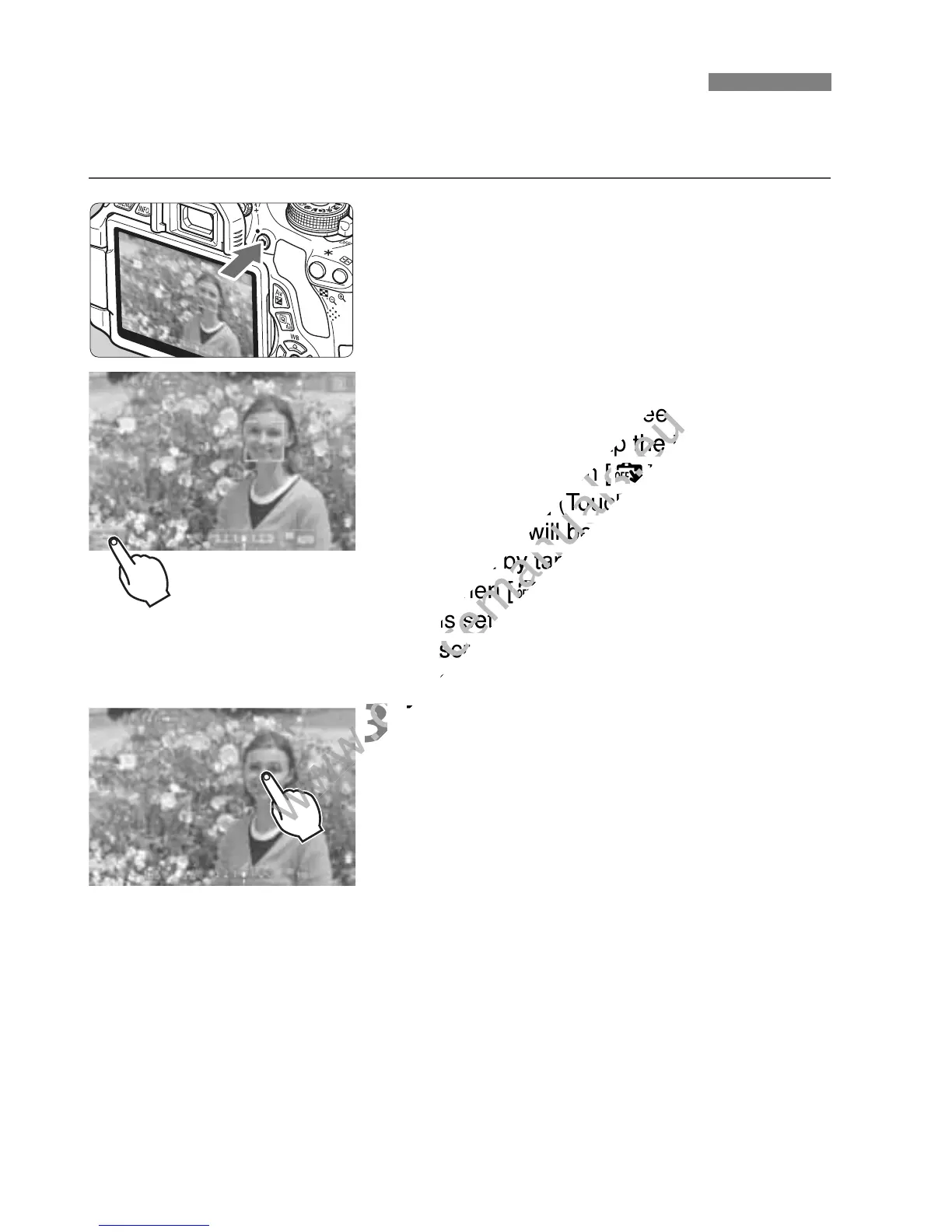
Display the Live View image.
Press the <A> button.
The Live View image will appear on
the LCD monitor.
2
Enable the touch shutter.
Tap [y] on the screen’s bottom left.
Each time you tap the icon, it will
toggle between [y] and [x].
When [x] (Touch Shutter: Enable) is
set, you will be able to focus and
shoot by tapping the screen.
When [y] (Touch Shutter: Disable)
is set, you can focus by tapping the
screen. Press the shutter button
completely to take the picture.
3
Tap the screen to shoot.
Tap the face or subject on the screen.
At the point you tap, the camera will
focus in the AF method that was set
(p.153-161). When [FlexiZone -
Multi] is set, it will switch to
[FlexiZone - Single].
When focus is achieved, the AF point
turns green and the picture is taken
automatically.
If focus is not achieved, the AF point
turns orange and the picture is not
taken. Tap the face or subject on the
screen again.
x Shooting with the Touch Shutter
www.devicemanuals.eu
] on the screen’s bottom left.
www.devicemanuals.eu
] on the screen’s bottom left.
Each time you tap the icon, it will
www.devicemanuals.eu
Each time you tap the icon, it will
toggle between [
www.devicemanuals.eu
toggle between [
y
www.devicemanuals.eu
y
] and [
www.devicemanuals.eu
] and [
] (Touch Shutter: Enable) is
www.devicemanuals.eu
] (Touch Shutter: Enable) is
set, you will be able to focus and
www.devicemanuals.eu
set, you will be able to focus and
shoot by tapping the screen.
www.devicemanuals.eu
shoot by tapping the screen.
When [
www.devicemanuals.eu
When [
y
www.devicemanuals.eu
y
is set, you can focus by tapping the
www.devicemanuals.eu
is set, you can focus by tapping the
screen. Press the shutter button
www.devicemanuals.eu
screen. Press the shutter button
completely to take the picture.
www.devicemanuals.eu
completely to take the picture.
3
www.devicemanuals.eu
3
Tap the screen to shoot.
www.devicemanuals.eu
Tap the screen to shoot.
www.devicemanuals.eu

Table of Contents