151
A Menu Function Settings
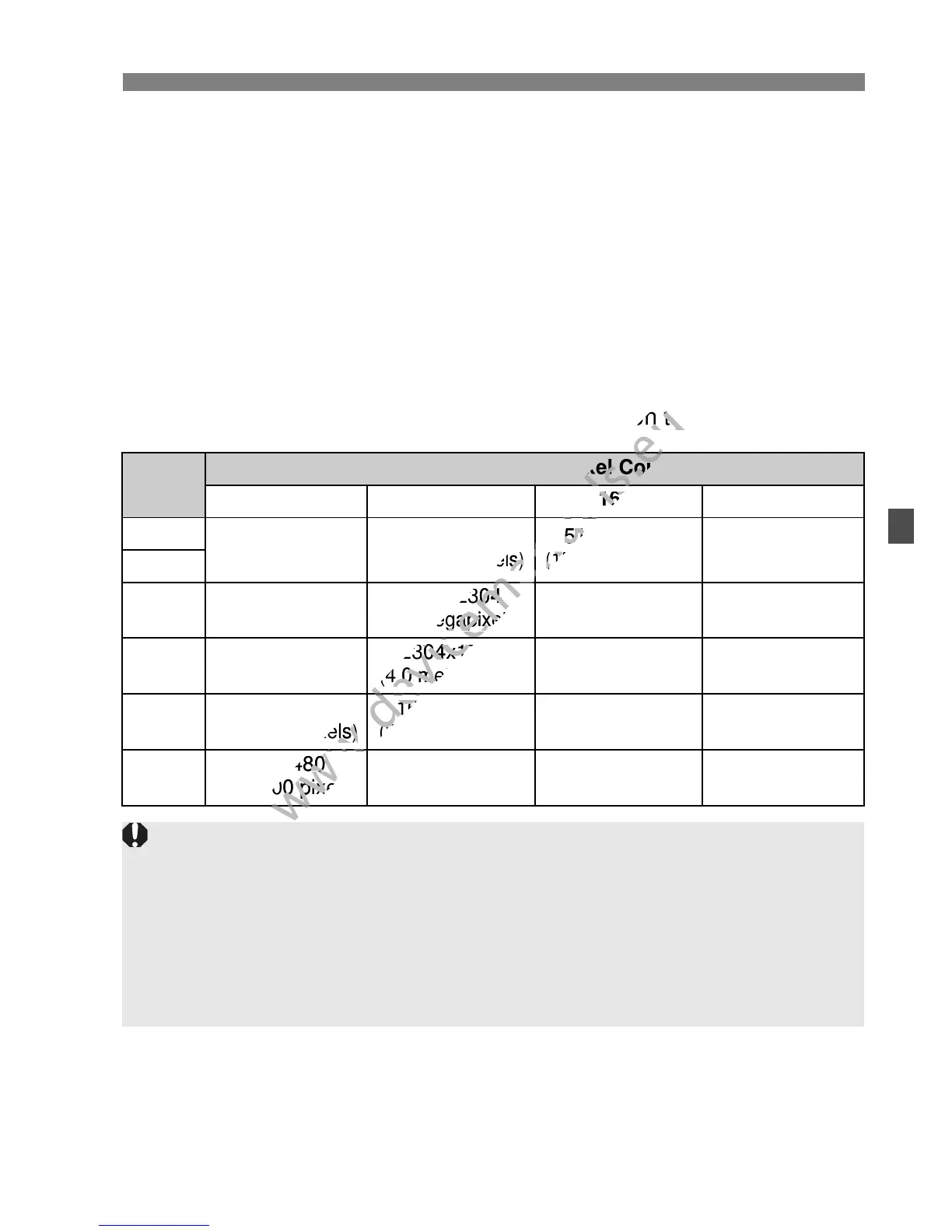
Aspect ratioN
The image’s aspect ratio can be set to [3:2], [4:3], [16:9], or [1:1].
The area surrounding the Live View image is masked in black when
the following aspect ratios are set: [4:3] [16:9] [1:1].
JPEG images will be saved with the set aspect ratio. RAW images
will always be saved with the [3:2] aspect ratio. Since the aspect
ratio information is appended to the RAW image, the image will be
generated in the respective aspect ratio when you process the RAW
image with the provided software. In the case of the [4:3], [16:9], and
[1:1] aspect ratios, the aspect-ratio lines will appear during image
playback, but the lines are not actually drawn on the image.
Image
Quality
Aspect Ratio and Pixel Count
3:2 4:3 16:9 1:1
3
5184x3456
(17.9 megapixels)
4608x3456
(16.0 megapixels)
5184x2912*
(15.1 megapixels)
3456x3456
(11.9 megapixels)
1
4
3456x2304
(8.0 megapixels)
3072x2304
(7.0 megapixels)
3456x1944
(6.7 megapixels)
2304x2304
(5.3 megapixels)
a
2592x1728
(4.5 megapixels)
2304x1728
(4.0 megapixels)
2592x1456*
(3.8 megapixels)
1728x1728
(3.0 megapixels)
b
1920x1280
(2.5 megapixels)
1696x1280*
(2.2 megapixels)
1920x1080
(2.1 megapixels)
1280x1280
(1.6 megapixels)
c
720x480
(350,000 pixels)
640x480
(310,000 pixels)
720x400*
(290,000 pixels)
480x480
(230,000 pixels)
Asterisked image-recording qualities do not exactly match the set aspect
ratio.
The image area displayed for the asterisked aspect ratio is slightly larger
than the recorded area. Check the captured images on the LCD monitor
when shooting.
If you use a different camera to directly print images shot with this
camera in the 1:1 aspect ratio, the images may not be correctly printed.
playback, but the lines are not actually drawn on the image.
www.devicemanuals.eu
playback, but the lines are not actually drawn on the image.



 To Next Page