239
x Searching for Images Quickly
With the single-image display, you can turn the <
6
> dial to jump through
the images forward or backward according to the jump method set.
1
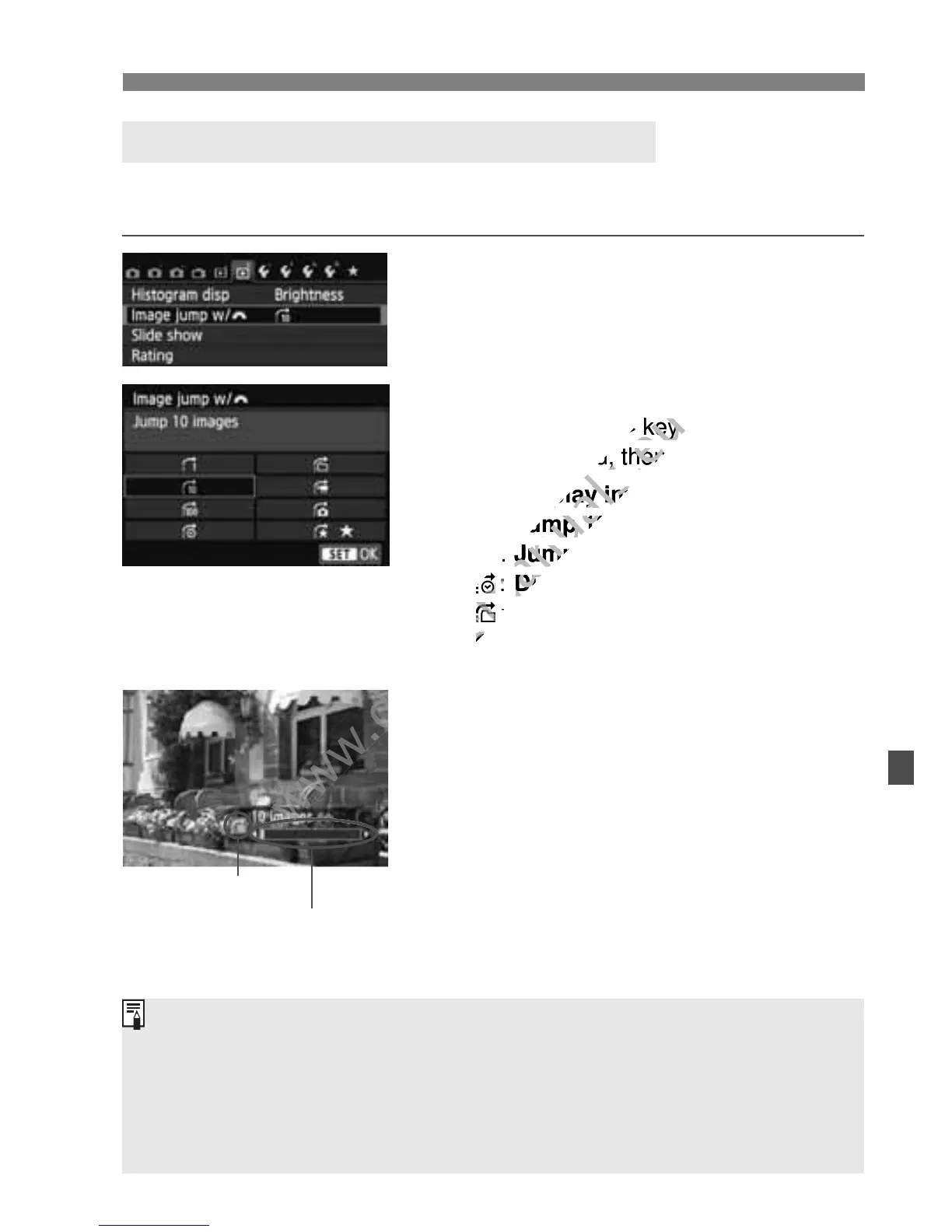
Select [Image jump w/6].
Under the [x2] tab, select [Image
jump w/6], then press <0>.
2
Select the jump method.
Press the <S> key to select the
jump method, then press <0>.
d: Display images one by one
e: Jump 10 images
f: Jump 100 images
g: Display by date
h: Display by folder
i: Display movies only
j: Display stills only
k: Display by image rating (p.244)
Turn the <6> dial to select.
3
Browse by jumping.
Press the <x> button to play back
images.
On the single-image display, turn the
<6> dial.
I Jump through Images (Jump Display)
Playback position
Jump method
To search images according to the shooting date, select [Date].
To search images according to folder, select [Folder].
If the card contains both movies and still photos, select [Movies] or
[Stills] to display only either one.
If no images match the selected [Rating], you cannot browse through the
images with the <6> dial.


 To Next Page