65
C Creative Auto Shooting
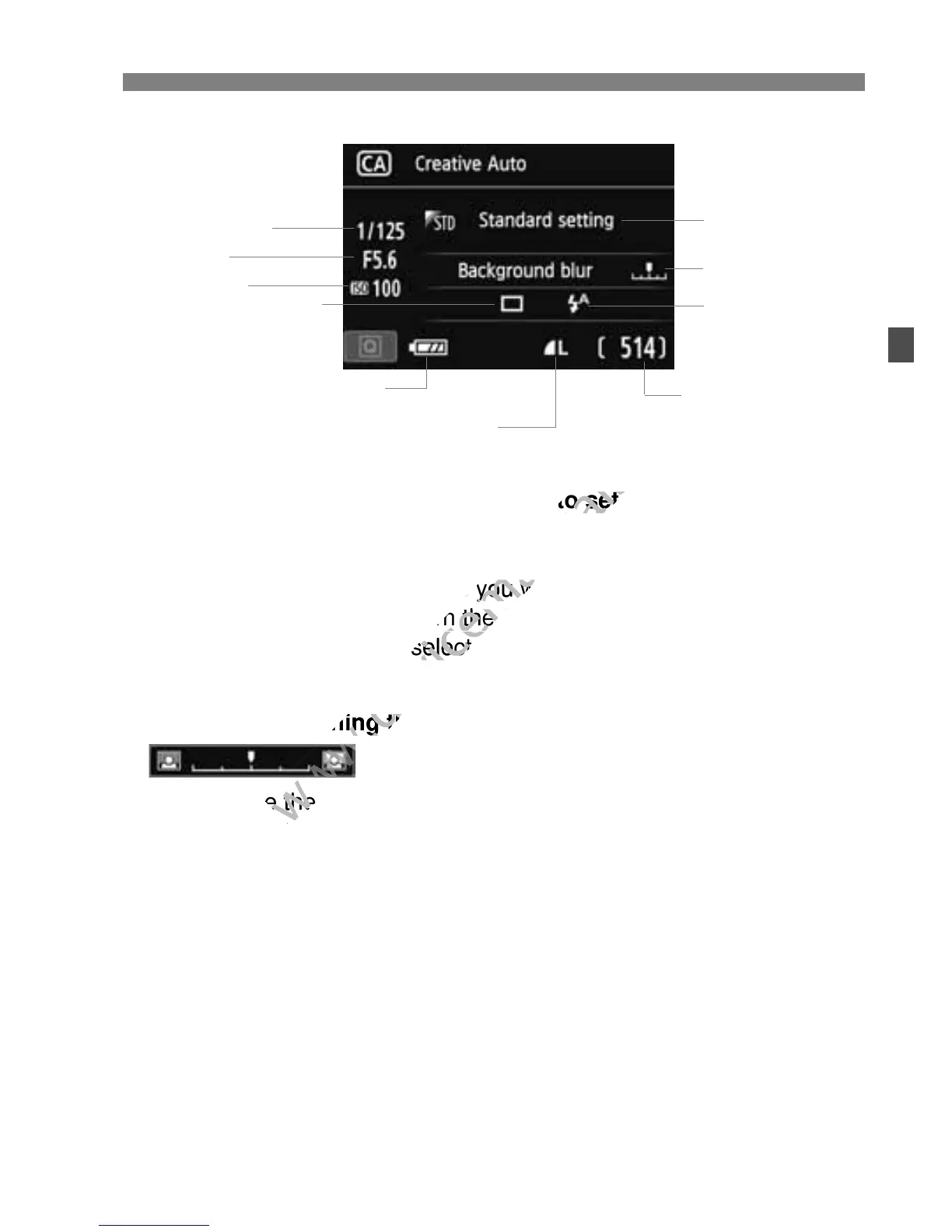
Pressing the <Q> button enables you to set the following:
(1) Ambience-based shots
You can choose the ambience you want to convey in your images.
Press the <U> key or turn the <6> dial to select the desired
ambience. You can also select it from a list by pressing <0>. For
details, see page 76.
(2) Blurring/sharpening the background
If you move the index mark toward the left, the background will look
more blurred. If you move it toward the right, the background will
look more in focus. If you want to blur the background, see “Shooting
Portraits” on page 67. Press the <U> key or turn the <6> dial to
select the desired ambience.
Depending on the lens and shooting conditions, the background
may not look so blurred. This function cannot be set (grayed out)
while the built-in flash is raised in the <a> or <D> mode. If flash is
used, this setting will not be applied.
Shutter speed
(1)
(2)
(4)
Battery check
Possible shots
ISO speed
Image-recording quality
Aperture
(3)
ambience. You can also select it from a list by pressing <
www.devicemanuals.eu
ambience. You can also select it from a list by pressing <
more blurred. If you move it toward the right, the background will
www.devicemanuals.eu
more blurred. If you move it toward the right, the background will



 To Next Page