7
Select the WEP key you have edited, and press .
Using WPA-PSK or WPA2-PSK
1
Select <WPA/WPA2-PSK>, and press .
2
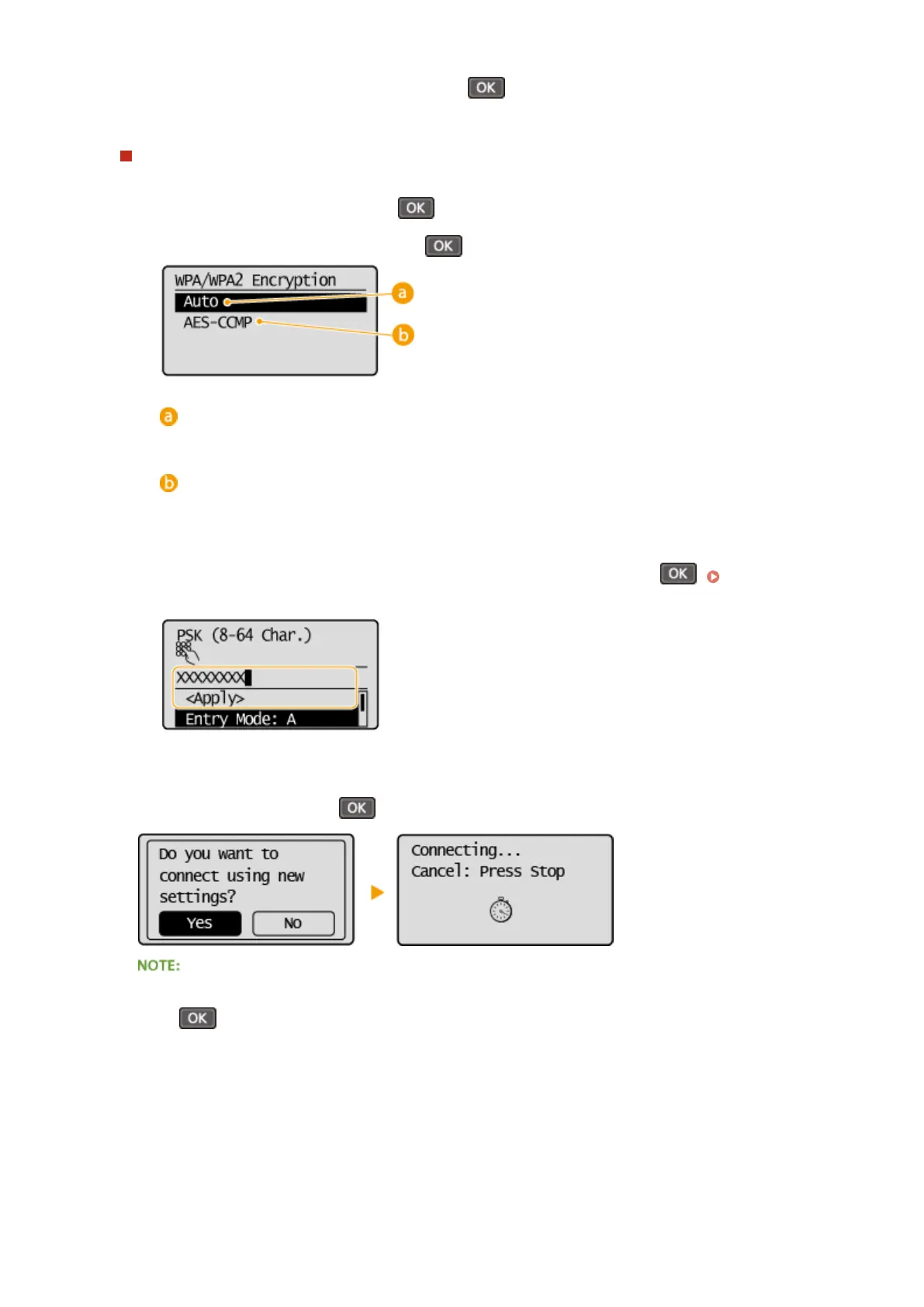
Select an encryption method, and press .
<Auto>
Sets the machine to automatically select AES-CCMP or TKIP to match the setting of the wireless router.
<AES-CCMP>
Sets AES-CCMP as the encryption method.
3
Enter the network key that you have written down.
● Enter the network key using the numeric keys, select <Apply>, and press . Entering
Text(P. 35)
8
Select <Yes>, and press .
If an error message is displayed during setup
Press
, check whether the specied settings are correct, and return to step 5.
9
Check that the Wi-Fi indicator is blinking on the operation panel.
● The Wi-Fi indicator blinks when a wireless router is detected.
Network (MF244dw / MF232w)
181












 To Next Page