Enlarging or Reducing
1560-019
You can enlarge or reduce copies by using a preset copy ratio such as <A5->A4>, or
by setting a custom copy ratio in increments of 1%.
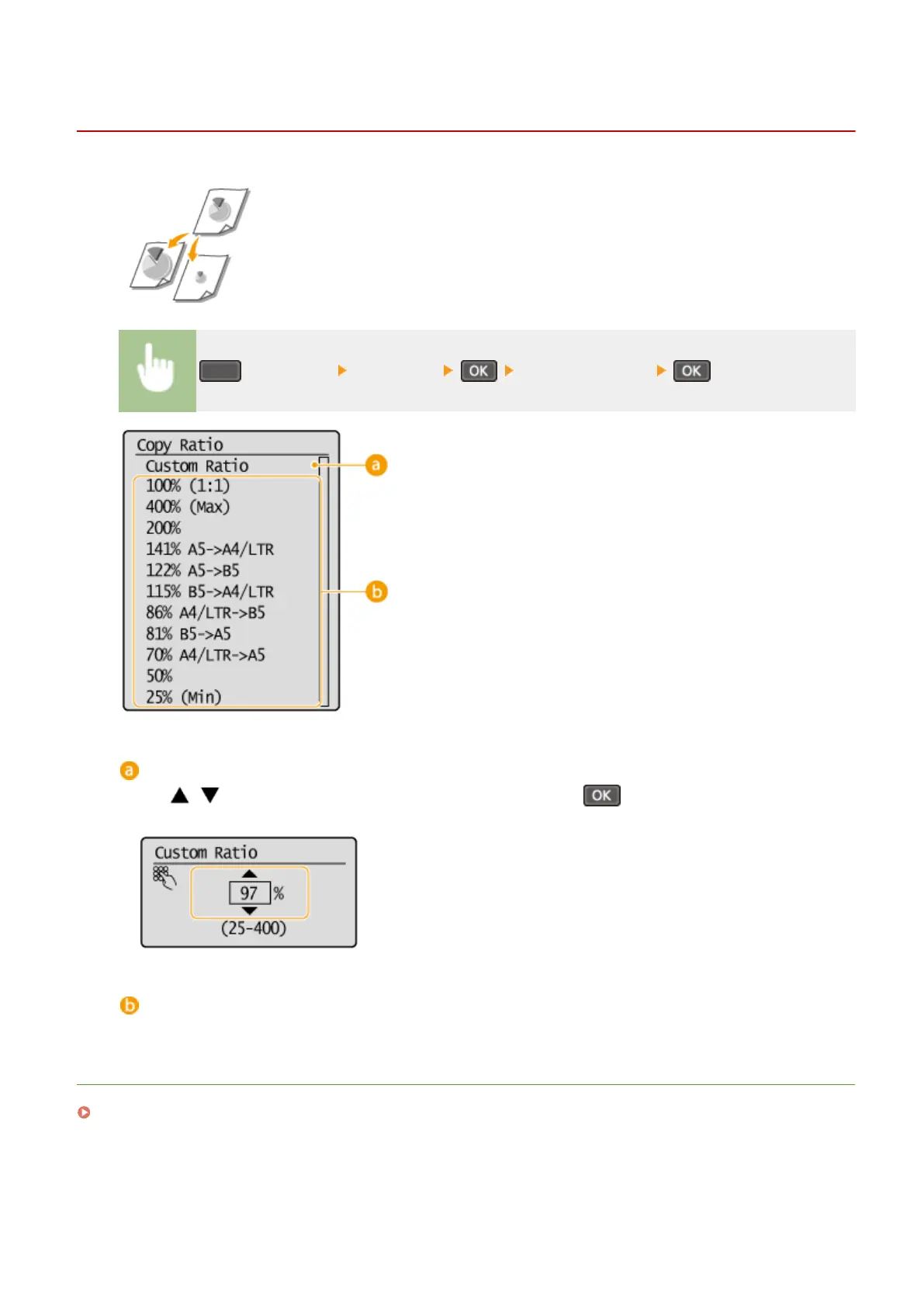
(COPY/SCAN) <Copy Ratio> Select the copy ratio
<Custom Ratio>
Use
/ or the numeric keys to enter the copy ratio, and press . You can set any copy ratio from
25% to 400% in 1% increments.
Preset copy ratio
Select a copy ratio.
LINKS
Basic Copy Operations(P. 64)
Copying
69












 To Next Page