Viewing Network Settings
1560-03W
Viewing IPv4 Settings(P. 193)
Viewing IPv6 Settings(P. 193)
Viewing the MAC Address for Wired LAN(P. 193)
Viewing the MAC Address and Information for Wireless LAN(P. 194)
● The IP address is not correctly congured if it is displayed as "0.0.0.0".
● Connecting the machine to a switching hub or bridge may result in a connection failure even when the IP
address is correctly congured. This problem can be solved by setting a certain interval before the machine
starts communicating.
Setting a Wait Time for Connecting to a Network(P. 210)
● You can print a list of the current network settings.
Output Reports(P. 296)
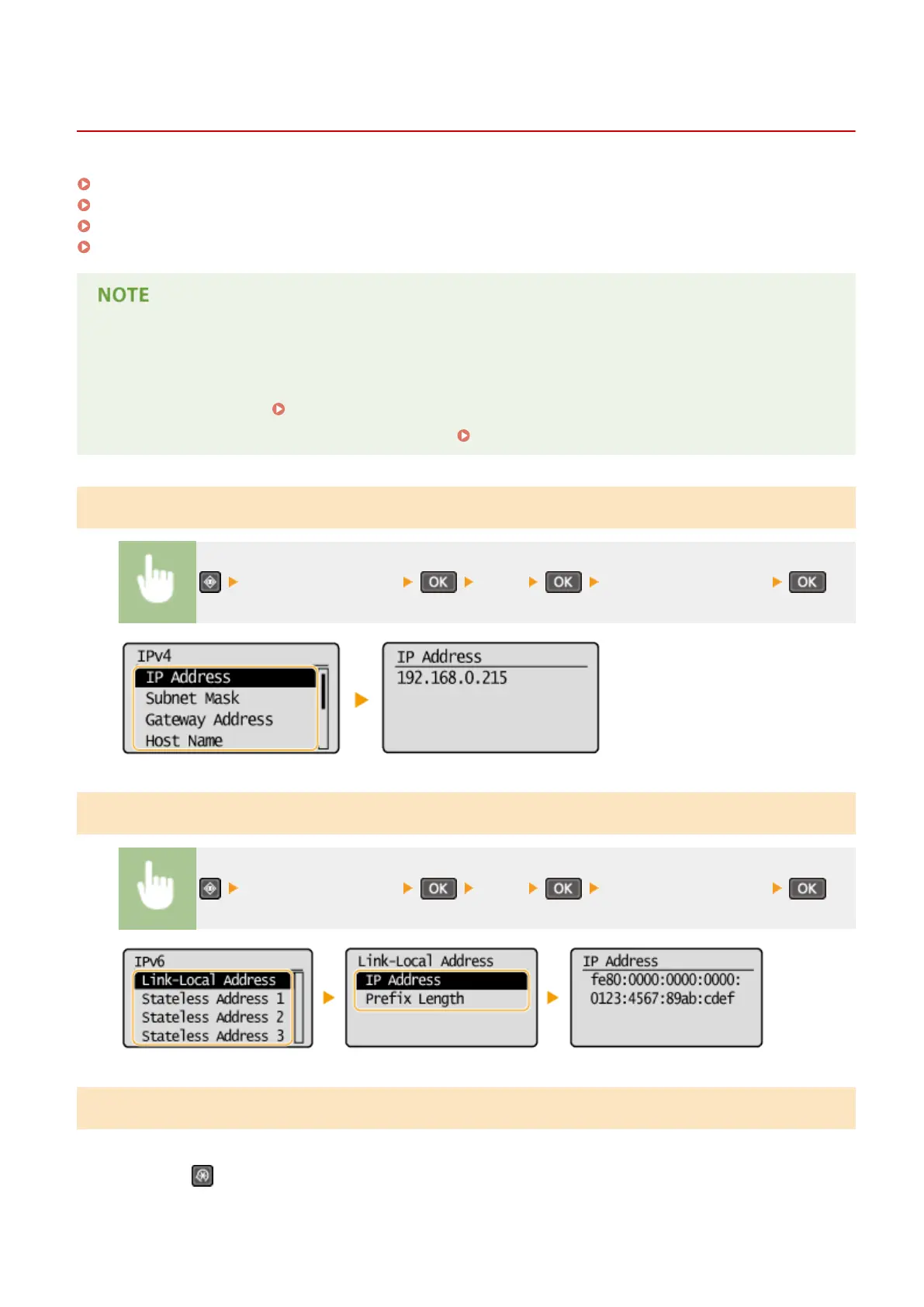
Viewing IPv4 Settings
<Network Information> <IPv4> Select the setting to view
Viewing IPv6 Settings
<Network Information> <IPv6> Select the setting to view
Viewing the MAC Address for Wired LAN
1
Press .
Network (MF244dw / MF232w)
193












 To Next Page