Specifying Paper Size and Type
1560-010
You must specify the paper size and type settings to match the paper that is loaded. Make sure to change the paper
settings when you load the paper that is different from the previously loaded paper.
If the setting does not match the size and type of loaded paper, a paper jam or printing error may occur.
1
Press (Paper Setting).
2
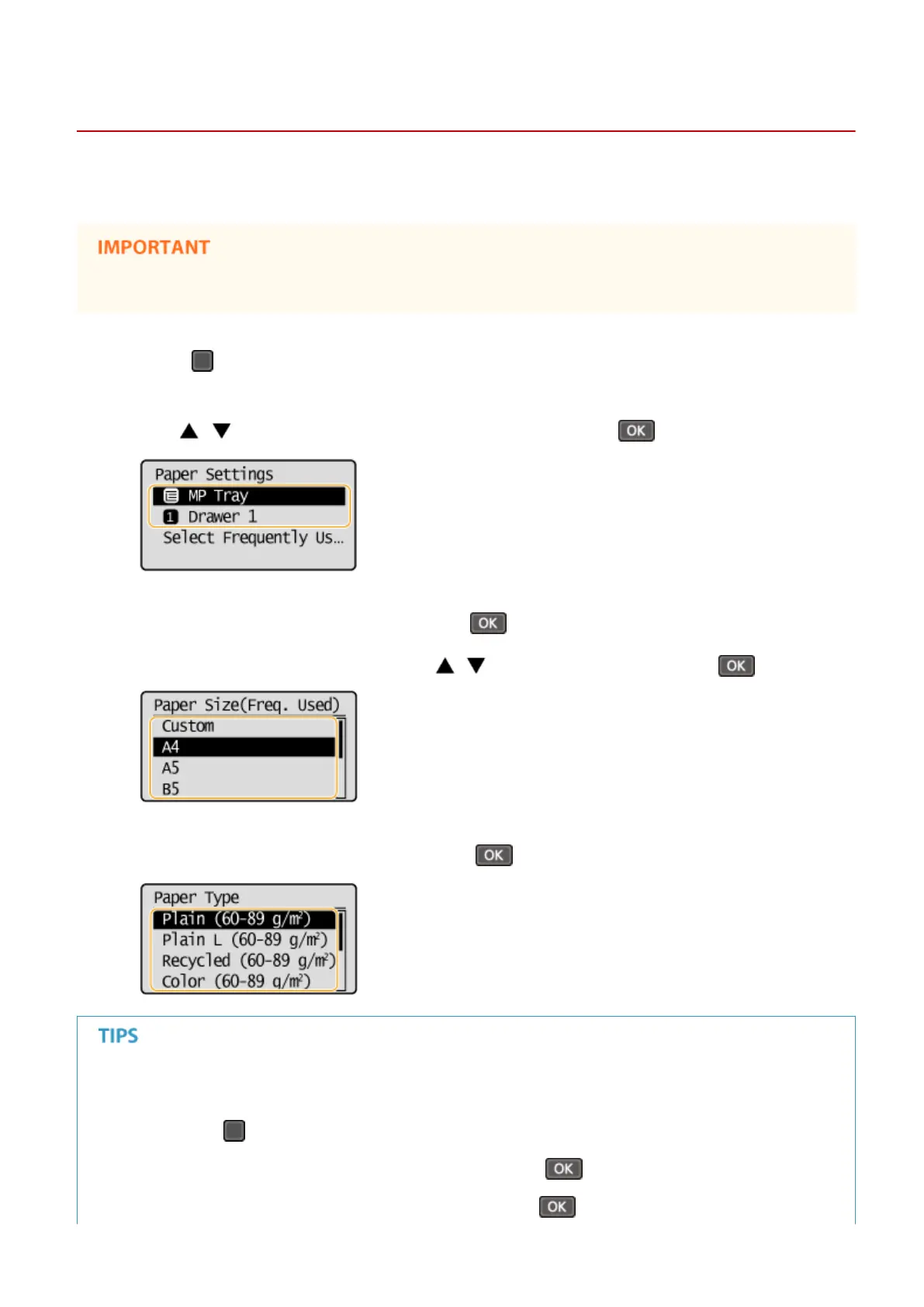
Use / to select <MP Tray> or <Drawer 1>, and press .
3
Select the loaded paper size, and press .
● If the loaded paper size is not displayed, use / to select <Other Sizes>, and press .
4
Select the loaded paper type, and press .
When a frequently used paper size is known
You can set the machine to display only frequently used paper sizes in the selection screen.
1
Press (Paper Setting).
2
Select <Select Frequently Used Paper Sizes>, and press .
3
Select <Multi-Purpose Tray> or <Drawer 1>, and press .
Basic Operations
53












 To Next Page