Machine Interior
1560-06R
Clean the interior of the machine regularly so that toner/paper dust does not collect.
1
Turn OFF the machine, and unplug the power cord from the AC power outlet.
● When you turn OFF the machine, data that is waiting to be printed is deleted.
2
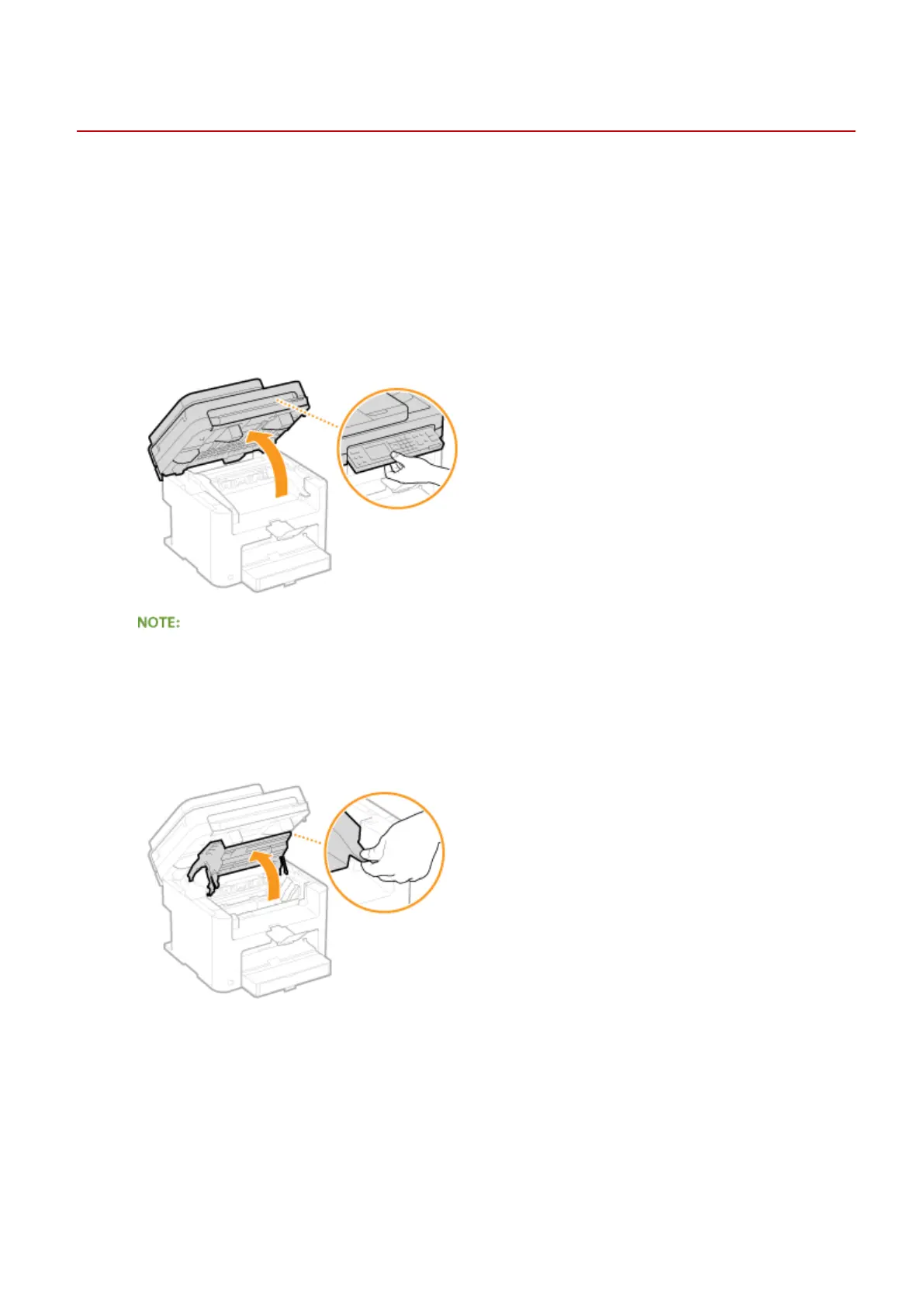
Lift the operation panel.
If you cannot lift the operation panel
Make sure the feeder or platen glass cover is completely closed. If a thick original such as a book is placed on
the platen glass, remove the original. Forcing the operation panel up may cause damage.
3
Open the toner cover by the grip at the front right of the toner cover.
4
Pull the toner cartridge out of the machine.
Maintenance
384












 To Next Page