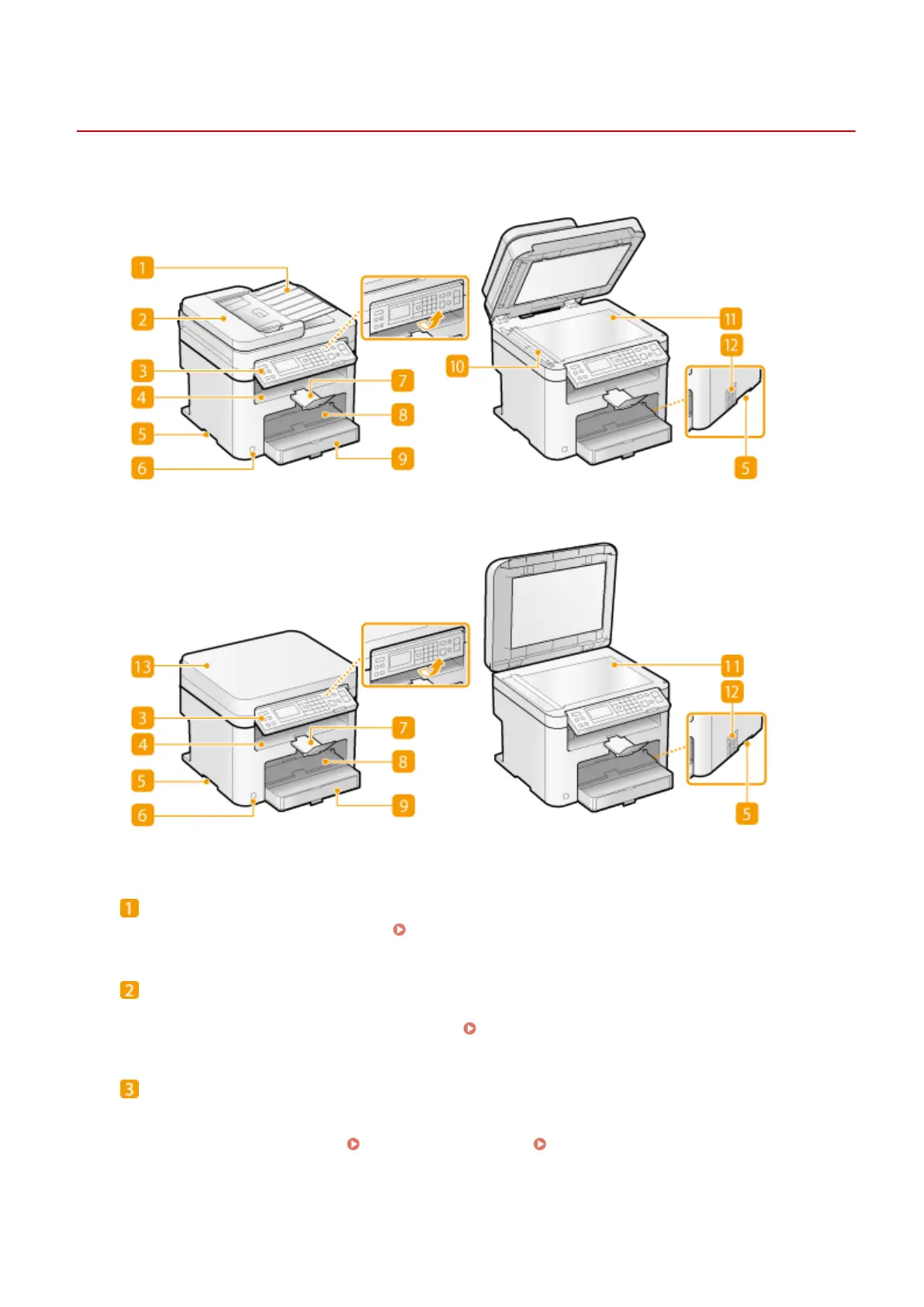
Front Side
1560-008
MF244dw
MF241d / MF232w
Document feeder tray (MF244dw)
Open to load an original in the feeder.
Placing Documents(P. 38)
Feeder (MF244dw)
Automatically feeds documents into the machine for scanning. When two or more sheets are loaded in the
feeder, documents can be scanned continuously. Placing Documents(P. 38)
Operation panel
The operation panel consists of keys such as the numeric keys and [Start] key, a display, and status indicators.
You can perform all the operations and specify settings from the operation panel. You can move it up or
down so it is easier to operate.
Operation Panel(P. 23) Display(P. 30)
Basic Operations
16












 To Next Page