3
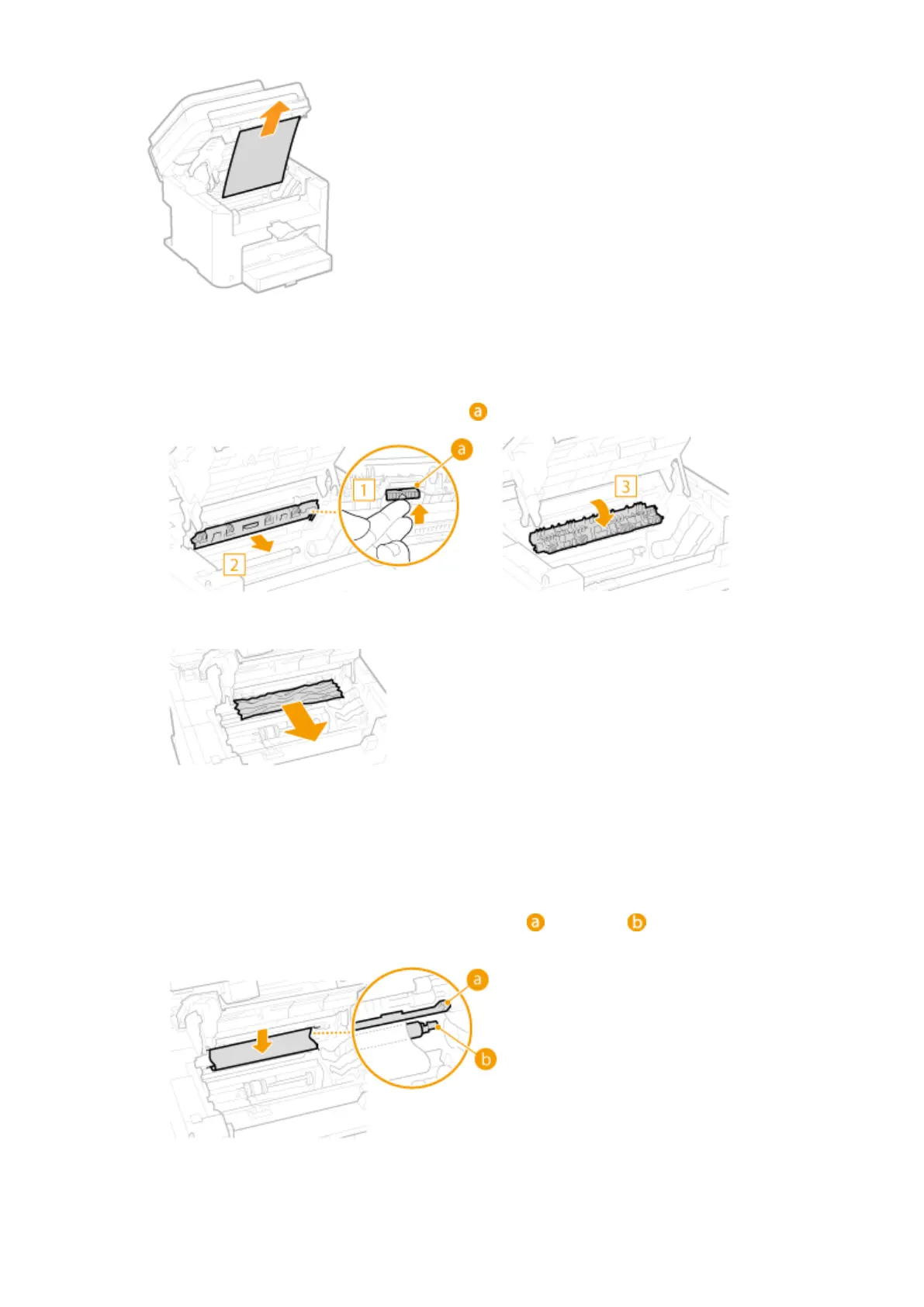
Check whether paper is jammed inside the paper exit guide.
1
Pull out toward you while pressing the button ( ) to open the paper exit guide.
2
Gently pull out the document.
3
Close the paper exit guide.
4
Check whether paper is jammed inside the machine.
1
Gently pull out any paper between the xing assembly ( ) and roller ( ) until you can see the edge of
the paper.
2
Once the edge of the paper is visible, pull it out slowly.
Troubleshooting
344












 To Next Page