1
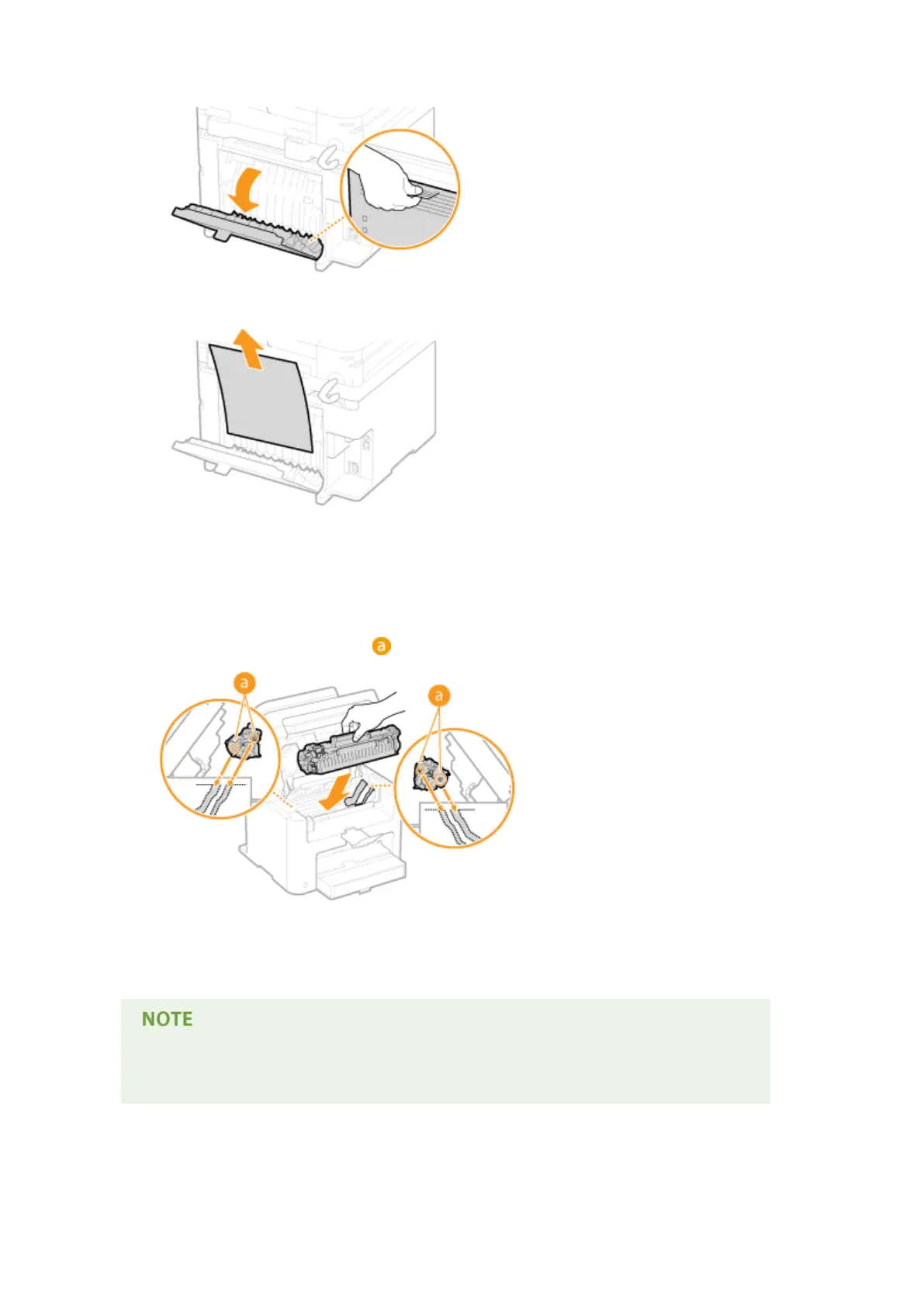
Open the rear cover.
2
Gently pull out the document.
3
Close the rear cover.
7
Install the toner cartridge.
● Align the right and left projections ( ) with the toner cartridge guides, and push securely all the way in.
8
Close the toner cover, and lower the operation panel.
If you cannot close the toner cover
Make sure that the toner cartridge is inserted properly. Forcing it closed may cause damage.
Troubleshooting
346












 To Next Page