Chapter 3
3-11
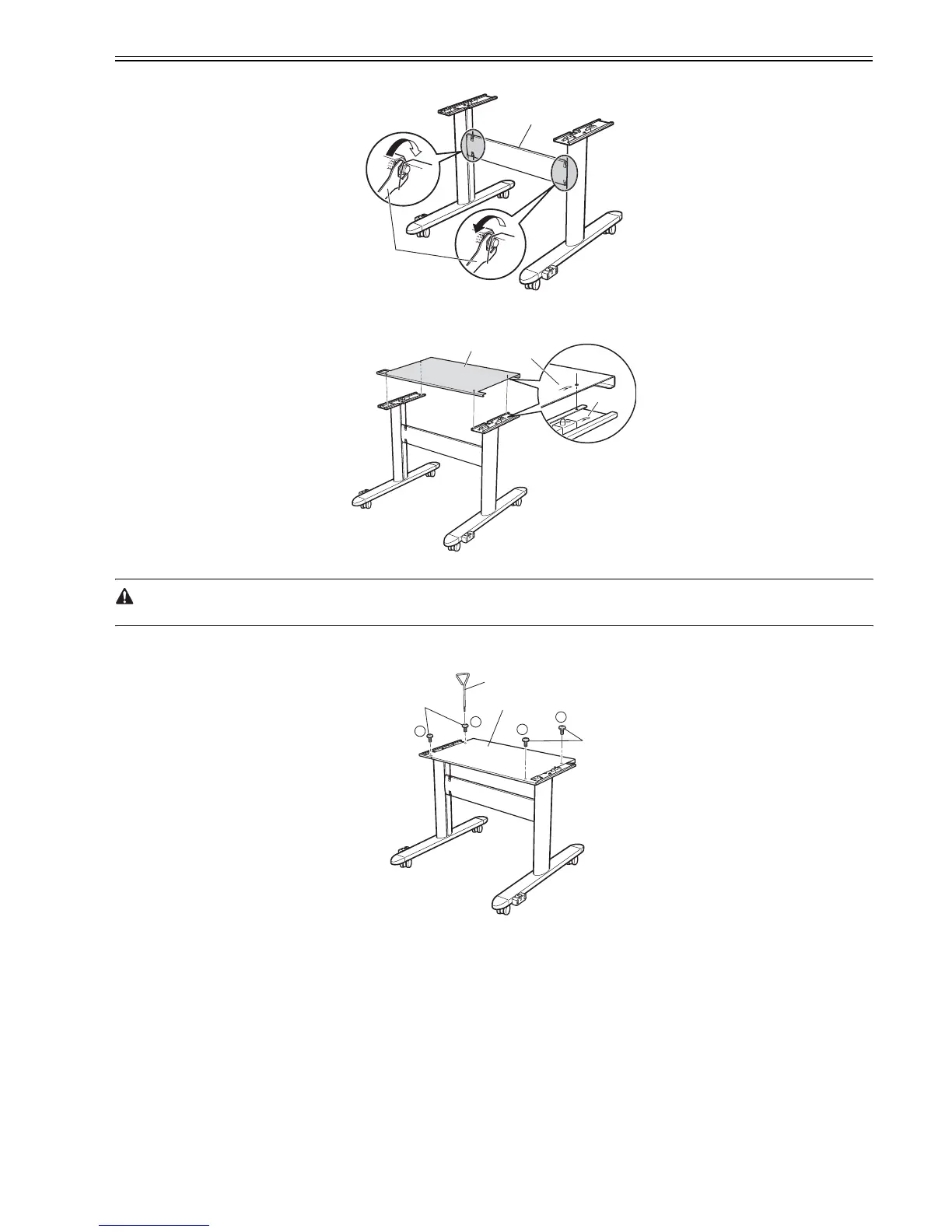
(3) To secure the Stand Stay [2], use the M10 side of the Wrench [1] to tighten hex nuts in four positions on the top and bottom of both sides.
F-3-35
(4) Put the Stand Board [1] on the Stand, aligning the right side of the Stand Board [2] with the right side of the Stand [3].
F-3-36
Be careful not to pinch your fingers between the Stand Board and Stand.
(5) To secure the Stand Board [3] to the Stand, use the Allen Wrench [1] to tighten the four short Table Bolts [2] in the order shown.
F-3-37
[1]
[2]
[1]
[2]
[3]
1
2
3
4
[1]
[2]
[2]
[3]














 To Next Page