Chapter 4
4-16
4.3.5 Driving Unit
0012-6368
a) Feed motor
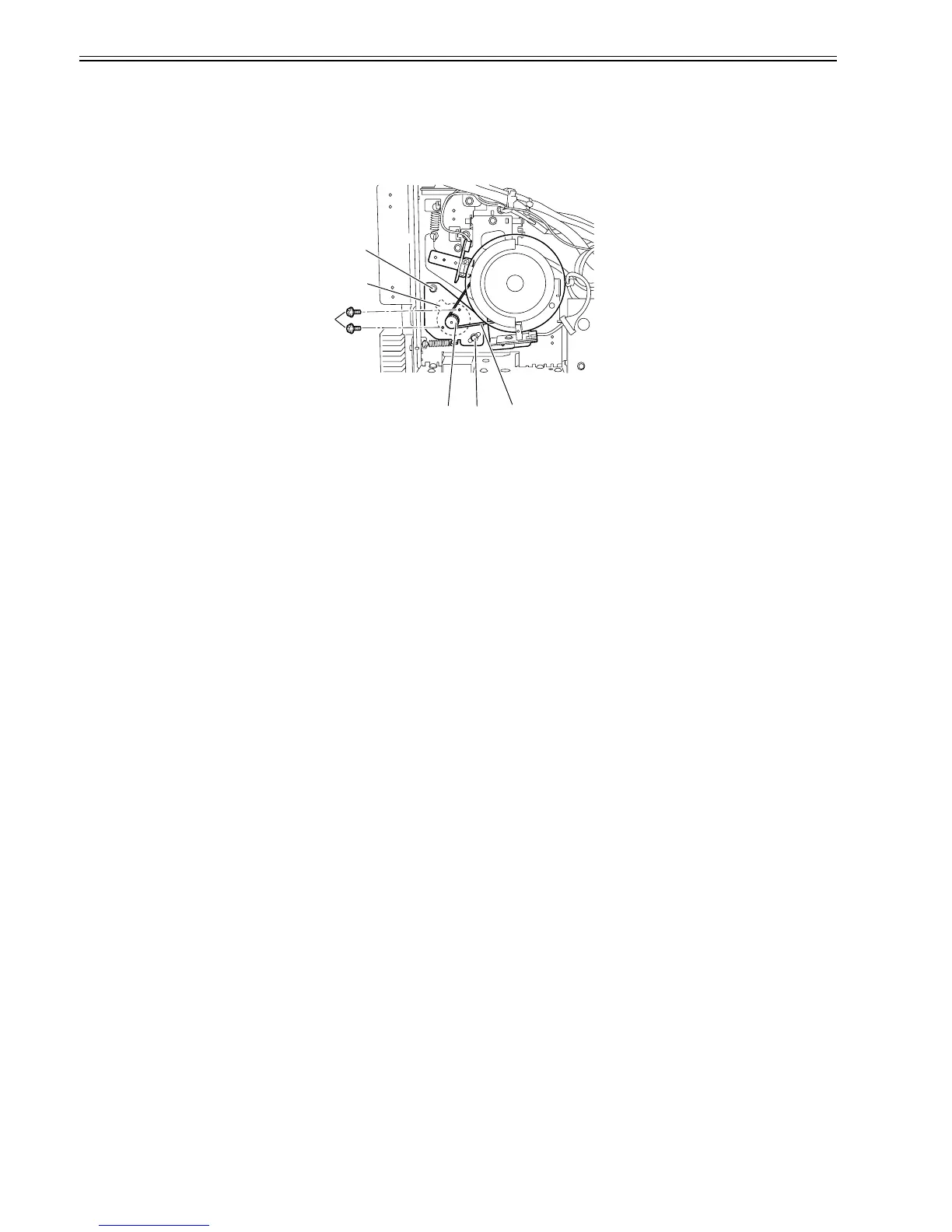
Removing the feed motor
1) When removing the feed motor[1], remove the main controller support plate.
Refer to DISASSEMBLY/REASSEMBLY > Points to Note on Disassembly and Reassembly > PCBs
2) Loosen the two screws[2], and then remove the timing belt[3] from the pulley.
3) Remove the two screws[4] and connector[5], and then remove the feed motor[1].
F-4-34
Note on mounting the feed motor
When mounting the feed motor, attach the timing belt[3] on the pulley, and then tighten the two screws[2].
[4]
[3]
[1]
[2]
[2]
[5]














 To Next Page