Chapter 1
1-14
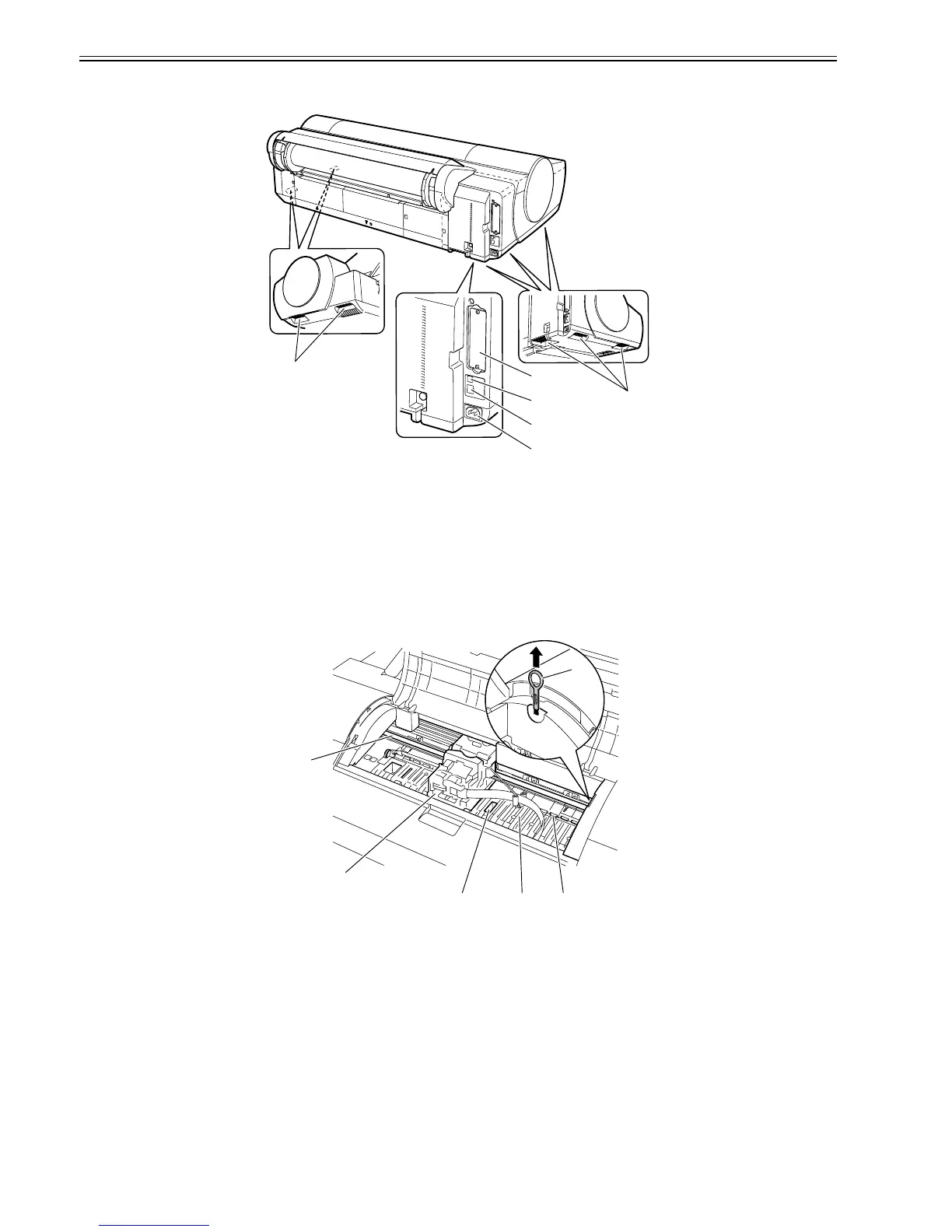
1.5.2 Rear
0016-8147
F-1-18
[1] Expansion board slot
Insert the IEEE1394 (FireWire) expansion board (option) in this slot.
[2] USB port
Connect the USB cable to this port.
[3] Ethernet connector
Connect the Ethernet cable to this connector.
[4] Power connector
Connect the power cord to this connector.
[5] Carrying handle (5)
The printer is carried with this handles of a right and left bottom.
1.5.3 Top Cover (Inside)
0017-4563
F-1-19
[1] Carriage shaft
The carriage travels in this area.
[2] Carriage
Moves the printheads.
[3] Borderless printing ink receiving channel
Receives inks overflowing the edges of the paper during borderless printing.
[4] Platen
Paper and the printheads travel over the platen to execute printing. Suction holes on the surface prevent the paper from lifting.
[5] Pinch roller
A vital part needed to feed paper.
[6] Cleaner brush
Use this brush to wipe off chad over the plant when cleaning the inside of the top cover.
[1]
[5]
[5]
[2]
[3]
[4]
[6]
[5][4][3]
[1]
[2]














 To Next Page