Chapter 4
4-43
4.3.13 Head Management Sensor
0013-3845
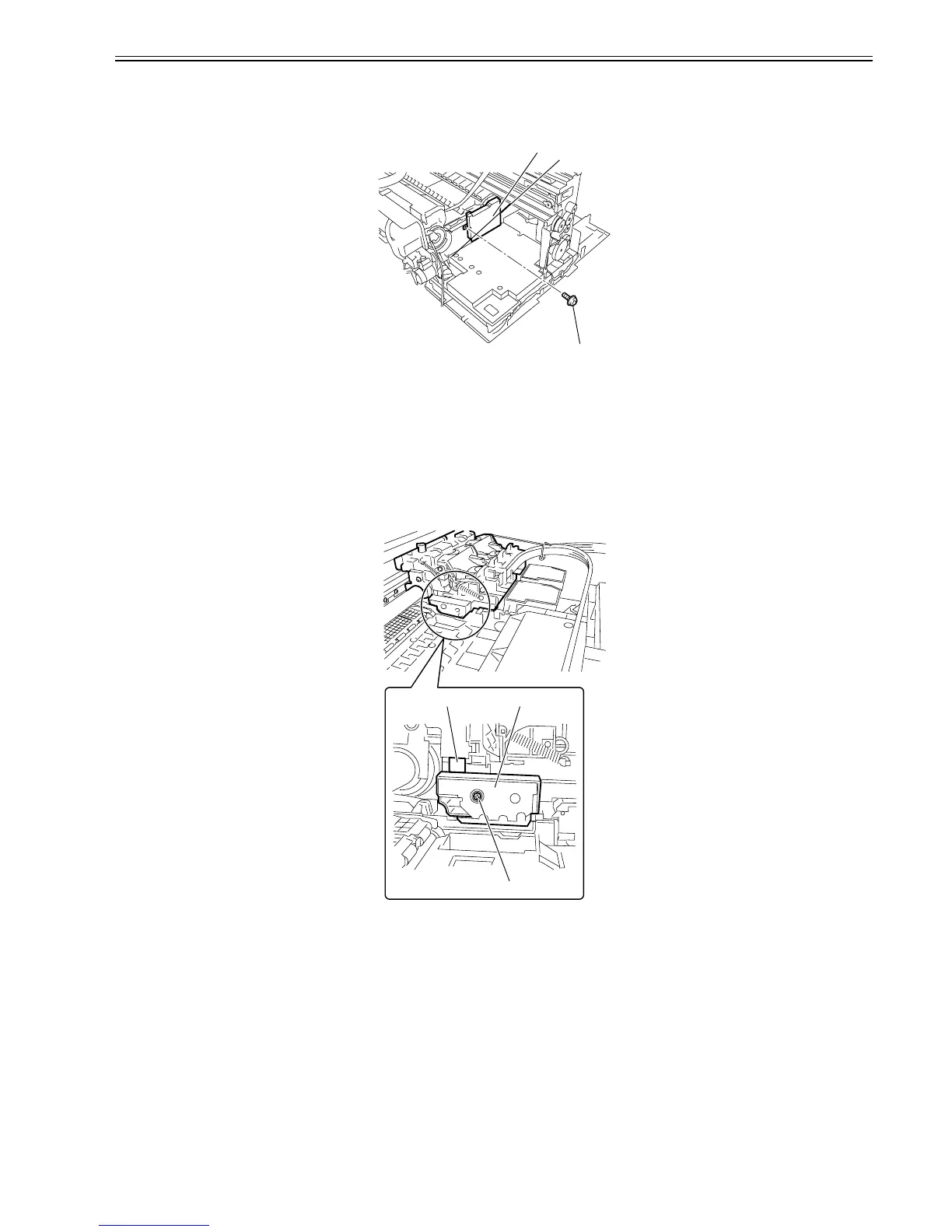
a) Removing the head management sensor
1) Remove the screw[1], disconnect the connector[2], and then remove the head management sensor[3].
F-4-96
b) Procedure after replacing the head management sensor
Since the distance between the head management sensor and the carriage unit varies among printers, the optical axis is factory-adjusted to adjust the non-discharging
detection position. When you have replaced the head management sensor or performed assembly/reassembly of surrounding parts that can change the distance be-
tween the head management sensor and the carriage unit, reasjustment is required.
Peform the readjustment in the service mode.
Service mode : SERVICE MODE > ADJUST > NOZZLE CHK POS.
4.3.14 Multi Sensor
0013-2914
a) Removing the multi sensor
1) Remove the screw[1], disconnect the flexible cable[2], and then remove the multi sensor[3].
F-4-97
Since multi sensor has individual electrical specificity, the following are recalibrated at the factory, namely, the optical axis of the sensor, the sensor gain for meas-
uring the printhead height and sensor calibration. Accordingly, carry out the following adjustments in the service mode whenever replacing the carriage unit or
multi sensor.
* The multi sensor reference plate(QL2-1561-000:PLATE, REFLECTION, MULTI-SENSOR) must be replaced at the same time whenever the carriage or the multi
sensor is being replaced.
* When replacing the carriage unit, refer to Adjustment and Setup > Procedure after Removing or Replacing the Carriage Unit.
- Service mode : SERVICE MODE > ADJUST > GAP CALIB.
- Service mode : SERVICE MODE > ADJUST > PRINT PATTERN > OPTICAL AXIS
Media type : Photo glossy paper
Media size : Media having a width equal too larger than that of A2-size paper
[3]
[2]
[1]
[2] [3]
[1]














 To Next Page