Chapter 3
3-15
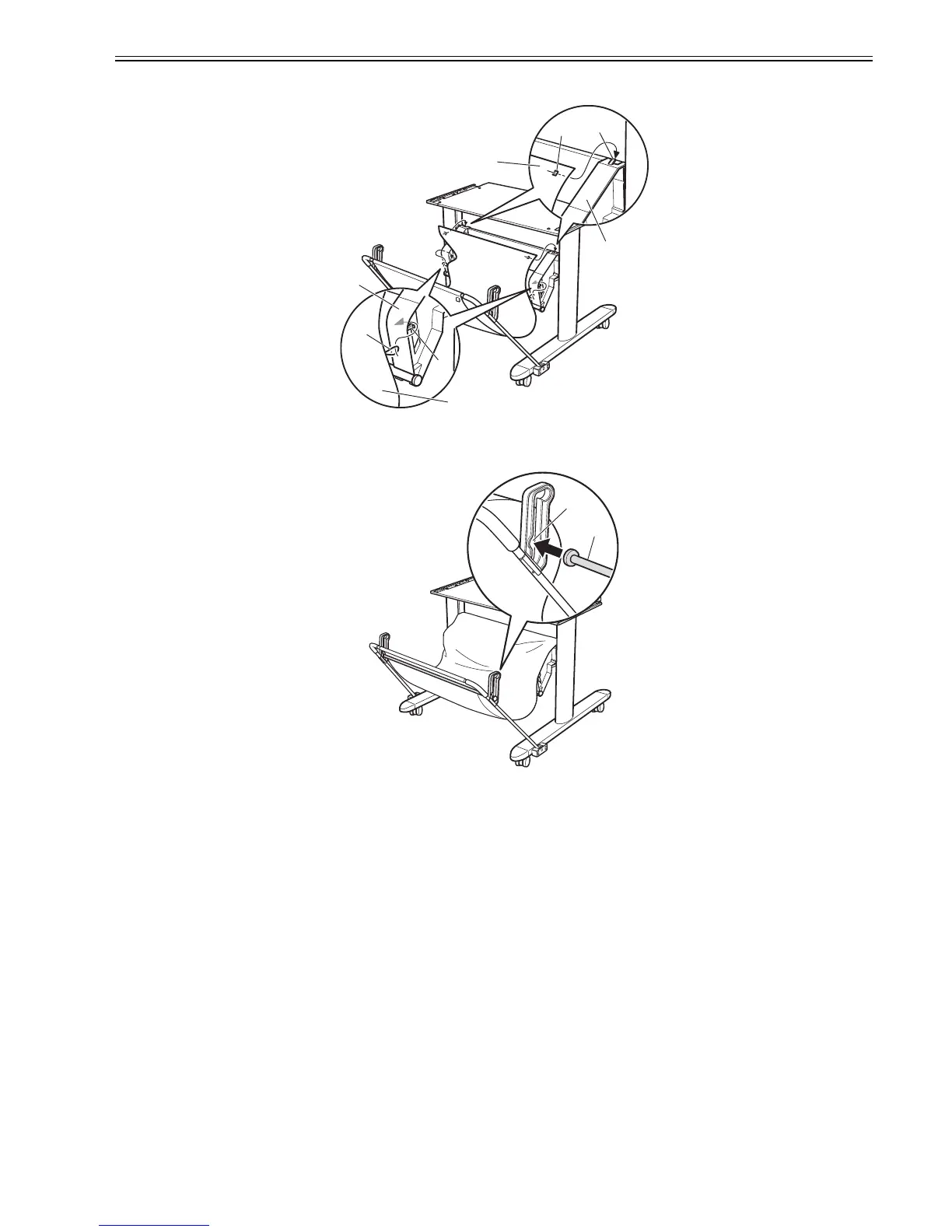
(10) Hang the holes [2] in the back of the Output Stacker [1] on both sides over the hooks [4] on the top of the Basket Arms [3], and then hang the loops [5] in the
middle of the Output Stacker on both sides over the hooks [6] in the middle of the Basket Arms.
F-3-47
(11) Insert the Support Rod [1] in the insertion slot [2] of the Support Rod Holder. Passing it through the bottom of the Output Stacker, insert it in the Support Rod
Holder on the opposite side. Normally, use the stacker in this position.
F-3-48
[1]
[3]
[2]
[4]
[5]
[6]
[1]
[3]
[1]
[2]














 To Next Page