Chapter 4
4-4
Attaching the left/right circle cover
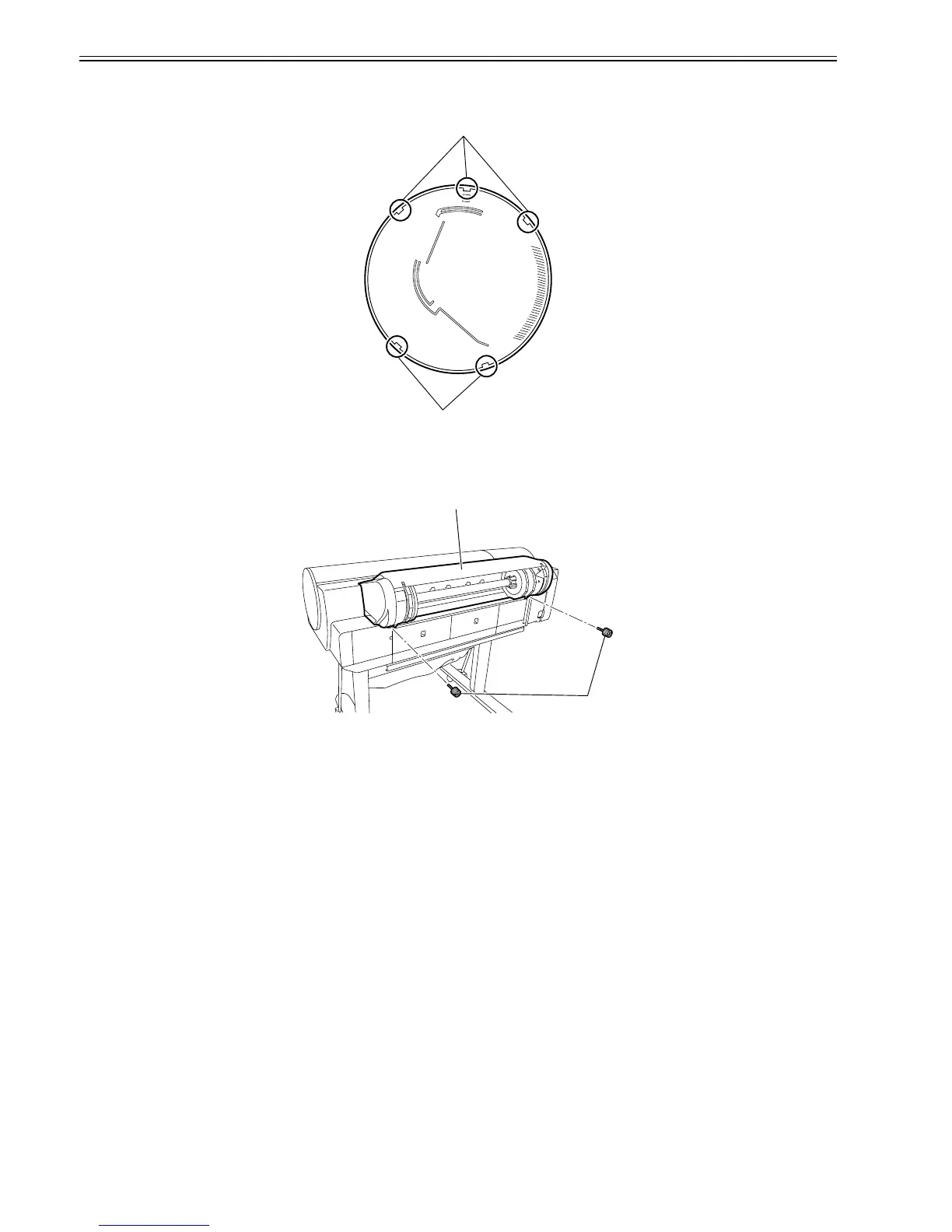
1) When attaching the left circle cover, fit it in place with the three hooks[1] up and turn it toward the rear side of the printer. When attaching the right circle cover,
fit it in place with the two hooks[2] up and turn it toward the rear side of the printer.
F-4-6
b) Roll Feed Unit
Removing the roll feed unit
1) Remove two coin screws[1] to remove roll feed unit [2].
F-4-7
[2]
[1]
[2]
[1]














 To Next Page