Chapter 4
4-57
b) Adjusting the wire roller
To prevent the wire roller mounted on the carriage from contacting the duct and others during carriage operation, perform the following adjusutment whenever you
have removed or replaced the carriage unit. This adjustment is not required when you have replaced only the multi sensor.
- Make adjustments with the carriage lock released.
- Make adjustments with the tube disconnected from the tube guide.
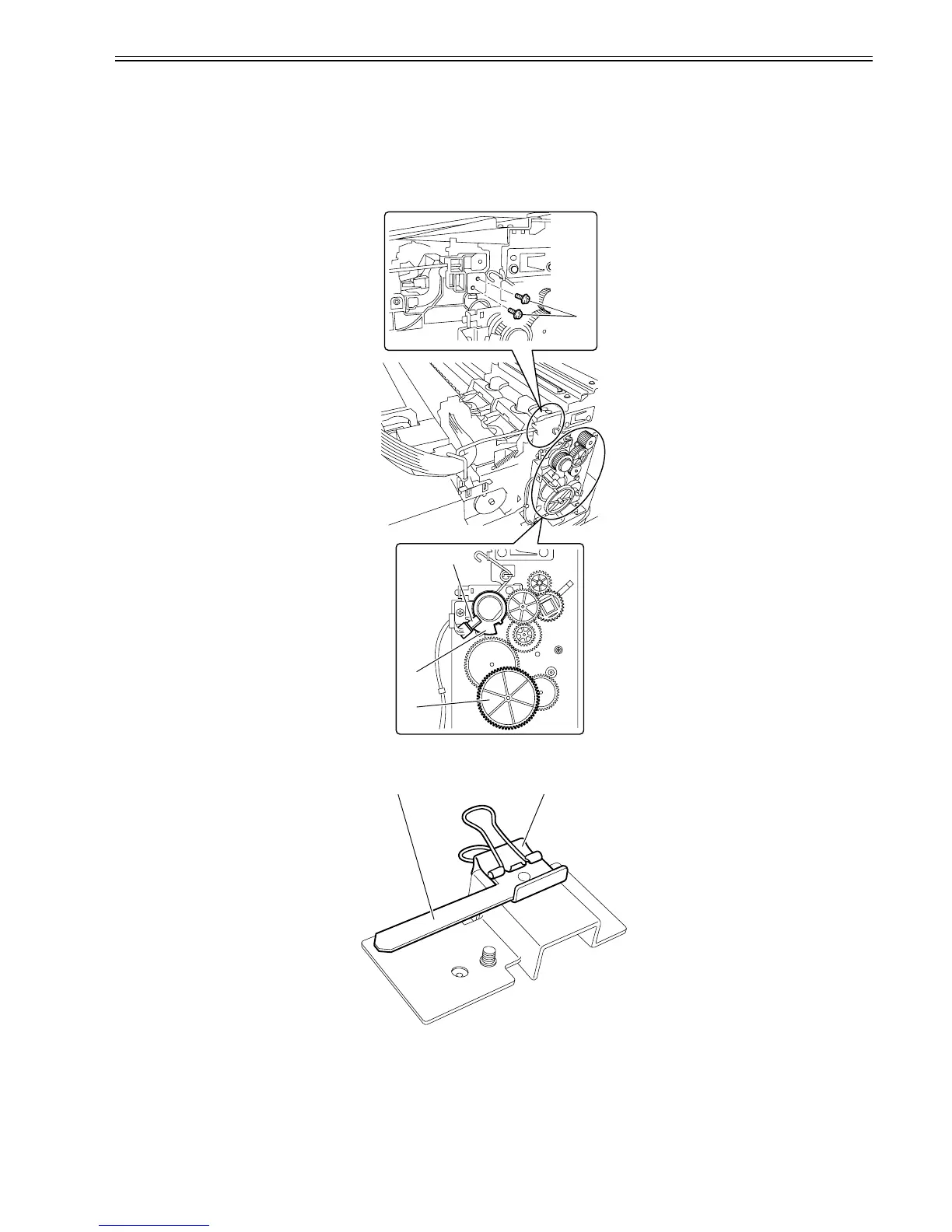
1) Remove the ink tube from the wire guide.
2) Loosen the two screws[1].
3) Turn the gear[2] until the lift cam flag[3] reaches the position shown below.
- Bottom position where the sensor[4] light is blocked by the flag (lowest position to which the carriage unit descends)
F-4-116
4) Remove the clip [1] and roller retainer [2] from the carriage wire tool.
F-4-117
[1]
[2]
[3]
[4]
[1][2]














 To Next Page