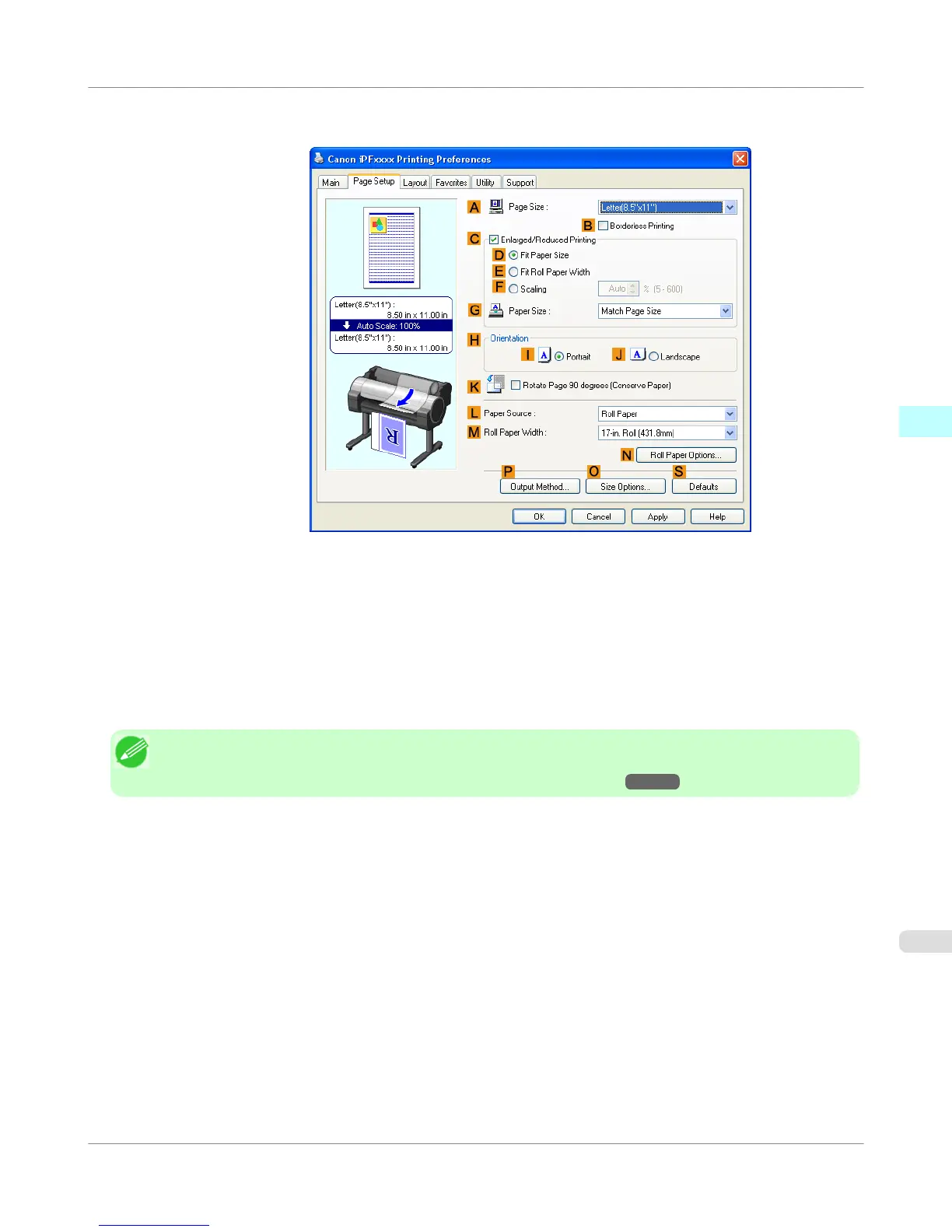
5. Click the Page Setup tab to display the Page Setup sheet.
6. In the A Page Size list, select the size of the original as specified in the application.
7. In the L Paper Source list, select how paper is supplied.
8. If you have selected roll paper in L Paper Source, select the width of the loaded roll in M Roll Paper Width.
Note
• A variety of settings are available in the printer driver to suit different printing applications.
For details on available printing conditions, see "Printer Driver Settings →P.207 "
Windows Software
>
Printer Driver
>
iPF755
Specifying Paper in the Printer Driver
3
211















 To Next Page