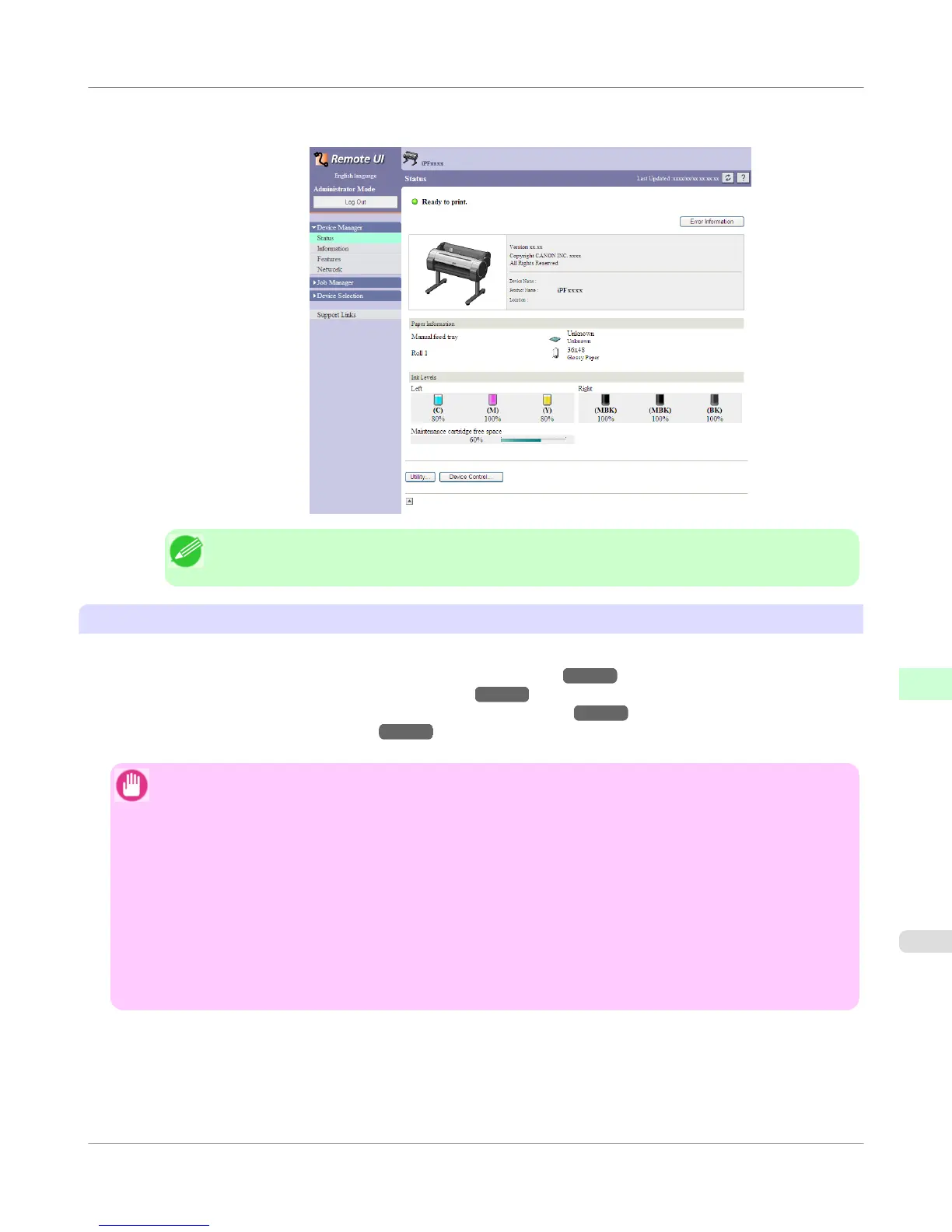
3. The RemoteUI screen is displayed.
Note
• The screen slightly differs depending on the model of printer.
Configuring the Network With RemoteUI
For details on configuring printer settings for networks, refer to the following topics.
• Configuring the Printer's TCP/IP Network Settings With RemoteUI →P.772
• Configuring the Printer's AppleTalk Network Settings →P.793
• Configuring the Printer's NetWare Network Settings With RemoteUI →P.784
• Specifying Printer-Related Information →P.794
Important
• For the Web browser, use Netscape Navigator 6.0 or later, Internet Explorer 5.01 or later, or Firefox 1.5 or
later. For Mac OS X, Safari 1.32 or later or 2.03 or later also is supported.
• This cannot be used connected via a proxy server. In environments where a proxy server is used, add the
printer's IP address to Exceptions (addresses accessed without a proxy server) in the web browser proxy
server settings. (Settings may vary depending on the network environment.)
• Enable JavaScript and cookies in the web browser.
• If you access RemoteUI with the printer name instead of its IP address, make sure the DNS settings are cor-
rectly configured.
• Depending on the network environment, you may not be able to start RemoteUI.
• Confirm whether System Setup > Use RemoteUI is set to On on the Control Panel of the printer.
Network Setting
>
Using RemoteUI
>
iPF755
Using RemoteUI
10
765















 To Next Page