Installing with the Add-A-Plotter Wizard
Follow the procedure below to use the Add-A-Plotter Wizard to install the HDI driver without the Canon installer.
1. After AutoCAD starts, select Plotter Manager from the File menu.
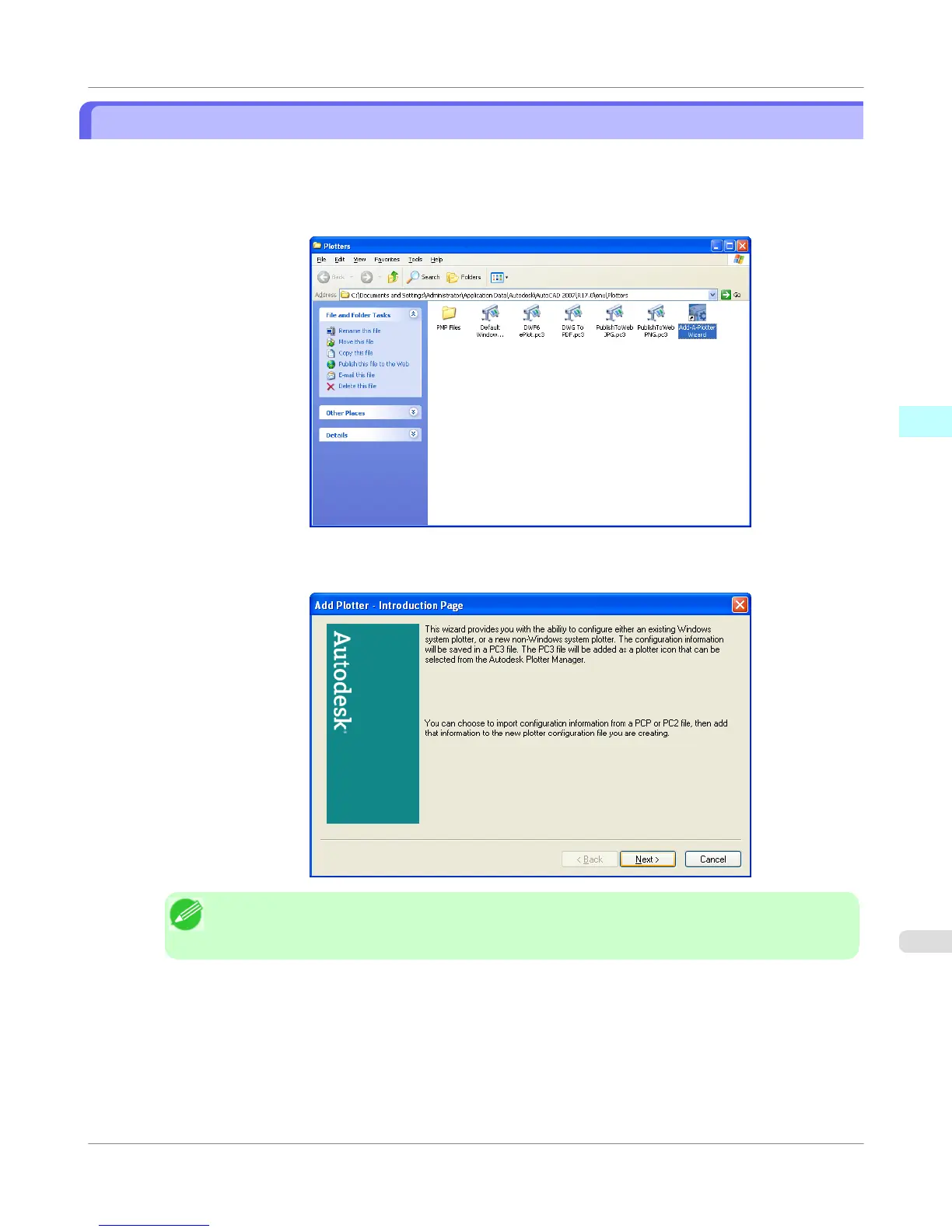
The Plotters window opens. Click the Add-A-Plotter Wizard icon.
2. The Add Plotter - Introduction Page screen opens. Check the displayed screen and then click the Next button.
Note
• To open the Add-A-Plotter Wizard you can also click Start > Control Panel > Autodesk Plotter
Manager > and then click the Add-A-Plotter Wizard icon in the Plotters window.
Windows Software
>
HDI Driver
>
iPF755
Installing with the Add-A-Plotter Wizard
3
369















 To Next Page