Checking the Layout in a Preview Before Printing
This topic describes how to preview images of print jobs before actually printing them.
1. Choose Print in the application menu.
2. Select the printer in the dialog box, and then display the printer driver dialog box.(See "Accessing the Printer
Driver Dialog Box from Applications
→P.217 ")
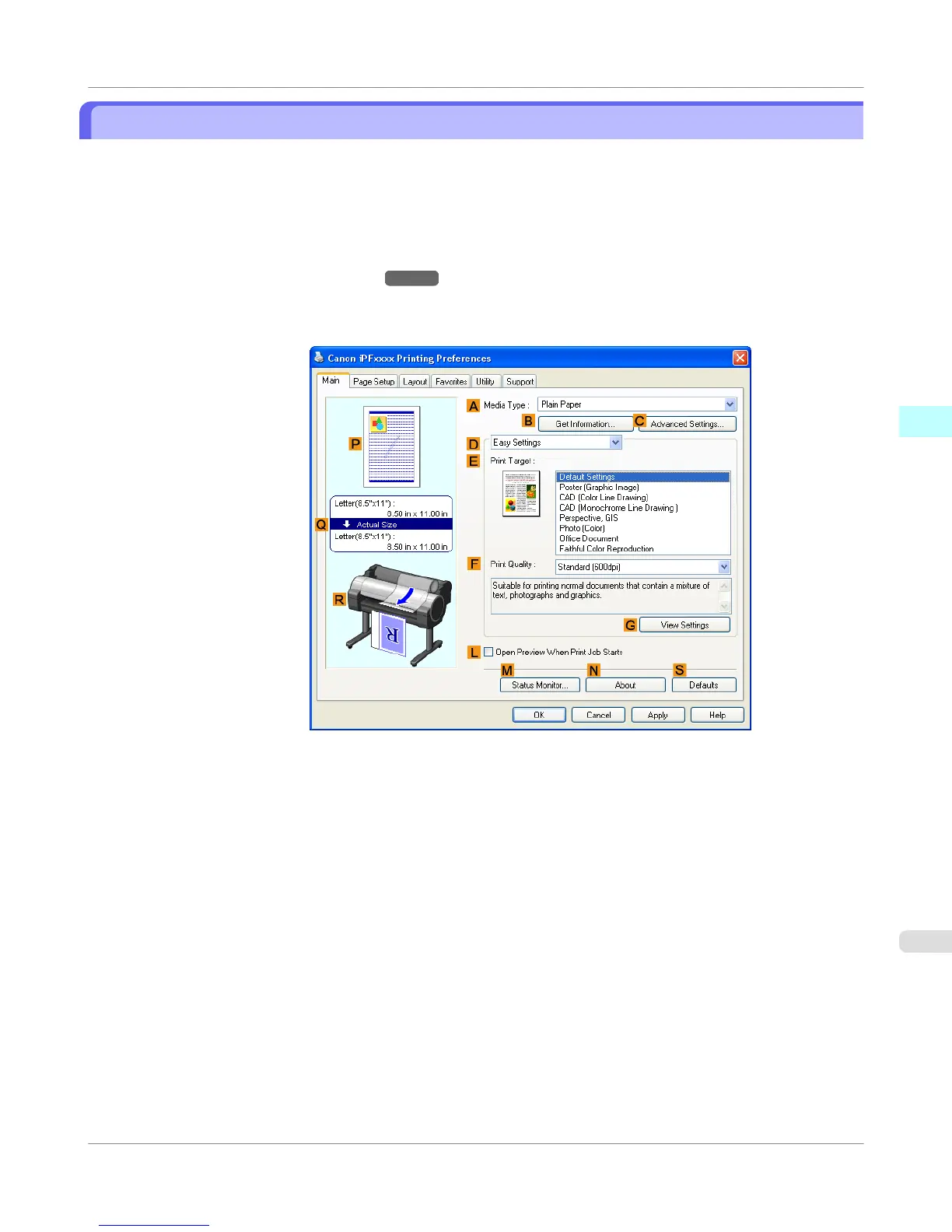
3. Make sure the Main sheet is displayed.
4. Select the L Open Preview When Print Job Starts check box.
Windows Software
>
Printer Driver
>
iPF755
Checking the Layout in a Preview Before Printing
3
213















 To Next Page