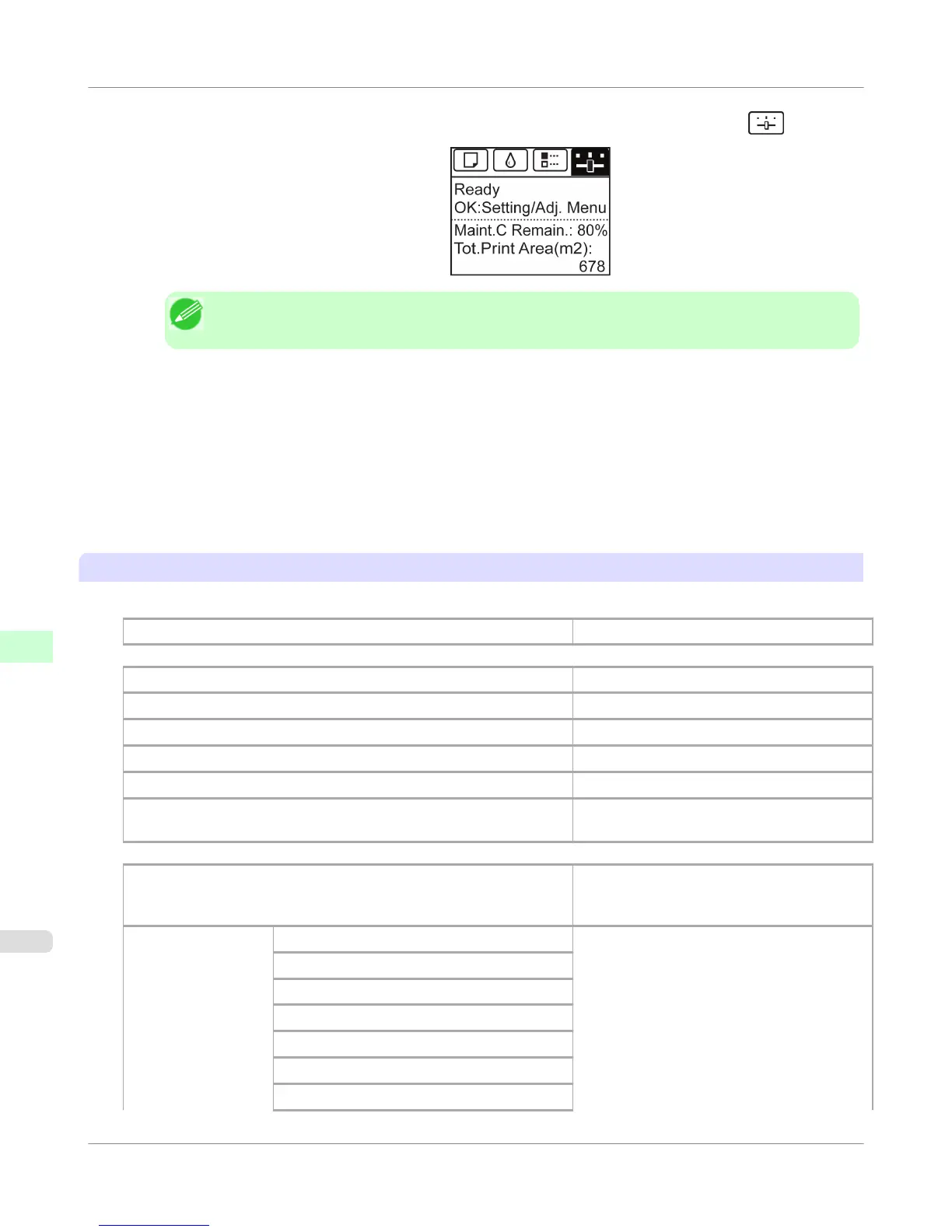
2. On the Tab Selection screen of the Control Panel, press ◀ or ▶ to select the Settings/Adj. tab ( ).
Note
• If the Tab Selection screen is not displayed, press the Menu button.
3. Press the OK button.
The Set./Adj. Menu is displayed.
4. Press ▲ or ▼ to select Test Print, and then press the OK button.
5. Press ▲ or ▼ to select Interface Print, and then press the OK button.
Confirming Interface Print information
The following information is included in the Interface Print report.
Canon imagePROGRAF iPFxxxx Interface Print
Printer model
Firm Firmware Version
Boot Boot ROM Version
MIT(DBF) MIT Database Format Version
MIT(DB) MIT Database Version
S/N Printer serial number
Date The date when the interface setup print report
was printed.
EOP Timer Specify the timeout period before cancellation
of print jobs that cannot be received by the
printer.
TCP/IPv4 Frame Type IPv4 settings values.
Use DHCP
Use BOOTP
Use RARP
Enable DNS Dynamic Update
Use Zeroconf Function
IP Address
Control Panel
>
Printer Menu
>
Printing Interface Setting Reports
iPF755
9
756















 To Next Page