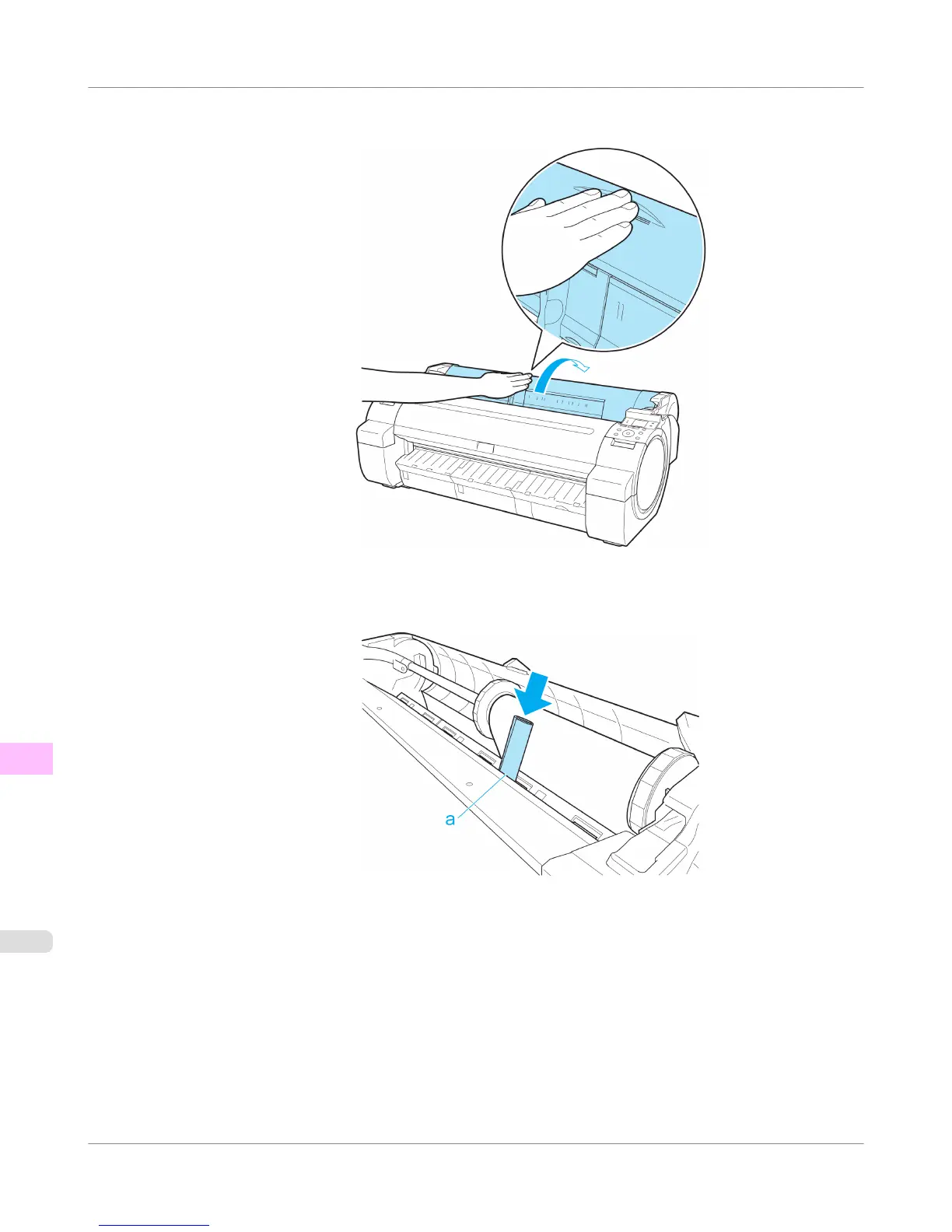
3. Positioning your hands as shown, open the Roll Cover.
4. Fold an A4 sheet lengthwise four times and insert it through the gap of the Paper Feed Slot. Push the scrap out
toward the Platen.
5. Remove the scrap when it is pushed out onto the Platen.
6. If any scraps remain inside the paper feed slot, repeat steps 4 and 5.
Troubleshooting
>
Problems Regarding Paper
>
Clearing Jammed Paper (Paper Feed Slot)
iPF755
12
840















 To Next Page