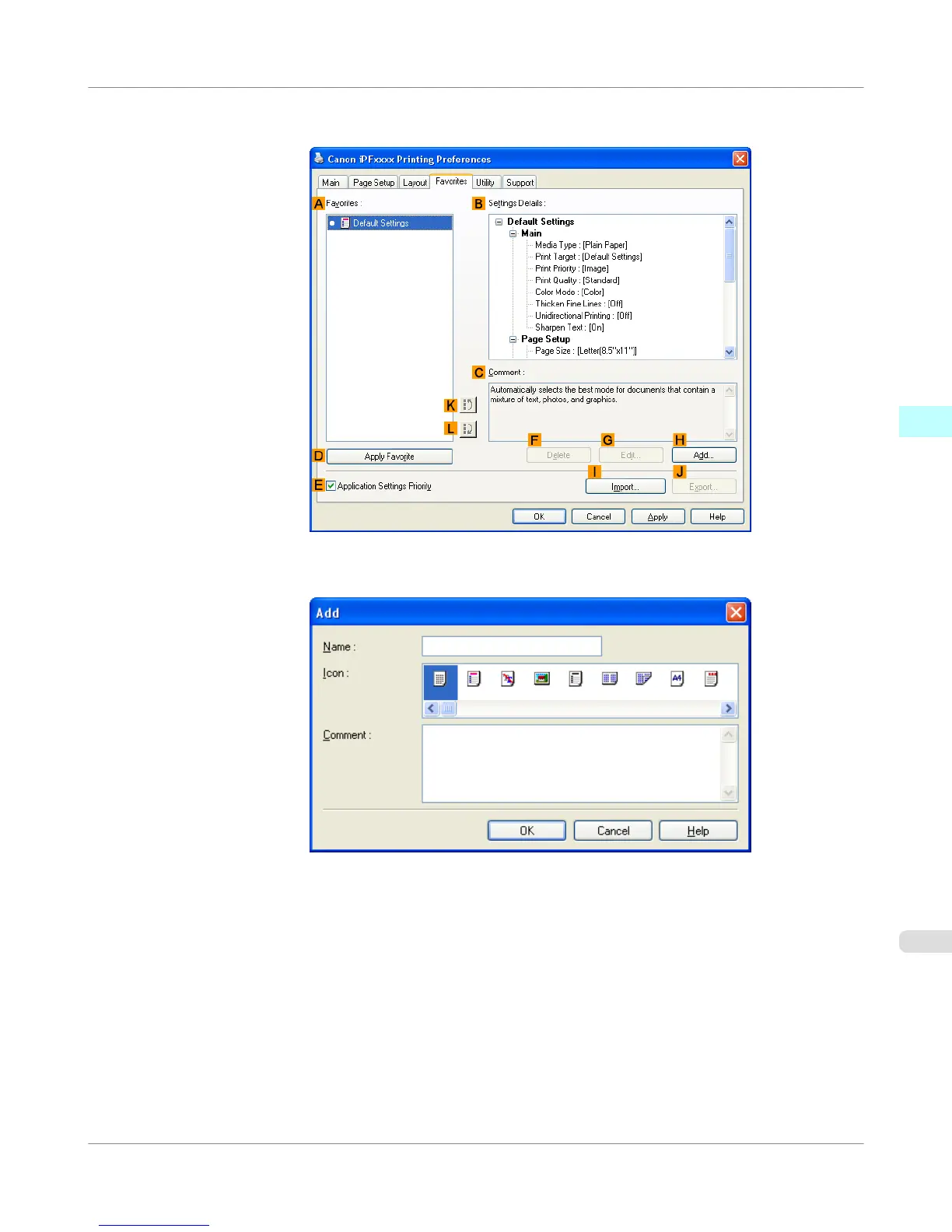
4. Click the Favorites tab to display the Favorites sheet.
5. Click H Add to display the Add dialog box.
6. Enter a desired name in Name, such as Photos for Presentations or Monthly Report.
7. Choose a fitting icon for these print settings in the Icon list.
8. In Comment, enter a description of the favorite to be added, as desired.
Windows Software
>
Printer Driver
>
iPF755
Using Favorites
3
215















 To Next Page