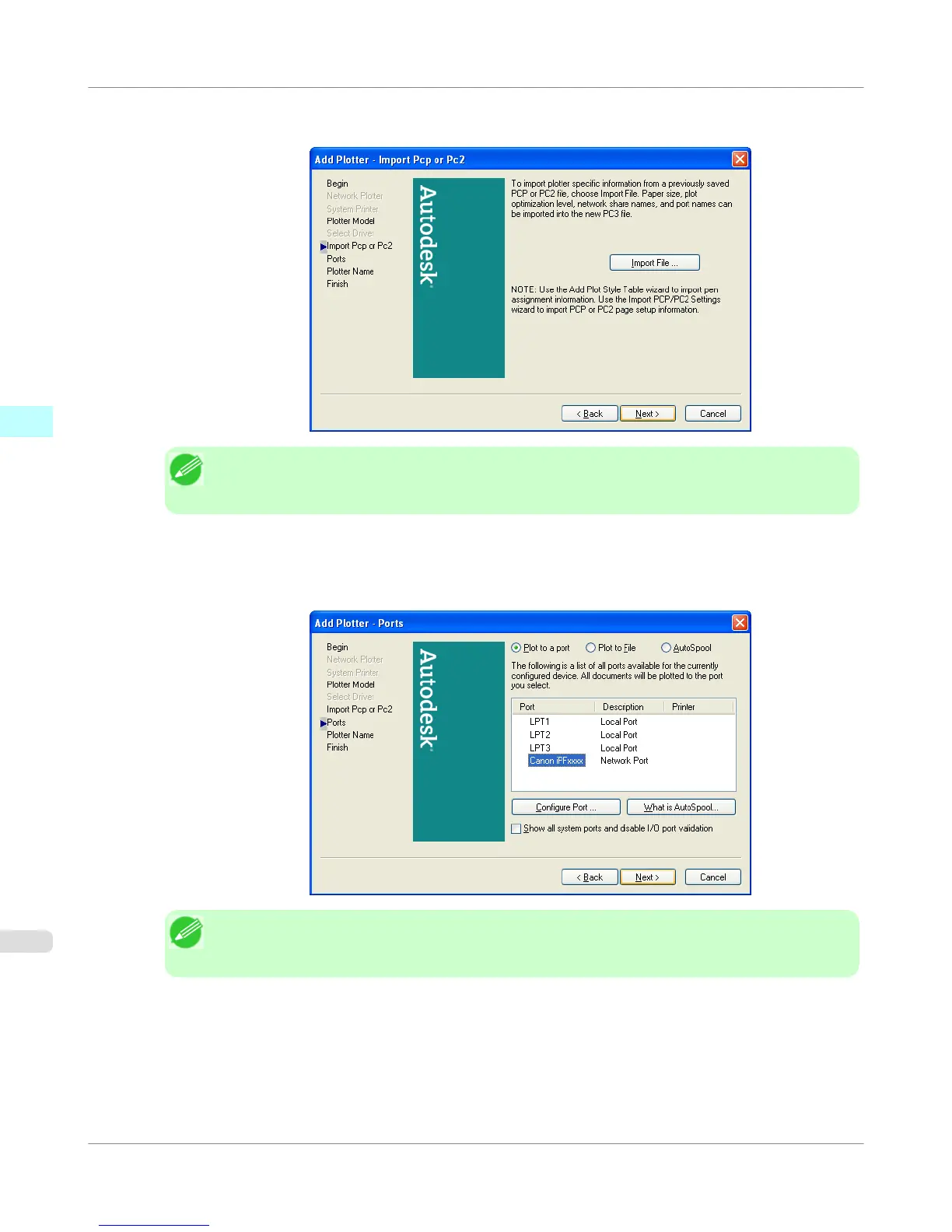
8. The Add Plotter - Import Pcp or Pc2 screen opens. Click the Next button.
Note
• If you want the installer to read plotter information from previously stored PCP or PC2 files, click
the Import File button.
9. The Add Plotter - Ports screen opens.
Make sure that Plot to a port is selected, select the port that you want to use for the plotter, then click the
Nextbutton.
Note
• In the Add Plotter - Ports screen, it is recommended to select Network Port. If you select Local
Port, the AutoCAD warning message may appear when printing.
Windows Software
>
HDI Driver
>
Installing with the Add-A-Plotter Wizard
iPF755
3
372















 To Next Page