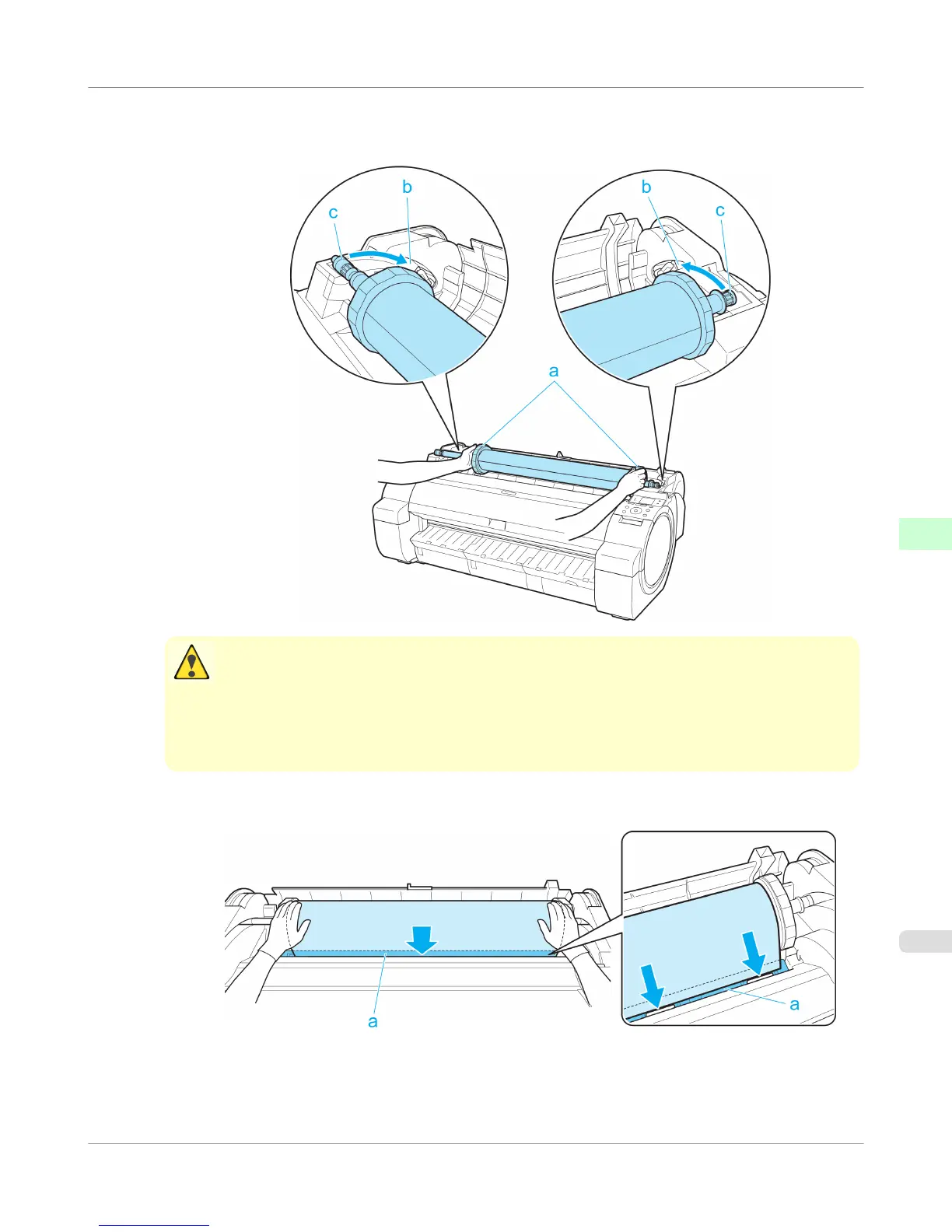
5. Holding the Roll Holder flange (a), guide the holder along the Roll Loading Slots (b) on both ends, keeping the
holder level as you load it in the Roll Holder Slot.
Caution
• Do not force the Roll Holder into the printer with the right and left ends reversed. This may damage
the printer and Roll Holder.
• Do not release the flanges until the holder is loaded in the Roll Holder Slot.
• Be careful not to pinch your fingers between the Roll Loading Slots (b) and the Roll Holder shaft (c)
when loading rolls.
6. Advance the roll to insert the leading edge in the Paper Feed Slot (a) until you hear a tone.
Handling Paper
>
Handling rolls
>
iPF755
Loading Rolls in the Printer
6
639















 To Next Page