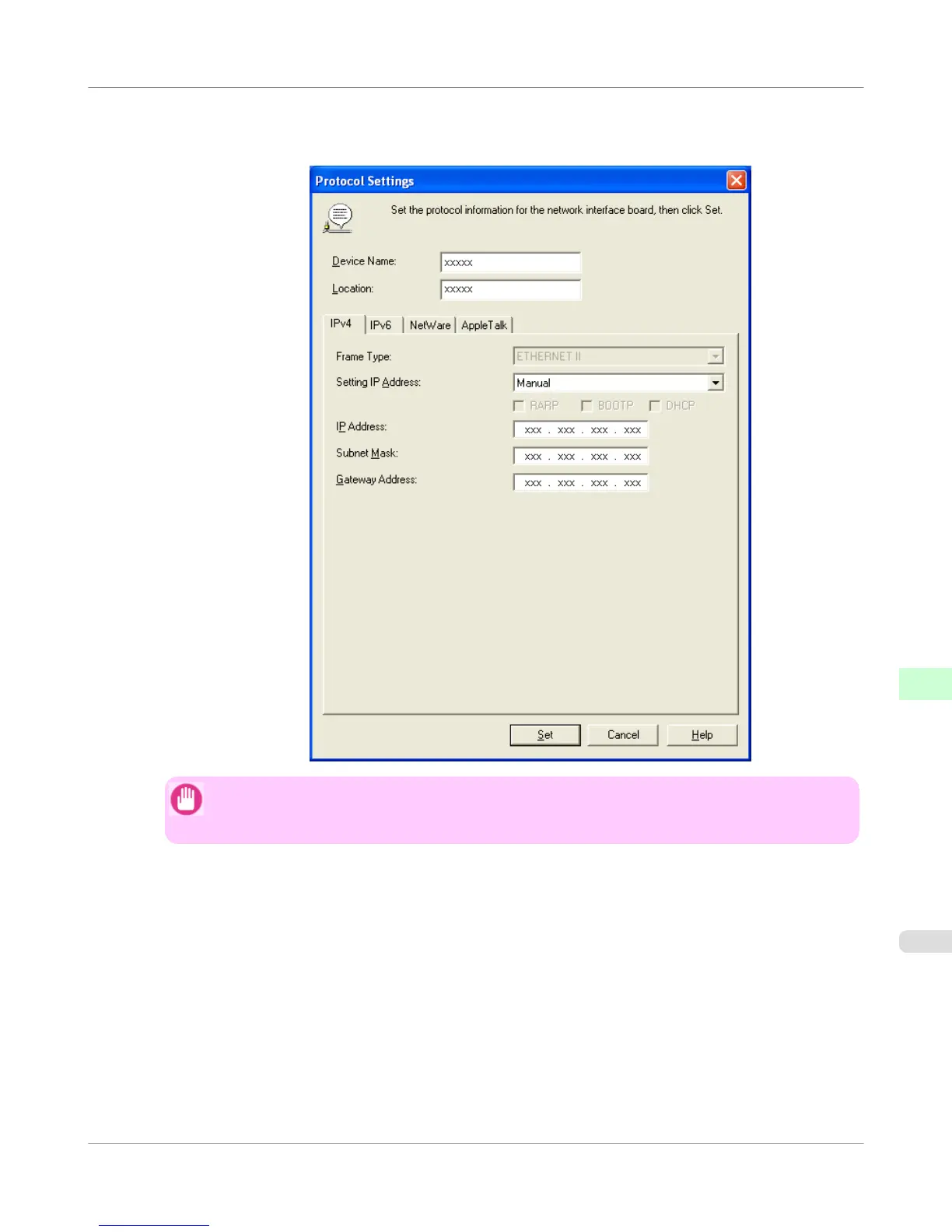
5. Select the IPv4 tab. In IP Address, enter the IP address assigned to the printer, and then enter the subnet mask in
Subnet Mask and the default gateway in Gateway Address.
Important
• You must specify the IP address here to be able to configure NetWare protocol settings using Remo-
teUI.
6. Click Set.
7. Click OK after the Confirmation message is displayed.
8. Exit imagePROGRAF Device Setup Utility.
Network Setting
>
NetWare Settings
>
iPF755
Specifying the Printer's Frame Type
10
779















 To Next Page