Cleaning the Print Head
Clean the print head if lines are missing or if horizontal streaks are present in the printed nozzle check
pattern. Cleaning unclogs the nozzles and restores the print head condition.
Cleaning the print head
consumes ink, so clean the print head only when necessary.
Important
• When performing the print head cleaning, check the free space in the maintenance cartridge. If there is
not enough free space, replace with the new maintenance cartridge. In the case of shortage of free
space in the maintenance cartridge, a message is displayed and the cleaning cannot be performed.
You need to prepare: a sheet of A4 or Letter-sized plain paper
1. Check that printer is turned on.
2. Load a sheet of A4 or Letter-sized plain paper in the cassette.
Loading Plain Paper in Cassette
3. Select (Setup) on HOME screen.
Using Touch Screen
The setup menu screen will appear.
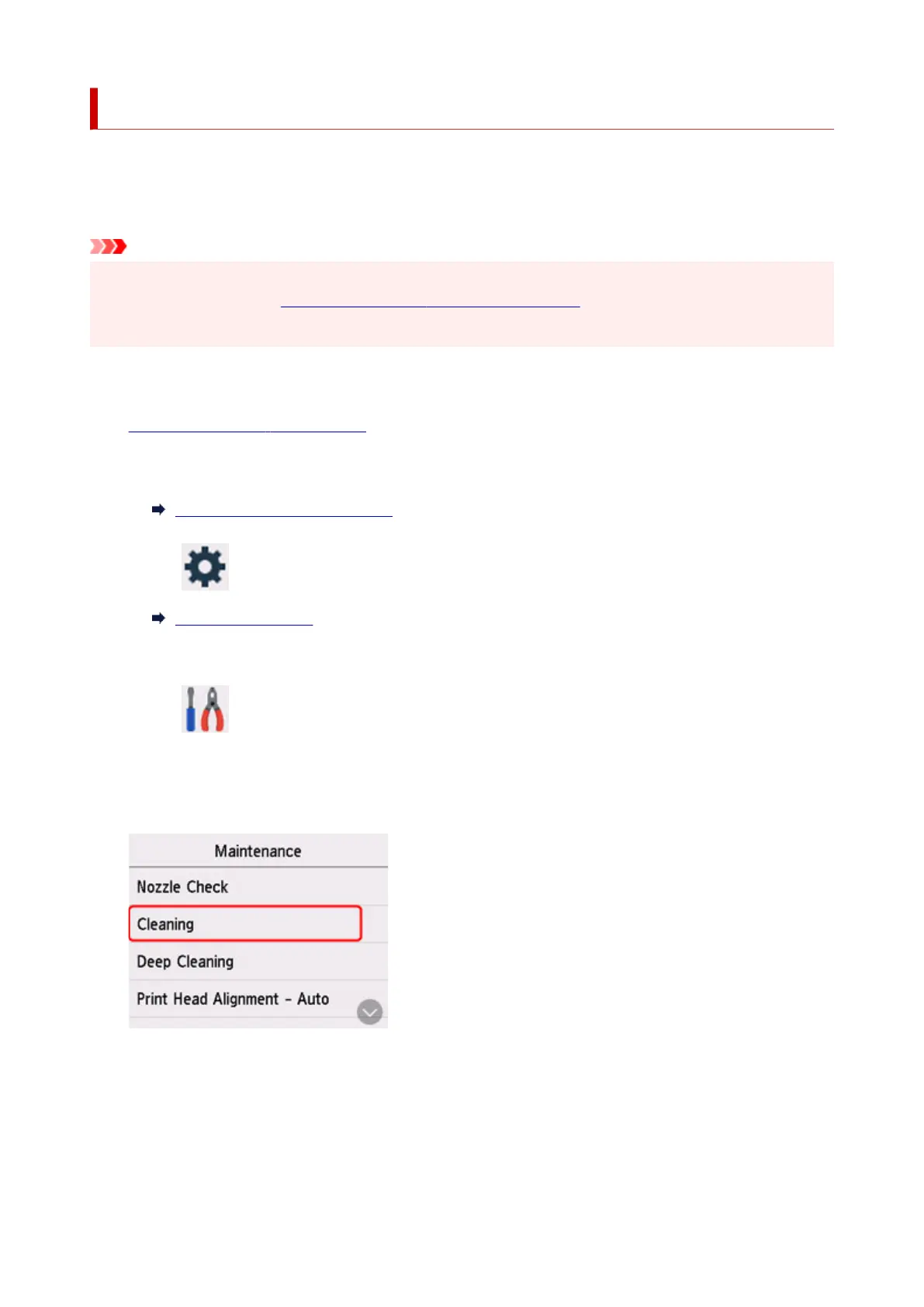
4. Select Maintenance.
The Maintenance screen will appear.
5. Select Cleaning.
The confirmation screen will appear.
6. Select Yes.
The printer starts cleaning the print head
.
104










 To Next Page