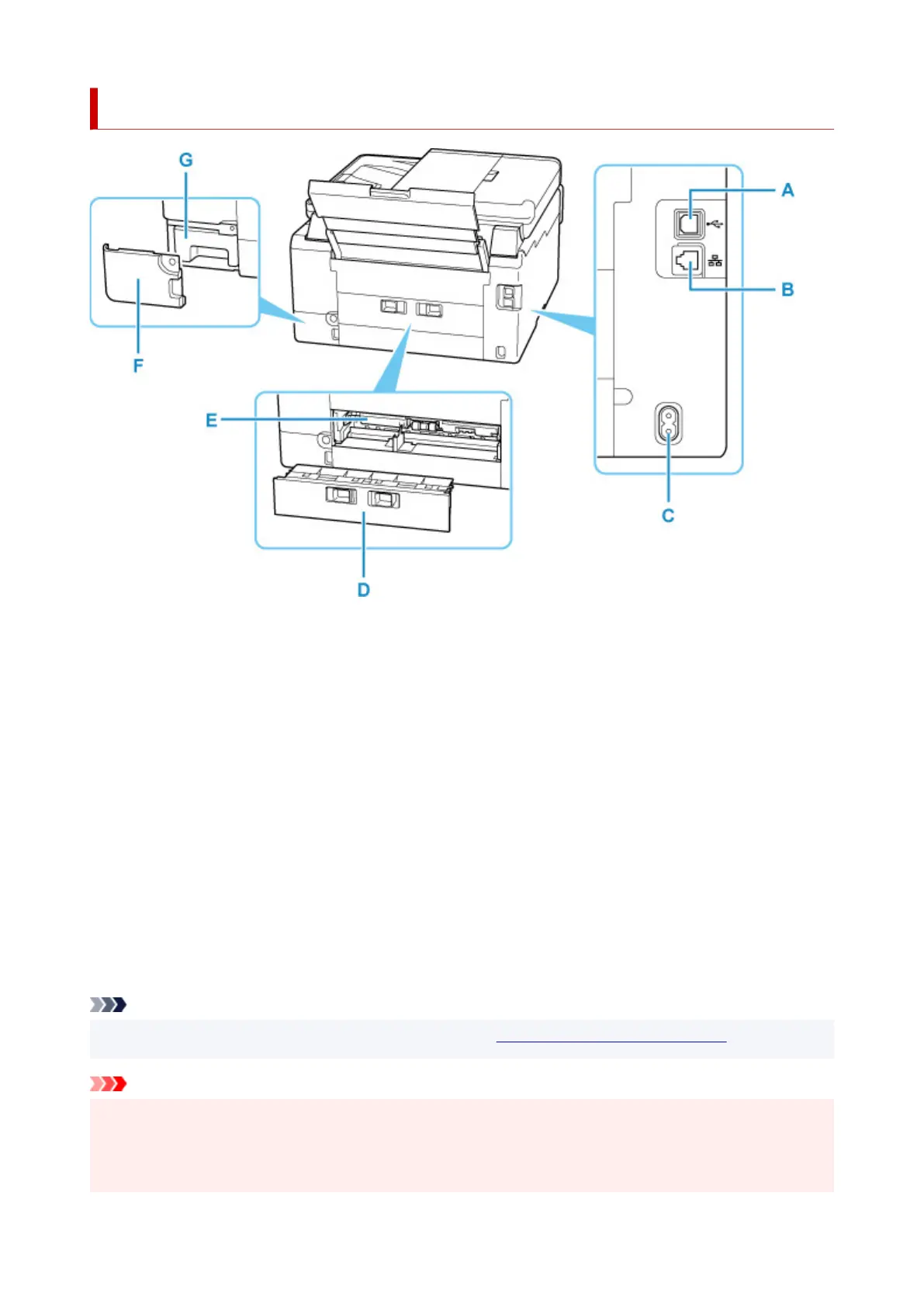
Rear View
A: USB Port
Plug in the USB cable to connect the printer with a computer.
B: Wired LAN Connector
Plug in the LAN cable to connect the
printer to a LAN.
C: Power Cord Connector
Plug in the supplied power cord.
D: Rear Cover
Detach when removing jammed paper.
E: Transport Unit Cover
Open when removing jammed paper.
F: Maintenance Cover
Open when replacing the maintenance cartridge.
G: Maintenance Cartridge
Absorbs ink used for cleaning.
Note
• For details on replacing an maintenance cartridge, see Replacing Maintenance Cartridge.
Important
• Do not touch the metal casing.
• Do not plug in or unplug the USB cable while the printer is printing or scanning with the computer. This
can cause trouble.
165










 To Next Page