Replacing Maintenance Cartridge
In case of cautions or errors concerning the maintenance cartridge
, an error message will appear on the
touch screen to inform you of the error. Take appropriate action as prompted by the message.
When Error Occurred
Important
• If the displayed message indicates that the maintenance cartridge is nearly full, promptly obtain a new
one. If the maintenance cartridge becomes full, an error message is displayed and the printer stops
working until it is replaced with a new one.
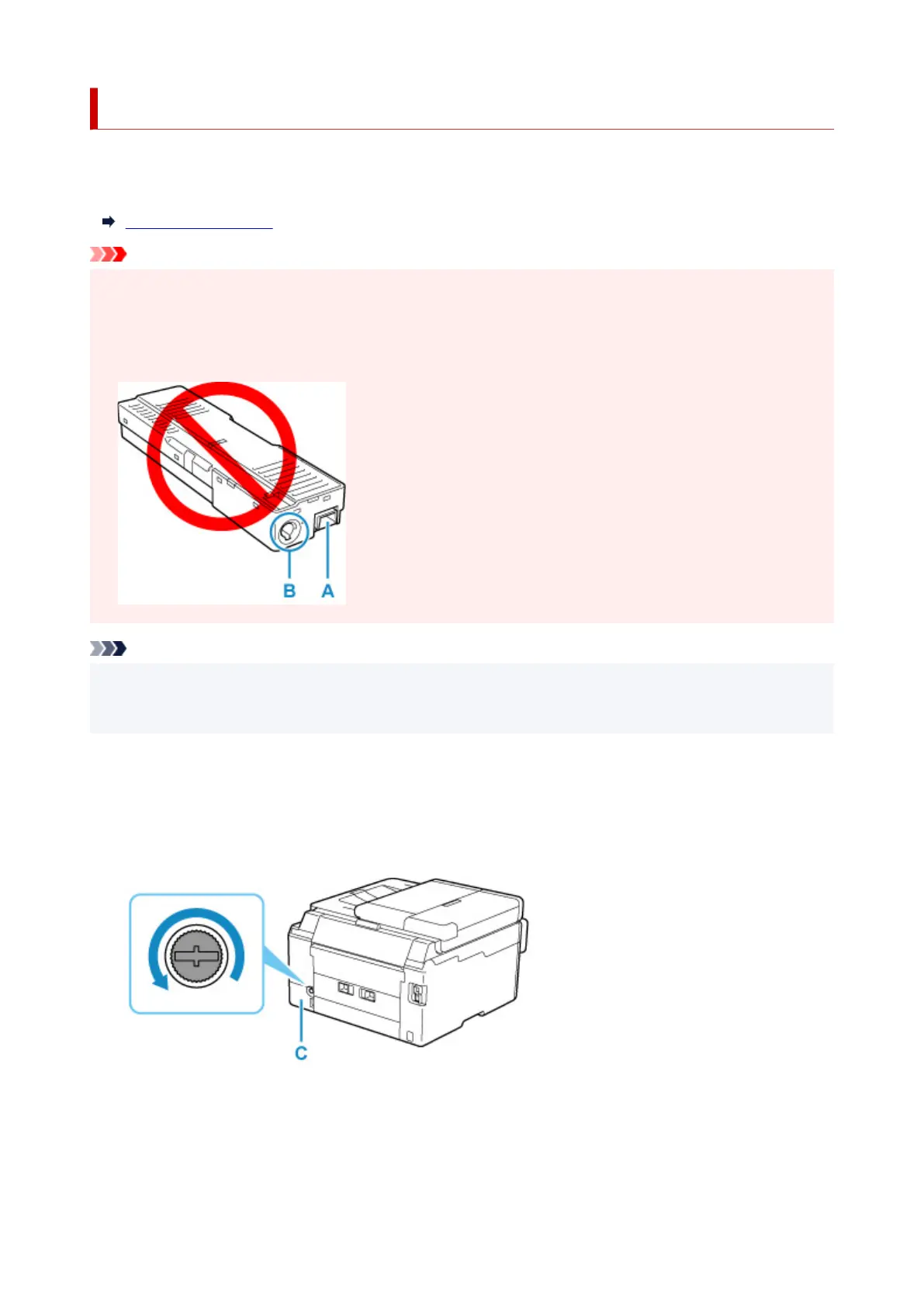
• Do not touch the terminal (A) or opening (B) of the maintenance cartridge.
Note
• When purchasing a new maintenance cartridge, order the following cartridge number.
Maintenance Cartridge MC-G01
1. Prepare a new
maintenance cartridge.
Remove the maintenance cartridge and the attached plastic bag from the package.
2. Remove the coin screw from the
maintenance cover (C).
3. Remove the maintenance cover.
Put your finger on the hole of the maintenance cover
and remove it.
126










 To Next Page