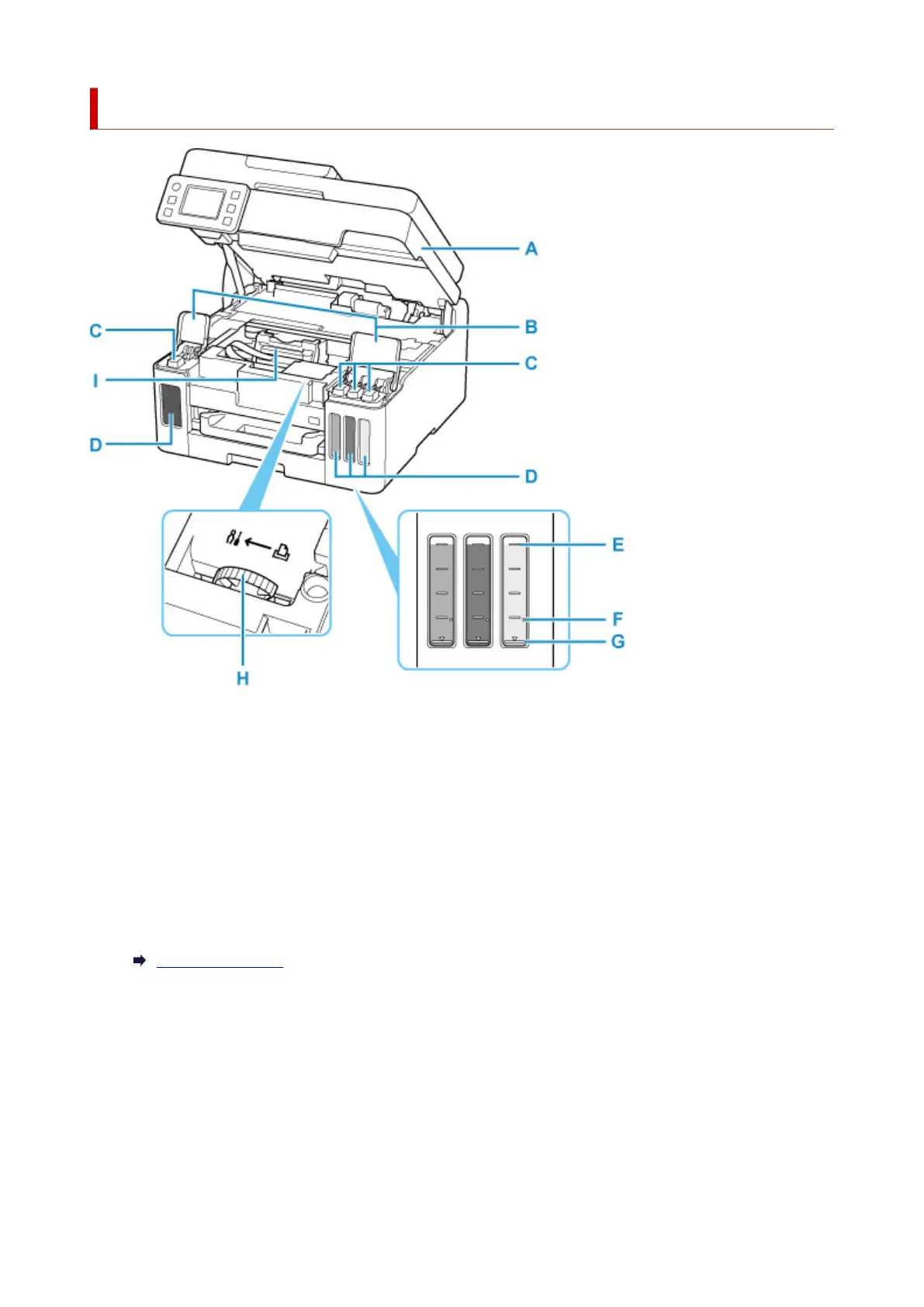
Inside View
A: Scanning Unit / Cover
Scans originals. Open to refill ink tanks
and to remove jammed paper.
B: Ink Tank Covers
Open to refill ink tanks.
C: Tank Caps
Open to refill ink tanks.
D: Ink Tanks
The black ink tank is on the left, and the color ink tanks (cyan, magenta, and yellow) are on the right.
If any ink levels are low, refill the low tanks.
Refilling Ink Tanks
E: Upper Limit Line
Indicates the maximum capacity of the ink.
F: Single Dot
Indicates the amount of ink required when performing ink flush.
G: Lower Limit Line
Indicates the lower limit of the sufficient amount of ink to print. Refill the
ink tank before the amount of
ink is below this line.
166










 To Next Page