Loading Originals on Platen
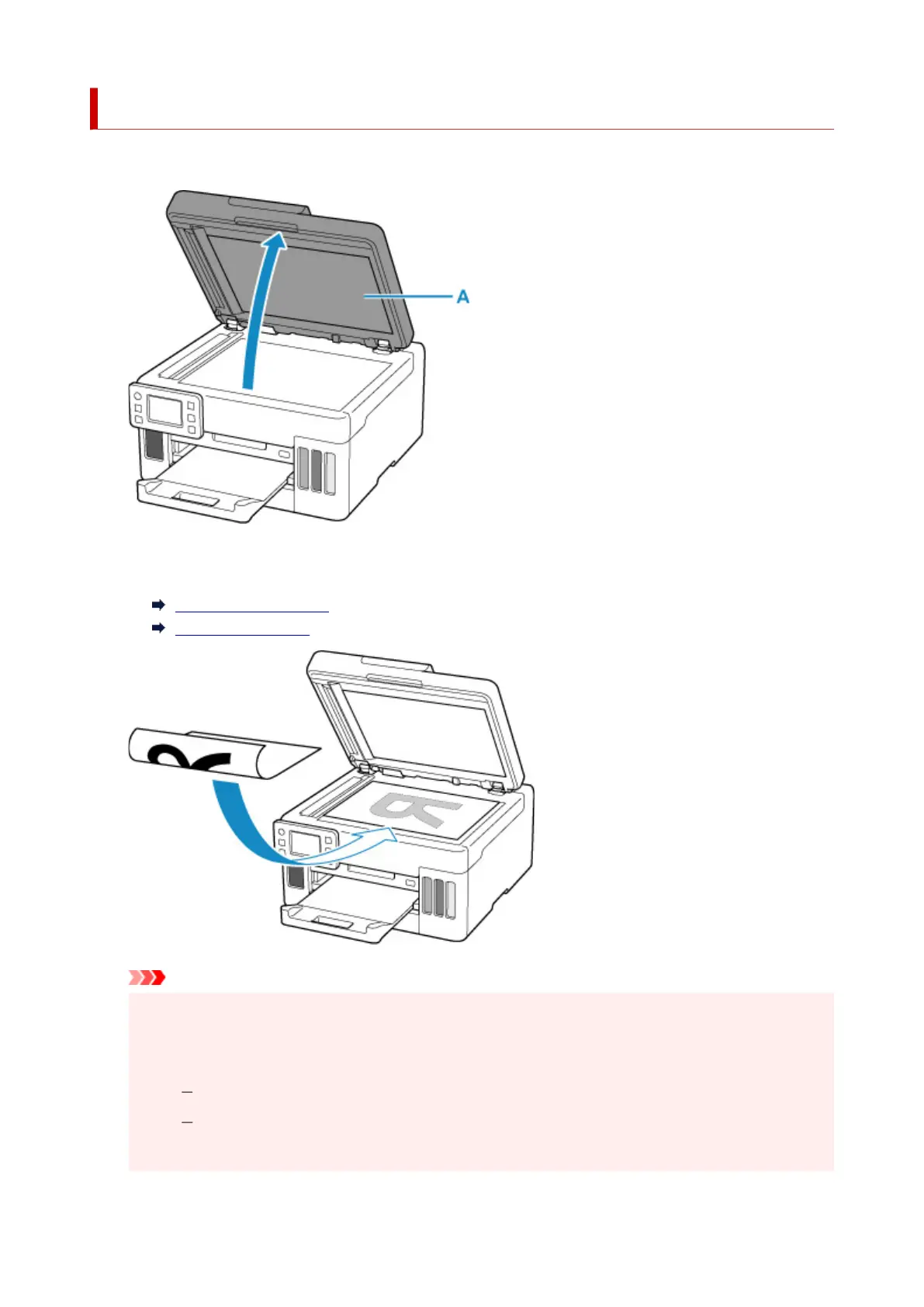
1. Open the document cover (A).
2. Load original WITH SIDE TO SCAN FACING DOWN on platen.
Loading Based on Use
Supported Originals
Important
• Be sure to observe the following when loading the original on the platen.
Failure to observe the following may cause the scanner to malfunction or the platen glass to
break.
Do not place any objects weighing 4.4 lb (2.0 kg) or more on the platen glass.
Do not put any pressure of 4.4 lb (2.0 kg) or more on the platen glass, such as pressing
down the original.
76










 To Next Page