Refilling Ink Tanks
When remaining ink cautions or errors occur, the message will appear on the touch screen
to inform you of
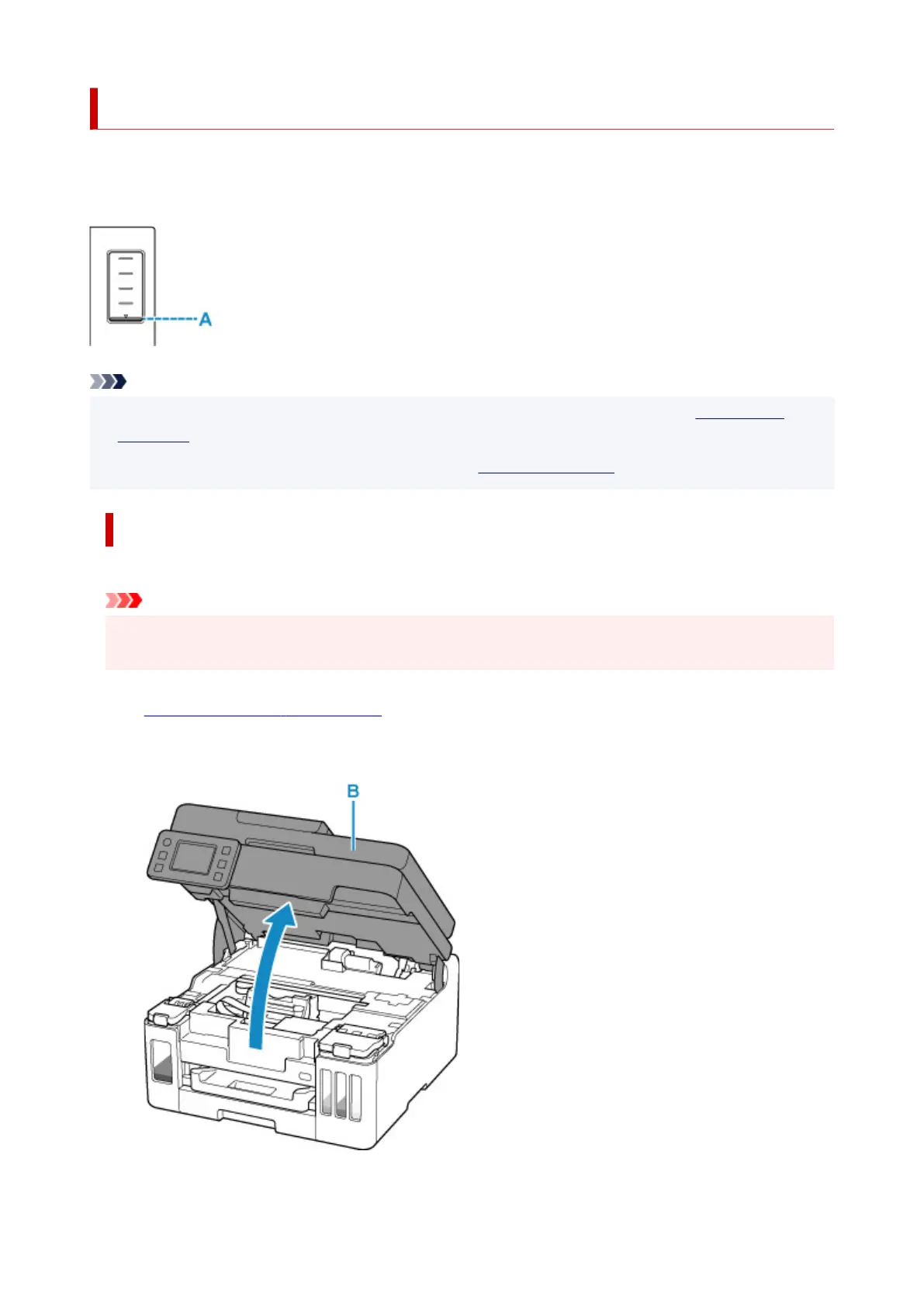
the error. In this state, the printer cannot print. Check the remaining ink level with the ink tank indicator on
the front of the printer. If the ink level is near the lower limit line (A), refill the ink tank.
Note
• If print results become faint or white streaks appear despite sufficient ink levels, see Maintenance
Procedure.
• For precautionary notes on handling ink bottles, see Notes on ink bottles.
Refilling Procedure
When you refill ink tanks, follow the steps below.
Important
• Please ensure the printer remains flat after initial setup and is NOT turned upside down or on its side,
as ink in the printer may leak.
1. Check that printer is turned on.
2. Open the scanning unit / cover (B).
89










 To Next Page