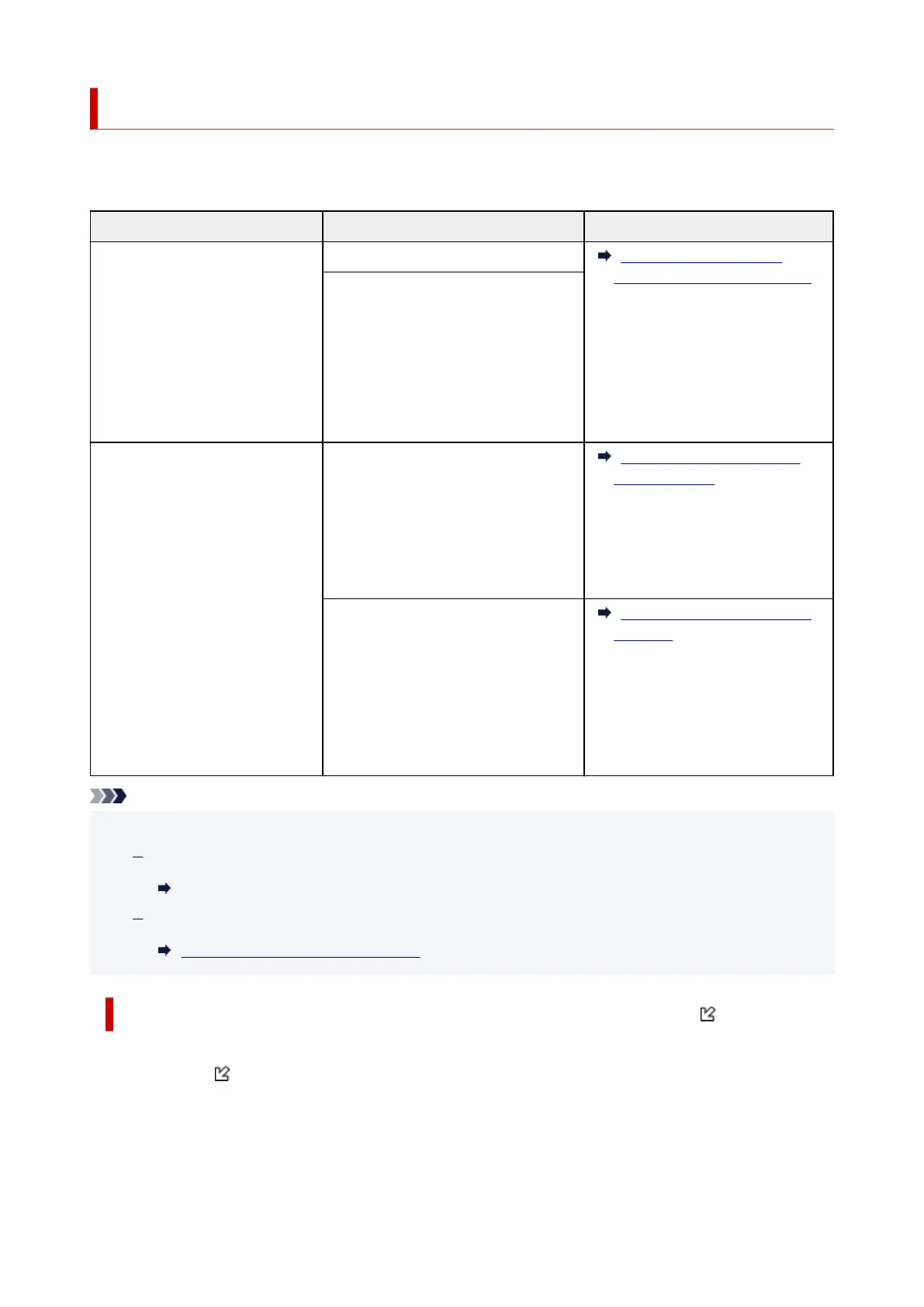
Loading Based on Use
Load the original in the correct position according to the function to use.
If you do not load the original
correctly, it may not be scanned properly.
Originals Function How to Load
Magazines, Newspapers, and
Documents
Copying
Loading the Original to Be
Aligned with the alignment mark
Scanning by specifying a standard
size (A4, Letter, etc.)
If you scan using the operation panel,
select
Document or Photo for Doc.type
in Scan and specify a standard size (A4,
Letter, etc.) for Scan size to scan origi-
nals.
Photos, Postcards, Business Cards,
and Disc (BD/DVD/CD)
Scanning only one original
If you scan using the operation panel,
follow the operation below.
• Select Photo for Doc.type in Scan
and specify Auto scan for Scan
size to scan originals.
Loading Only One Original in
Center of Platen
Scanning two or more originals
If you scan using the operation panel,
follow the operation below.
• Select
Photo for Doc.type in Scan
and specify Auto multi scan for
Scan size to scan two or more origi-
nals.
Loading Two or More Originals
on Platen
Note
• For details on how to scan from the computer and how to load originals, see below.
For Windows:
Scanning from Computer (Windows)
For macOS:
Scanning from Computer (macOS)
Loading the Original to Be Aligned with the alignment mark
Place the original WITH THE SIDE TO SCAN FACING DOWN on the platen and align it with the
alignment mark . Portions placed on the diagonally striped area cannot be scanned.
80










 To Next Page