Important
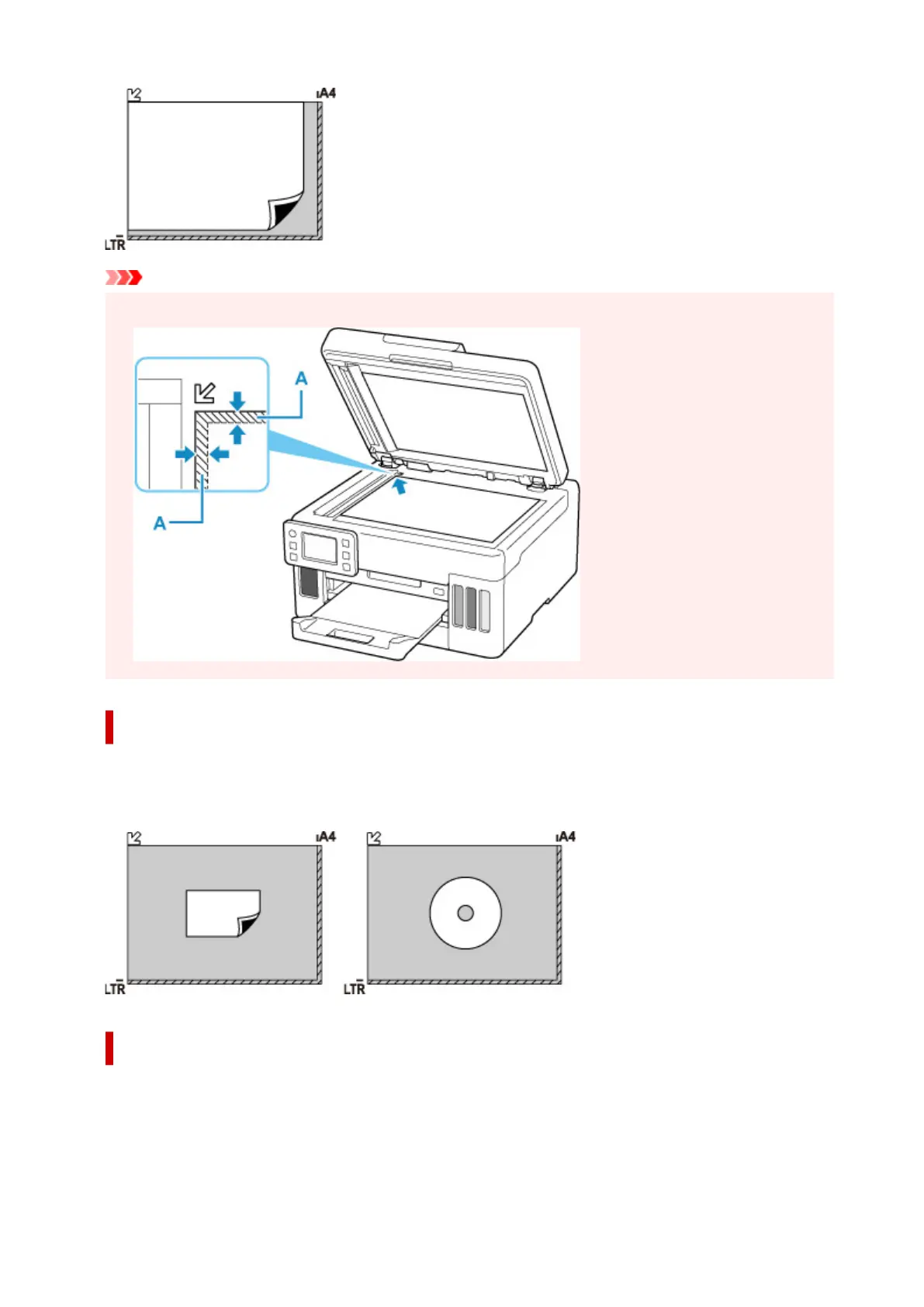
• The printer cannot scan the striped area (A) (0.04 in. (1 mm) from the edges of the platen glass).
Loading Only One Original in Center of Platen
Place the original WITH THE SIDE TO SCAN FACING DOWN, with 0.40 in. (1 cm) or more space
between the edges (diagonally striped area) of the
platen
. Portions placed on the diagonally striped area
cannot be scanned.
Loading Two or More Originals on Platen
Place the originals WITH THE SIDE TO SCAN FACING DOWN. Allow 0.40 in. (1 cm) or more space
between the edges (diagonally striped area) of the
platen and the originals, and between the originals.
Portions placed on the diagonally striped area cannot be scanned.
You can place up to 12 items.
81










 To Next Page