Cannot Communicate with Printer via USB
Check1
Make sure printer is turned on.
Check2
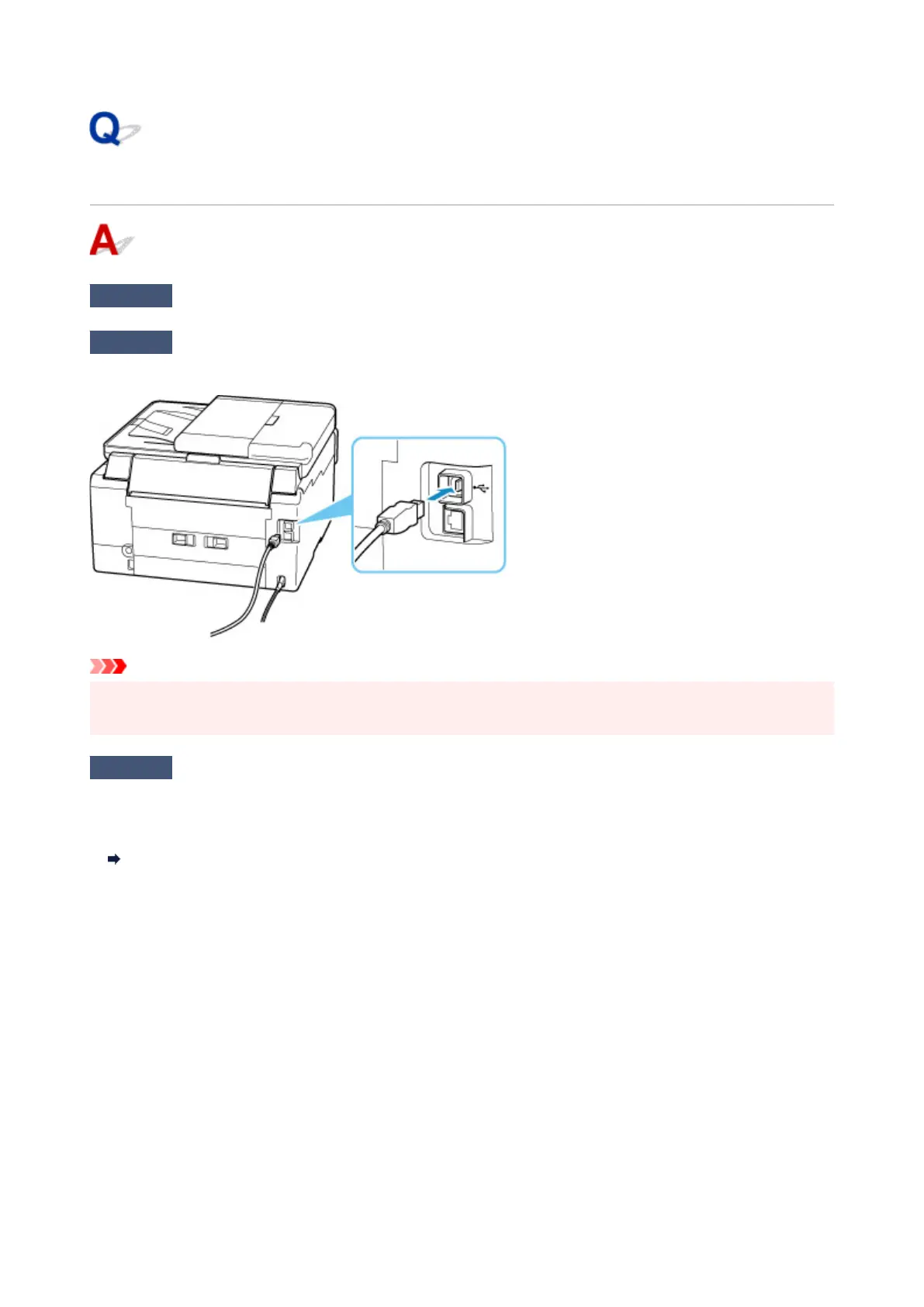
Connect USB cable properly.
As the illustration below, the USB port is at the back of the printer.
Important
• Check the orientation of the "Type-B" connector and connect to the printer. For details, refer to the
instruction manual supplied with the USB cable.
Check3
Make sure Enable bidirectional support is selected in the Ports sheet of the
Printer properties dialog box. (Windows)
If not, select it to enable bidirectional support.
Opening Printer Driver's Setup Screen
343










 To Next Page