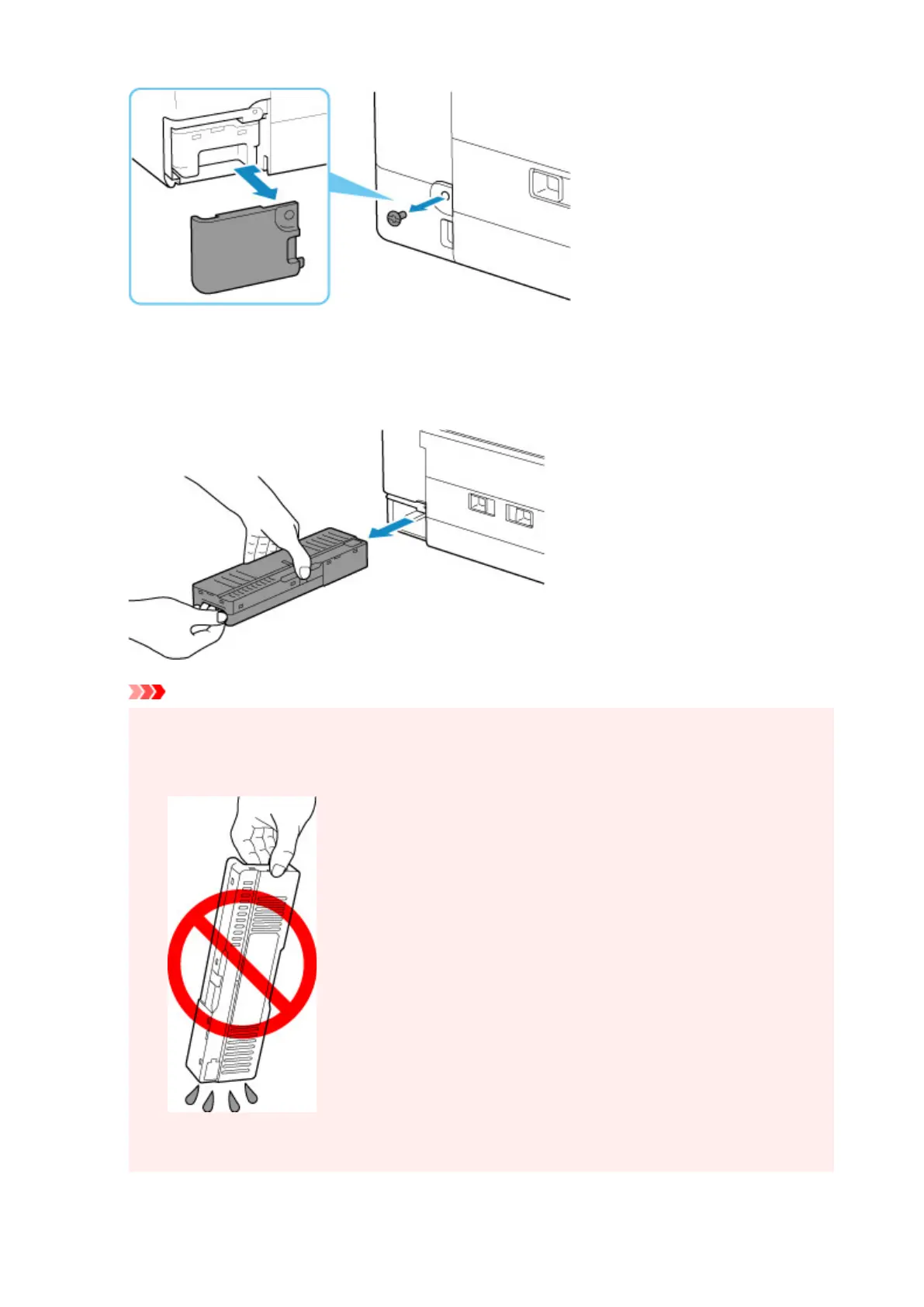
4. Pull out the maintenance cartridge.
Hold the upper portion of the maintenance cartridge
with your hands so that its bottom does not touch
the floor or desk.
Important
• Be careful not to drop or place the removed maintenance cartridge on a desk or something. Dirt
on the bottom may adhere to it or the ink inside may be scattered.
• Do not turn the removed maintenance cartridge upside down to prevent leakage of ink.
• Put the used one immediately into the plastic bag attached to the new maintenance cartridge and
seal the bag by tying the opening tightly to prevent the ink from leaking.
127










 To Next Page