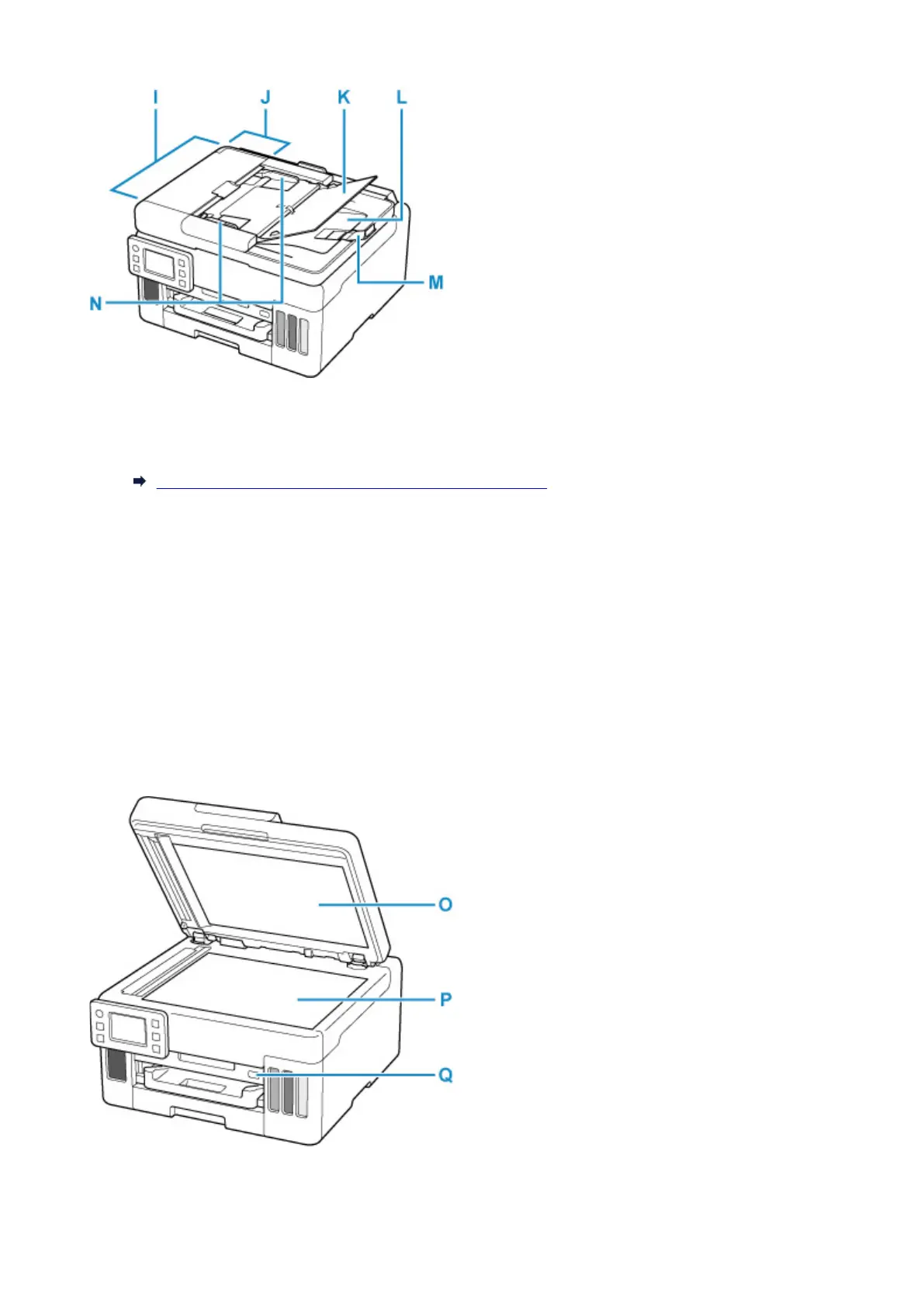
I: ADF (Auto Document Feeder)
Load a document here. The documents loaded in the
document tray are scanned automatically one
sheet at a time.
Loading Documents in the ADF (Auto Document Feeder)
J: Document Feeder Cover
Open when clearing jammed documents.
K: Document Tray
Open to load a document in the ADF.
You can load two or more sheets of document of the same size
and thickness. Load the document with the side you want to scan facing up.
L: Document Output Slot
Documents scanned from the ADF are delivered here.
M: Document Stopper
Open the original stopper to support the ejected original.
N: Document Guide
Adjust this guide to match the width of document in the ADF.
163










 To Next Page